electric vehicle
charging ...............................................
(up to the end of the DU)
electric vehicle ...........................................
(up to the end of the DU)
2.23
ENG_UD68534_6
Entrer une destination (XNX - Renault)
ENTERING A DESTINATION (15/18)
The Navigation menu for
electric vehicle and hybrid
vehicle
From the home screen, press the card
or press “Menu”, then “Navigation”. The
configuration of the multimedia system
depends on your vehicle’s engine.
Additional menus and different settings
are displayed.
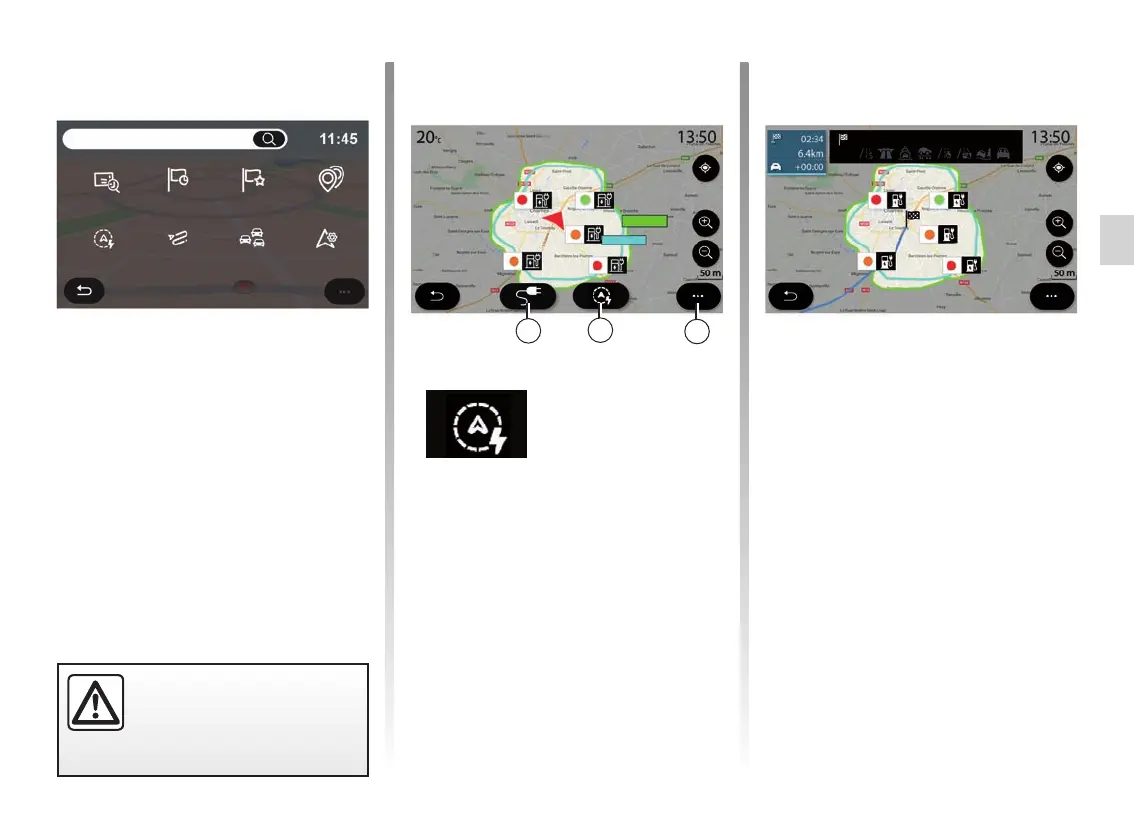
Use the “Reachable area” button 57 to
view the geographical area still within
range once you have arrived at your
next stage or at your final destination.
This map displays charging points
available to your vehicle. Refer to the
“Navigation settings” section to set the
charging parameters.
“Reachable area”
menu
This menu shows the geographical
area within range, according to the ve-
hicle’s remaining charge level:
– the blue “Standard” area indicates
the area within range during the cur-
rent driving mode;
– the green Eco area represents the
area in range if Eco mode is used.
For safety reasons, carry
out these operations when
the vehicle is stationary.
Standard
Eco
map of the area within range
56
57
58
La Coudray sur Chartres
Find an
address
Previous des-
tinations
Favourite
destinations
Points of
interest
SettingsTraffic MapRouteReachable area



 To Next Page