2.25
ENG_UD68534_6
Entrer une destination (XNX - Renault)
Charging station
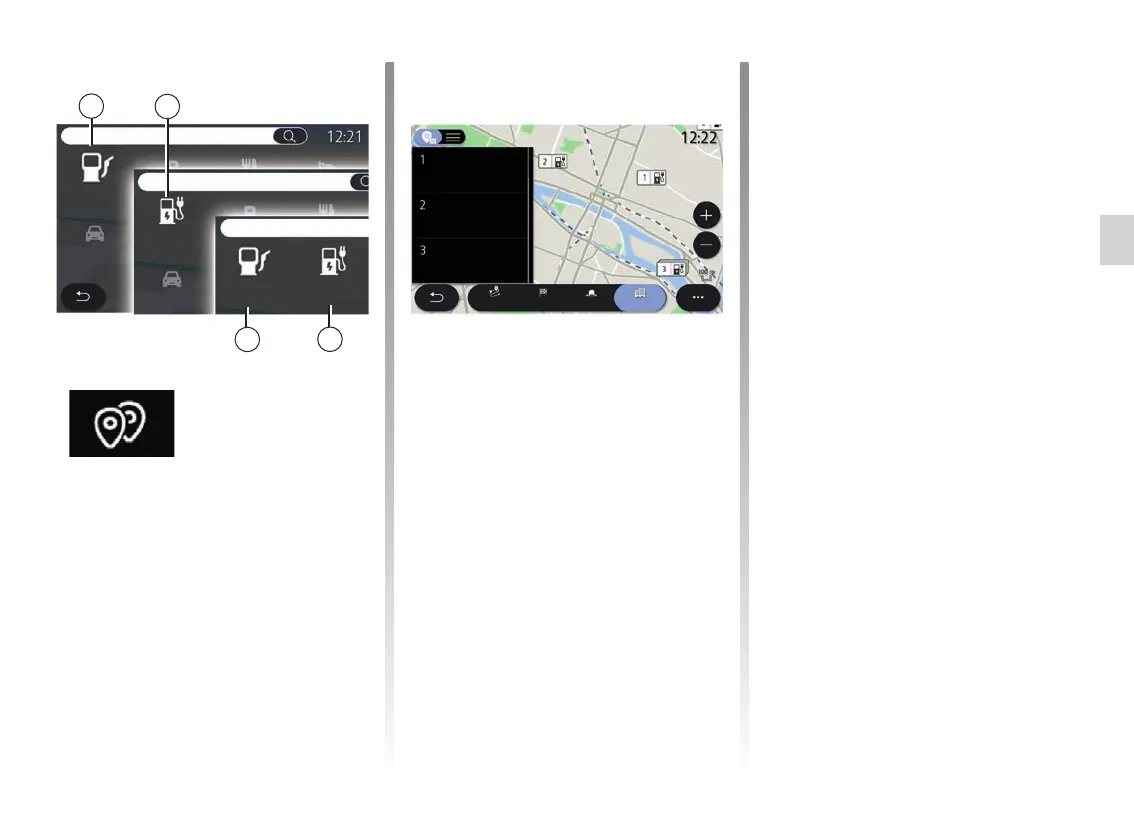
The Charging Station POI 64 shows the
charging stations around your position,
along your route, around the destina-
tion or in a town or city.
Each station indicates the number of
compatible sockets available for your
vehicle.
Colour coding indicates the availability
of the charging sockets:
– Green: socket available;
– Red: socket unavailable;
– Grey: status unknown.
ENTERING A DESTINATION (17/18)
“Points of interest”
The configuration of the multime-
dia system depends on your vehicle’s
engine:
– Fuel station 63 for internal combus-
tion engine vehicles and hybrid vehi-
cles (without charging socket);
– Charging station 64 for electric vehi-
cles;
– Fuel station 63 and Charging
Station 64 for hybrid vehicles (with
charging socket).
Fuel station
Fuel station
Charging
station
Charging
station
Nearby
In a city
Charging station
Route
Destination
PICASSO - LES
ARCHIVES station
400 m
600 m
750 m
CHATELET St Jacques
garage
de l’ARSENAL garage
63
64
63
64
Note: services must be activated in
order to display the available charging
points. Please see the section entitled
“Activating services”.
Select one of the charging stations for
more information:
– distance to and address of the sta-
tion;
– payment type (free of charge, on
subscription etc.) ;
– the number of charging sockets
(available and total);
– the type of charging socket;
– ...
From this menu you can:
– run navigation to the station;
– call the station;
– reserve a charging socket;
– ...



 To Next Page