videos ........................................................
(up to the end of the DU)
3.12
ENG_UD69793_4
Vidéo (XNX - Renault)
“Video” menu
From the main menu, press
“Applications”, then press the “Video”
menu.
Select a connected input source.
If several sources are connected, select
one of the input sources from the fol-
lowing list to access the videos:
– “USB1” (USB port);
– “USB2” (USB port).
Note:
– some formats may not be recognised
by the system;
– the USB flash drive in use must be
FAT32 formatted and have a mini-
mum capacity of 8 GB and a maxi-
mum capacity of 64 GB.
Video
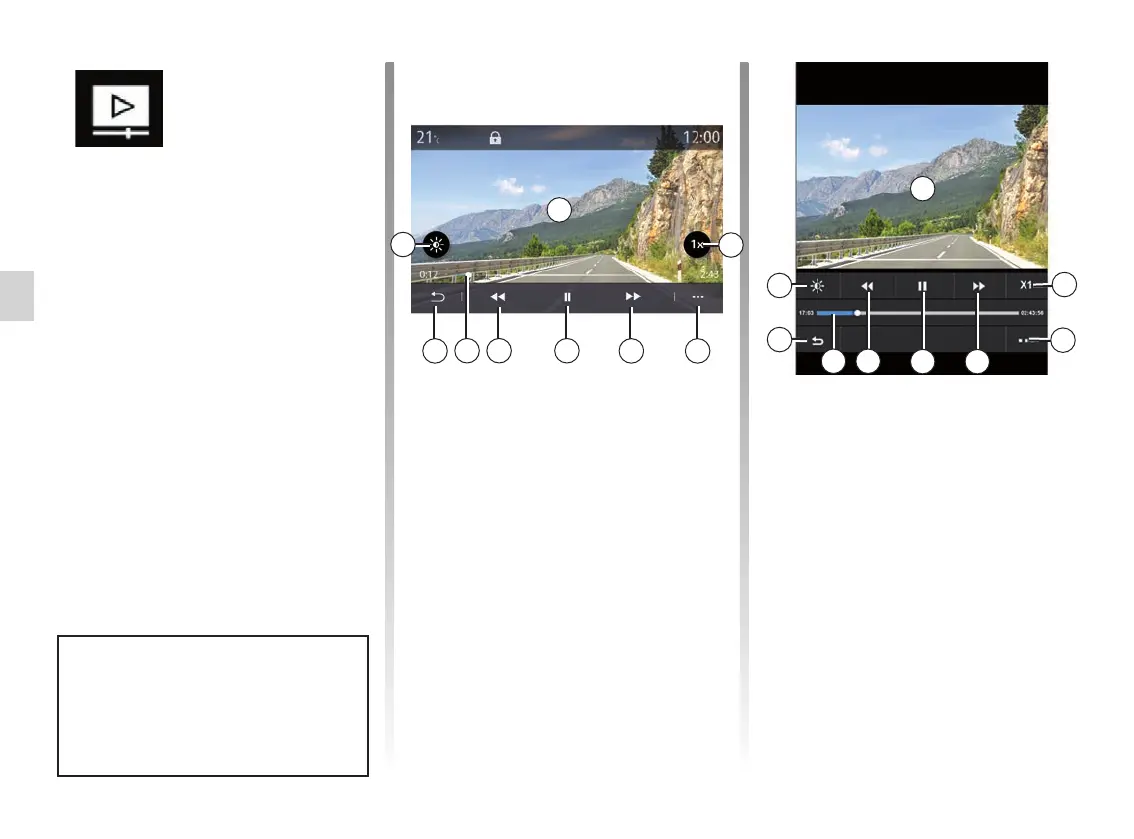
VIDEO (1/2)
– access the next video by pressing 5;
– click twice on the image preview
area 1 to switch the video to full
screen mode;
– press 9 to return to the previous
screen.
Note:
– some functions are only available in
full screen mode;
– the play controls disappear automati-
cally after 10 seconds when playing
a video in full screen mode.
Video playback is only possi-
ble when the vehicle is stationary.
When driving, only the soundtrack
of the current video remains active.
1
45
67
9
8
“Video”
When playing a video, you can:
– adjust the brilliance by pressing the 2
key;
– adjust the playback rate by pressing
the 3 button;
– access the pop-up menu 4;
– access the previous video by press-
ing 7 if the playtime does not exceed
3 seconds. After 3 seconds, the
video resumes from the beginning;
– use the scroll bar 8;
– pause by pressing 6;
2
3
4
5
6
7
9
8
1
2
3



 To Next Page