14
User Manual
4.2.5 rear Panel
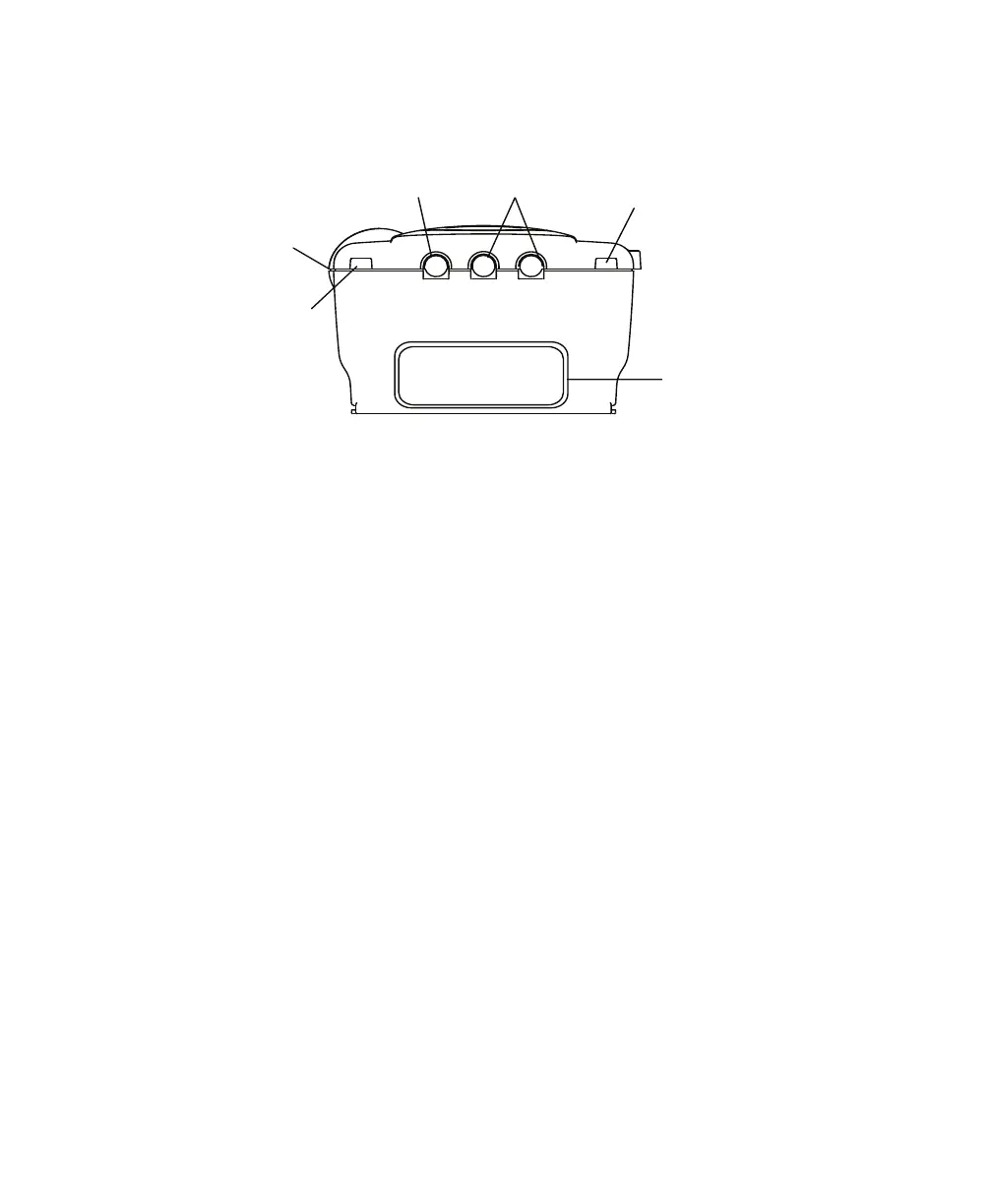
Figure 4–7 shows the device’s rear panel.
Communications
Connector Port
Power Inlets
SmartCard
Connector
Filter Cap
Cord Retainer
Cord Retainer
Figure 4–7 Rear Panel
NOTE: e SmartCard Connector is located on the side of the device.
WARNING: In order to ensure proper protection against electrical shock, only communications
accessories with an IEC 60601-1 approved power supply may be connected through the
SleepLink interface. All IEC 950 devices must only be connected to the 7-pin connector
with the Respironics Isolation cable.
e rear panel contains the following:
Communications
Connector
is connector accepts the Respironics Communications cable for computer
and external communications or a remote alarm. (Use only with an IEC 60950
approved computer.)
Power Inlets ere are two power inlets on the rear panel, one for connecting the external AC
power supply and another for connecting the external DC power adapter.
Filter Cap e filter cap can be removed to inspect the inlet air filters.
Cord Retainers Two cord retainers are located on the rear panel to provide strain relief for the
power cord.














 To Next Page