User Manual
29
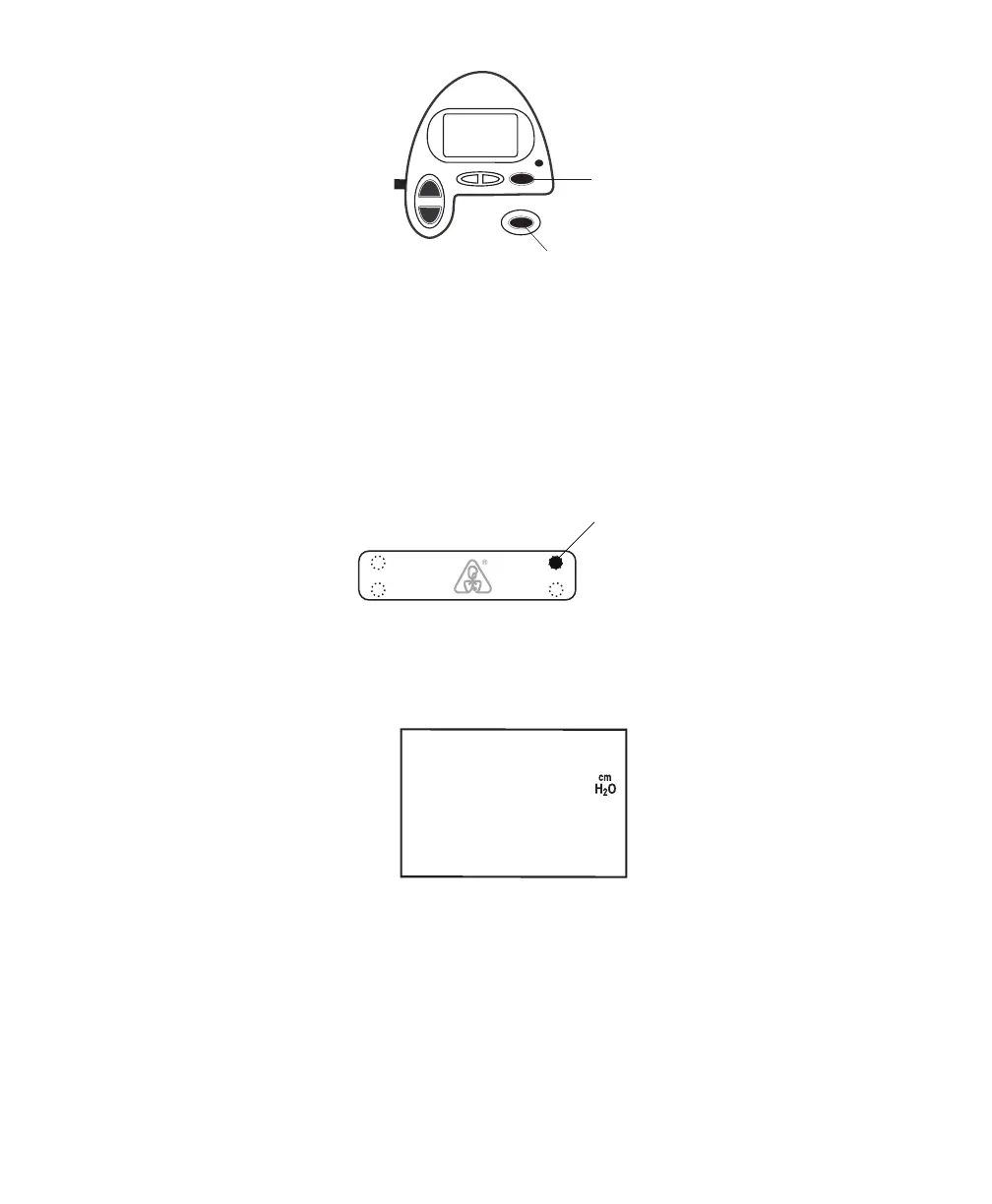
Alarm
Silence
Button
RAMP
HEAT
SILENCE
RESET
Alarm
Reset
Button
Figure 7–2 Alarm Buttons
7.2 What to do When an alarm oCCurs
e following example applies to most alarm conditions. Follow these steps unless otherwise directed by
the alarm tables that follow.
1. Look at the alarm indicators and listen to the alarm sound.
Alarm LED
Lights Up
DC
Power
AC
Alarms
Figure 7–3 Alarm LED Lights Up
Note the color of the LED and whether the LED is solid or flashing.
2. Look at the display for text.
Figure 7–4 Sample Alarm Display
ALARM appears at the top of the screen to indicate an alarm. Additional codes and symbols may also
appear depending on the type of alarm.
3. Press the SILENCE button to temporarily silence the alarm (for one minute). e display returns to
the screen that was showing when the alarm occurred.
4. Look up the alarm in the alarm tables shown in Section 7.3 and perform the action specified.
5. Press the RESET button to clear the alarm.














 To Next Page