User Manual
23
6.2.2 navigating the user disPlay sCreens
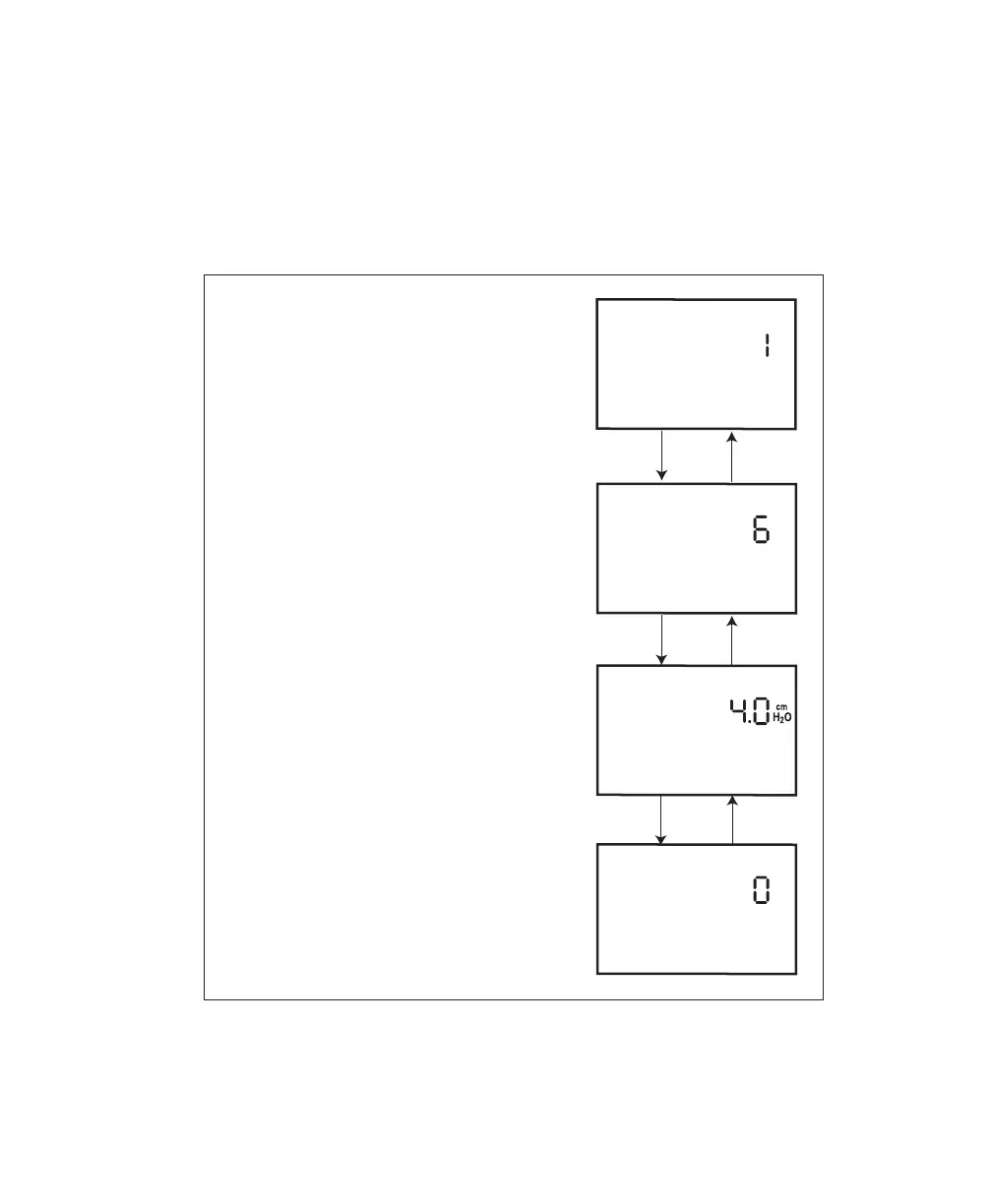
You can navigate the rest of the user display screens by pressing the Left and Right User keys.
You can change the settings on any of the display screens by pressing the HEAT and RAMP buttons to
increase or decrease the setting.
You can exit any of the user display screens by pressing the SILENCE button.
Figure 6–7 shows how to navigate the user display screens using the right and left user buttons.
Right User
Button
Right User
Button
Right User
Button
Left User
Button
Left User
Button
Left User
Button
Only displayed if the Flex feature
is prescribed for you.
Only displayed if you can adjust
the rise time setting.
Only displayed if the ramp feature
is prescribed for you.
Flex Setting Screen
Rise Time Setting Screen
Ramp Start Pressure Setting Screen
LED Backlight Setting Screen
RISE TIME
CARD
RAMP
START
LIGHT
FLEX
Figure 6–7 Navigating the User Display Screens














 To Next Page