User Manual
35
ChapTer 9: Cleaning and mainTenanCe
is chapter provides information on how to clean and maintain your system.
9.1 Cleaning the deviCe
Before cleaning or performing any routine maintenance, always make sure the device is not operating and
disconnect the device from the power source.
NOTE: e following cleaning instructions are for the device only. To clean the accessories, refer to
each accessory’s instruction sheet.
CAUTION: Do not immerse the device or allow any liquid to enter the enclosure, inlet filter, or any
openings.
Clean the front panel and exterior of the enclosure as needed using a cloth dampened with water and a
mild detergent. Allow the device to dry completely before plugging in the power cord.
Gently wash the reusable circuit tubing in a solution of warm water and a mild detergent. Rinse
thoroughly and allow to air dry.
9.2 Cleaning or rePlaCing the inlet filters
e device has two removable filters at the air inlet. e gray foam filter is washable and reusable. e
optional white, ultra-fine filter is disposable. e gray foam filter should be cleaned at least once every
two weeks under normal usage and replaced with a new one every six months. e white ultra-fine filter
is disposable and should be replaced after 30 nights of use or sooner if it appears dirty. Do not attempt to
clean the ultra-fine filter because this will damage the filter.
NOTE: Dirty inlet filters may cause high operating temperatures and may affect performance.
Regularly examine the inlet filters as needed for integrity and cleanliness.
1. Make sure the device is not operating, and disconnect the power cord from the wall outlet or DC
source.
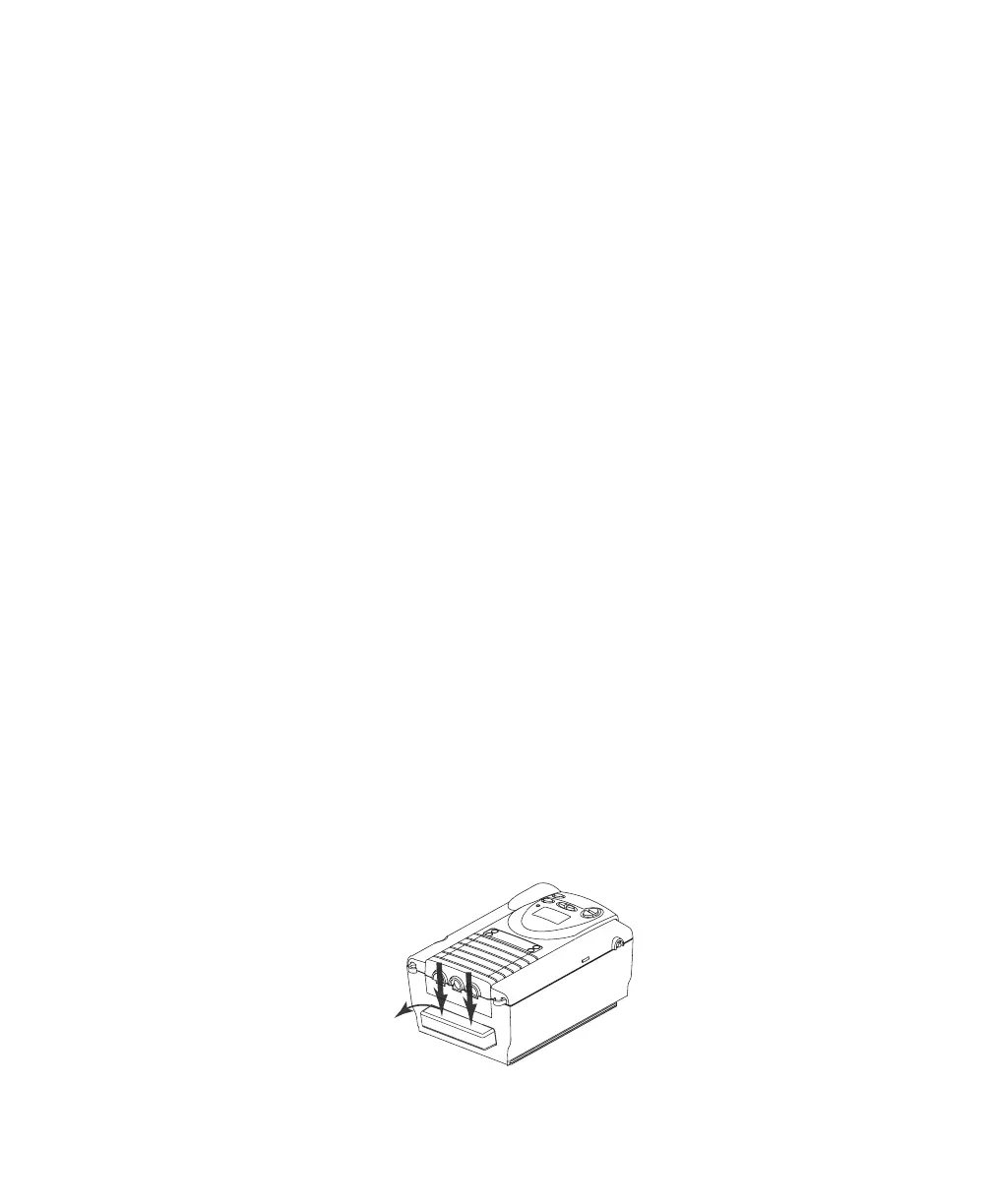
2. As shown in Figure 9–1, remove the filter cap by gently pressing down on the top panel and pulling
the cap out, away from the device.
Figure 9–1 Removing the Filter














 To Next Page