Chapter 6
6-16 BiPAP Focus Ventilator Service Manual © Respironics, Inc. REF 1029568 Rev B
Ventilator Communications
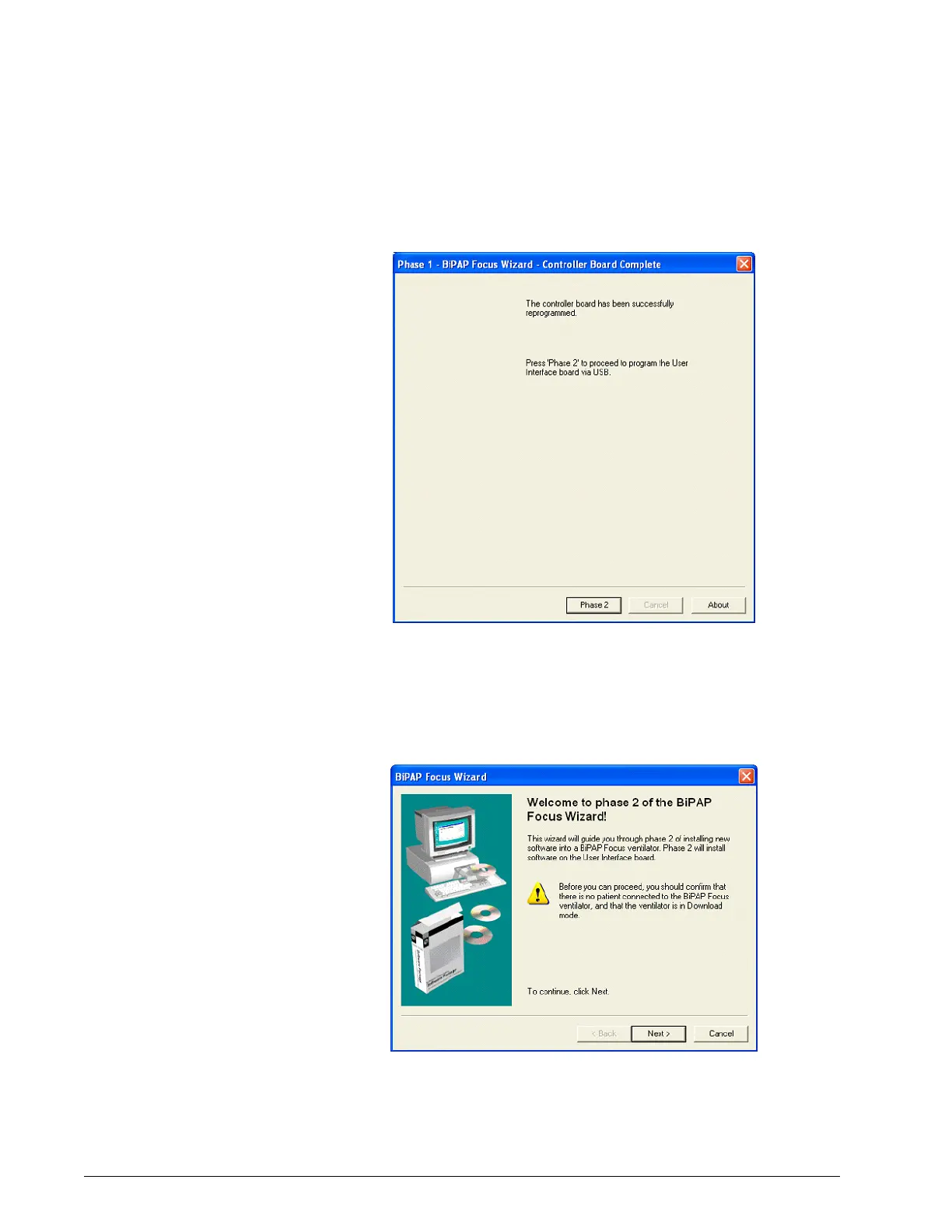
6. When the controller PCB reprogram is complete, click the Phase 2
button (Figure 6-28).
Figure 6-28: Phase 1 Complete, Start Phase 2
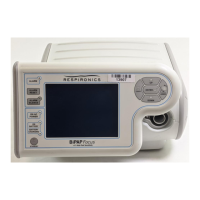
7. The Phase 2 BiPAP Focus Wizard opens to begin installing software on
the user interface PCB. The ventilator should still be in Download
mode and the cables connected. Click Next and follow the screen
prompts (Figure 6-29).
Figure 6-29: Welcome to Phase 2 BiPAP Focus Wizard


 To Next Page