6 Display and operation
6.1 Symbols in the Display Unit
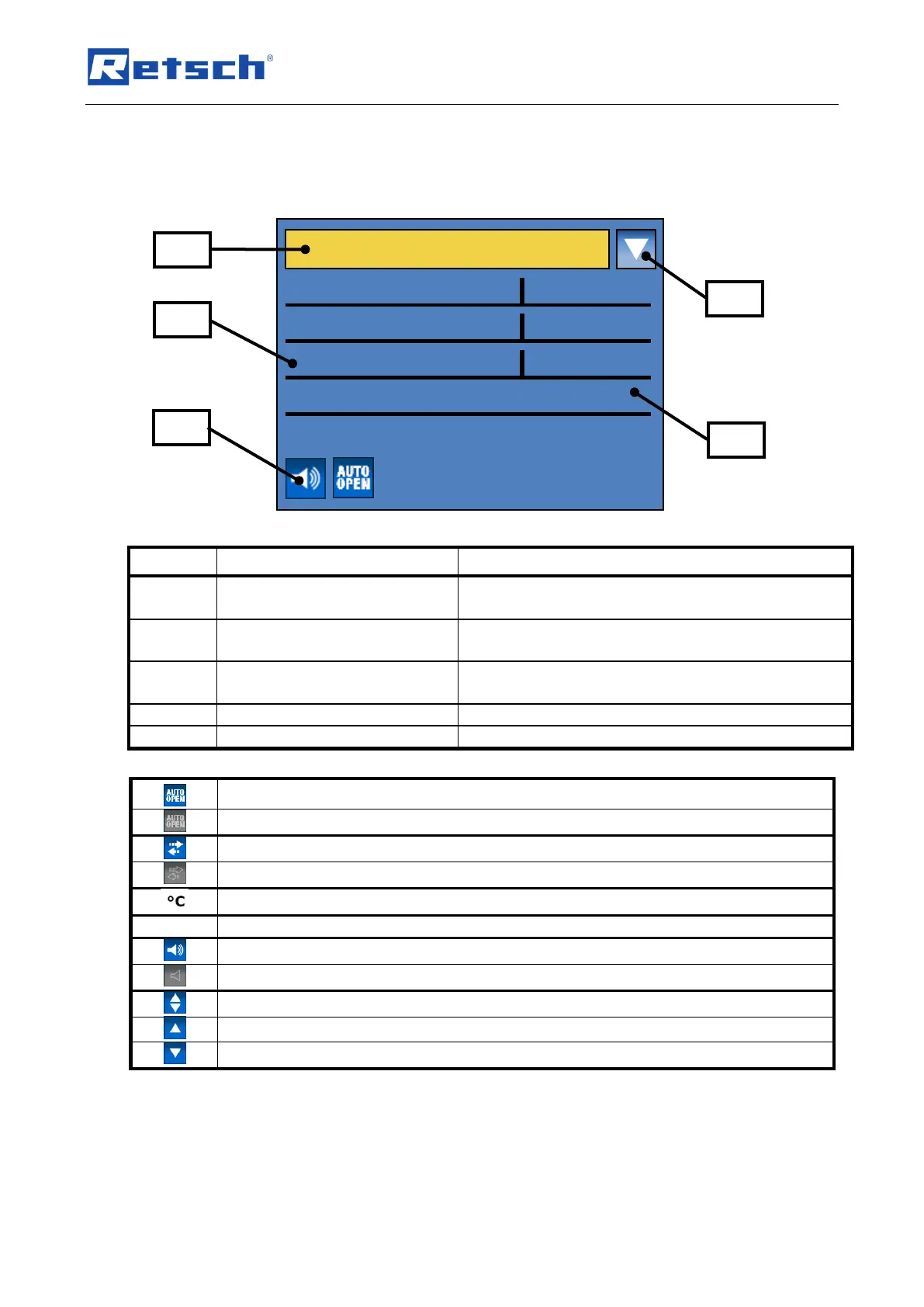
Fig. 32: View of the menu on the display unit
Switching between manual operating mode, program
and basic settings
Specification of grinding
parameters
Displaying and setting grinding parameters
Icons for device functions
Displaying the function statuses of sound, automatic
opening and grinding jar recognition
Icon for scrolling direction
Displays the possible scrolling directions
Automatic opening switched on
Automatic opening switched off
Direction reversal switched on
Direction reversal switched off
Motor or frequency converter too hot
Acoustic warning signal on
Acoustic warning signal off
Scrolling upwards or downwards possible
Only scrolling upwards possible
Only scrolling downwards possible
6.2 Display unit – operation of the device
This device offers a new, very convenient user inteface. All relevant data can be entered and
retrieved using a graphics display with one-button operation. The menu is available in different
languages.


 To Next Page