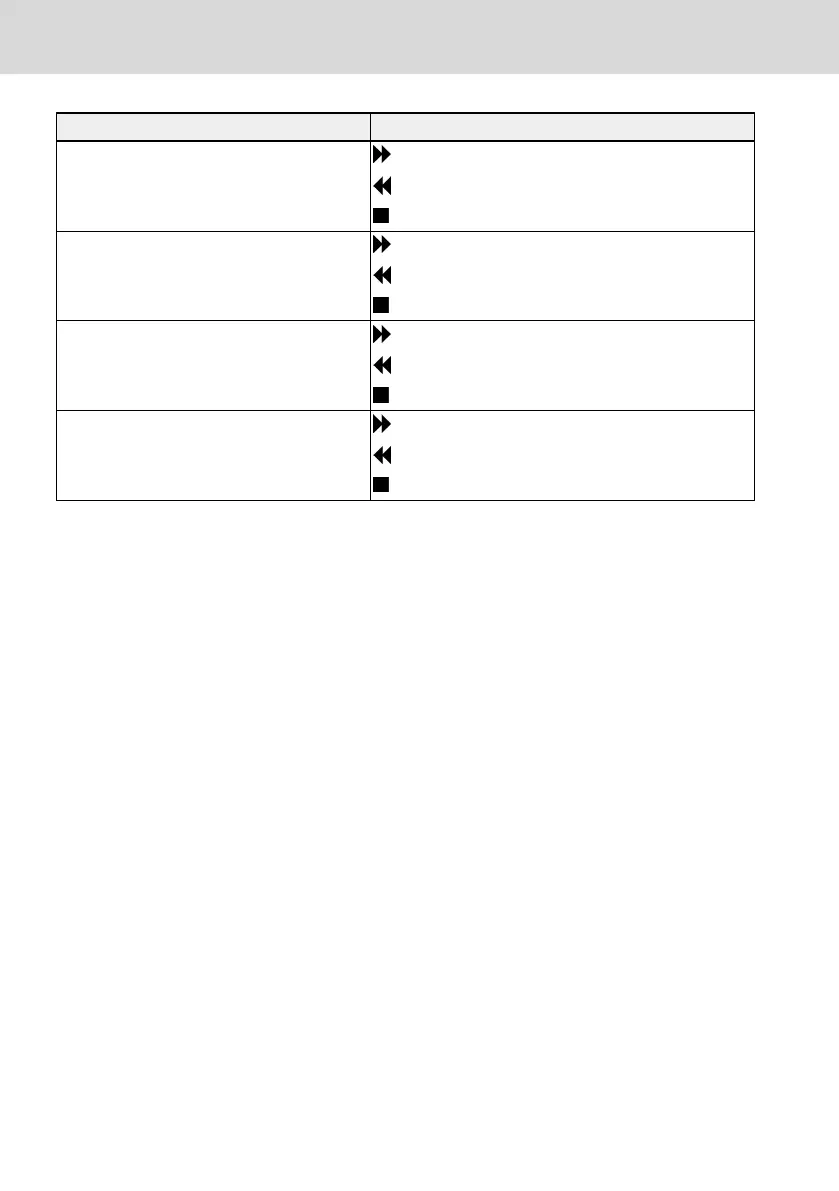
Frequency converter status Details
● Running at 0 Hz (set RefDir: FWD)
: Blinking
: Invisible
: Invisible
● Running at 0 Hz (set RefDir: REV)
: Invisible
: Blinking
: Invisible
● Frequency converter in RUN state (set Re-
fDir: REV)
: Invisible
: Shown solid, not blinking
: Invisible
● Frequency converter in RUN state (set Re-
fDir: FWD)
: Shown solid, not blinking
: Invisible
: Invisible
Tab. 3-2: Frequency converter status
(8) Error / Warning information: Error / Warning code will be displayed in this
sector. Please refer to chapter 4 "Diagnosis" on page 86 for details.
(9) Permanent monitoring: By default, its display as "Actual output frequency" is
set by parameter U2.09. Value and unit of parameter will be displayed.
(10) Re / Lo: Re stands for 'Remote' and Lo for 'Local'. Its display is set via Loc /
Rem button or parameter U2.03.
(11) Panel Locked / Unlocked: Panel can be locked by the following ways:
● Setting [U2.02] to '1', or
● Pressing Func button with Loc button for longer than 3 s.
Panel can be unlocked by the following ways:
● Setting [U2.02] to '0' (only in communication mode), or
● Pressing Func button with Loc button for longer than 3 s.
3.2.2 Operating Example
Please follow the steps below to set parameter [b0.10] to '1: Restore to default
settings' through LCD panel.
1. Press Func button.
2. Rotate Navigation button to select parameter group b0.
3. Press Navigation button and rotate it to select parameter b0.10.
4. Press Navigation button and rotate it to select parameter value '1: Restore
to default settings'.
5. Press Navigation button to finish setting.
34/91
Start-up
Rexroth Frequency Converter VFC
3610 / VFC 5610
Bosch Rexroth AG R912005518_Edition 16


 To Next Page