RichAuto S & T Co., Ltd
Add: 5th
floor, No.4 building, No 4. Yard, life Rd, life science park, beiqing St., changping district Beijing, China
Tel:010-53275118 Fax:010-53275110/53275111 Web site:www.richnc.com.cn
56
PS1. System upgrade
Copy upgrade file to U disk,and insert U disk into handle,file format:
extension ******. PKG & shown as rz-xxxx.
U Disk Upgrad Method 1
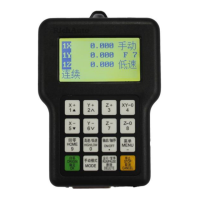
1.1 Press“ ”,and then select “System Setup”,press“ ”to enter,
press“ ”/“ ”,select“Auto Upgrade”.The screen display:
1.2 Press“ ”to enter,select“Udisk File”,then select upgrade file,press
“ ”,system will auto upgrade.
1.3 After upgrade completed,restart the handle.
U Disk Upgrade Method 2
Select Update File
选择 U 盘文件
Internal File
Recent File
UDisk File
U 盘文件件 WENJIAN


 To Next Page