5. Tighten the two screws to secure the interface board.
6. Plug in the power cord, and then turn on the printer.
7. Print the configuration page to confirm that the board was attached correctly.
• Check that the board was correctly installed by printing the configuration page. If it is correctly
installed, "Parallel Interface" will appear for "Device Connection" on the configuration page. For
details about printing the configuration page, see "Test Printing", Operating Instructions.
• If the board was not installed properly, repeat the procedure from the beginning. If it cannot be
installed correctly even after trying the installation a second time, contact your sales or service
representative.
Installing the Extended USB board
1. Check the contents of the package.
2. Turn the printer off and unplug the power cord.
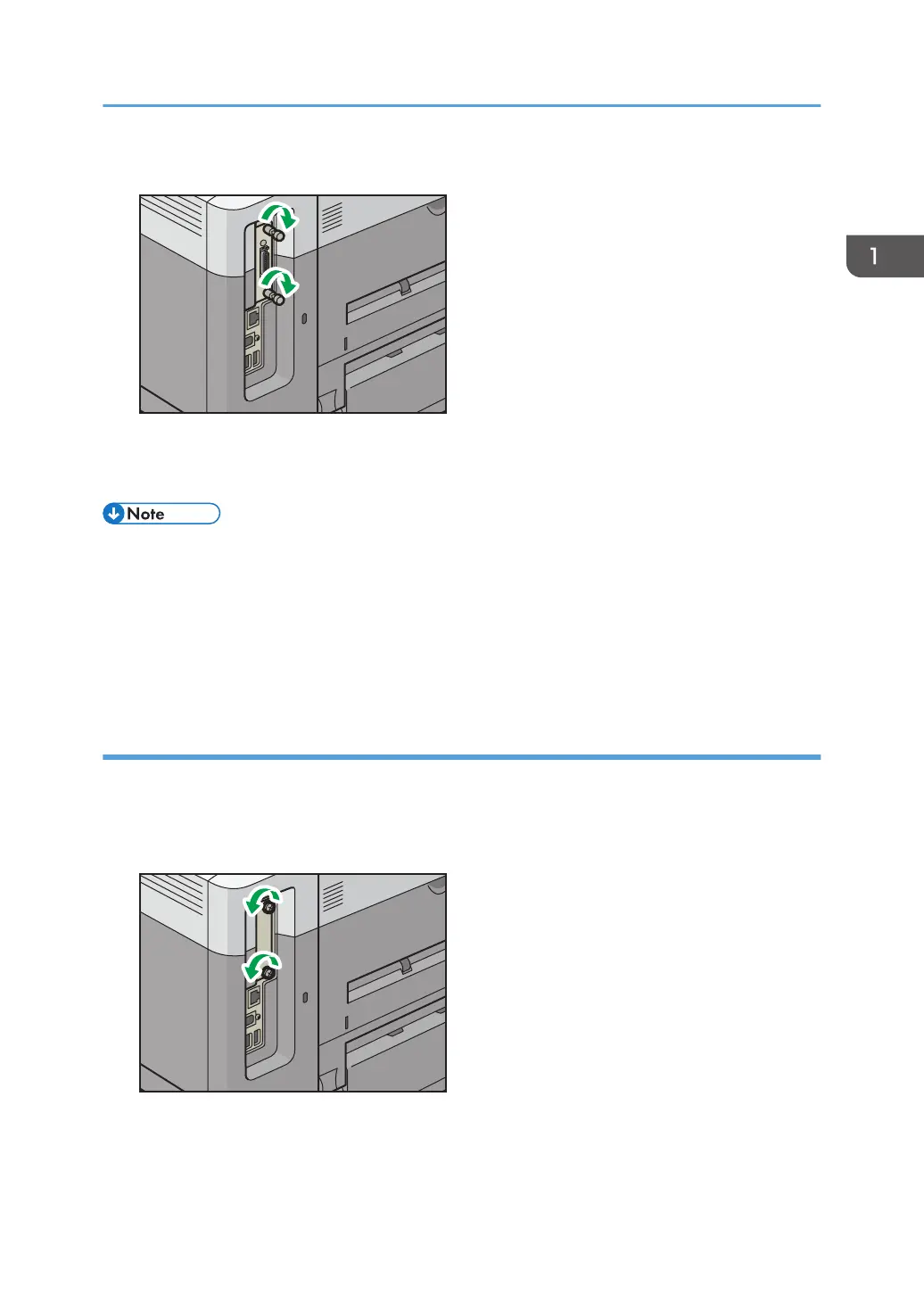
3. Loosen the two screws and remove the slot cover.
The removed cover will not be reused.
Installing Options
21


 To Next Page
 Loading...