1.Detailed Descriptions
32
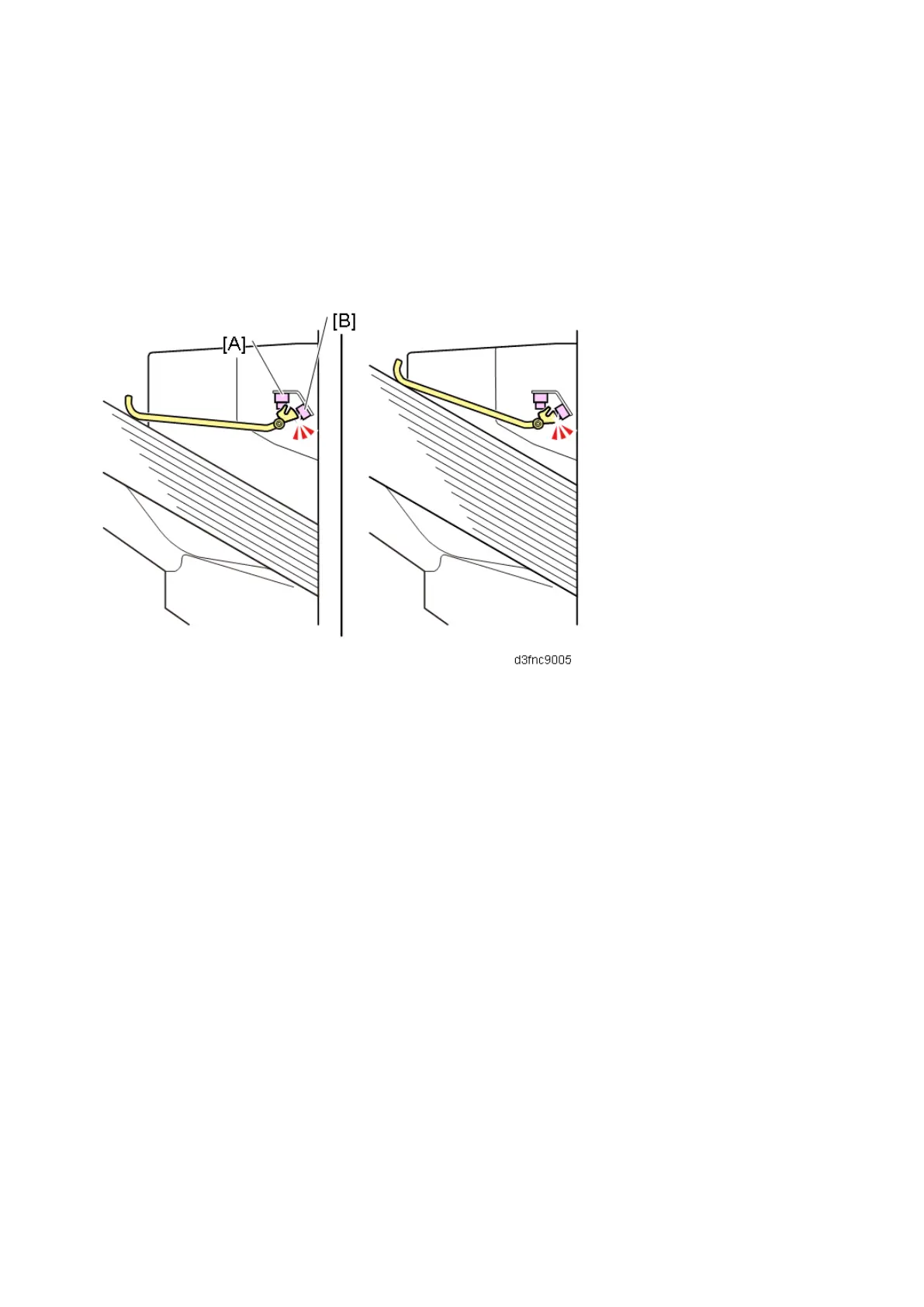
Condition 2
The feeler is raised.
• Booklet Stack Height Sensor 1 (S26) [A] (SP6-123-036 INPUT Check) : OFF
• Booklet Stack Height Sensor 2 (S27) [B] (SP6-123-037 INPUT Check) : ON
If the feeler remains up for 13 seconds, the machine deems that the stacking limit has been reached.
This is meant for the correct detection of tray full for stacking Z-folded paper, or for incorrectly stacked
documents.
Condition 3
By default, INPUT Check SP6-123-035 (Paper Height Sensor: Shift) is set to "0".
[A]: Shift Tray Paper Height Sensor



 To Next Page