2.Replacement and Adjustment
80
Saddle Stitch Unit (Motors)
Saddle Stitch Unit
1. Remove the following covers.
• Rear Upper Cover (Rear Upper Cover, Rear Lower Cover)
• Rear Lower Cover (Rear Upper Cover, Rear Lower Cover)
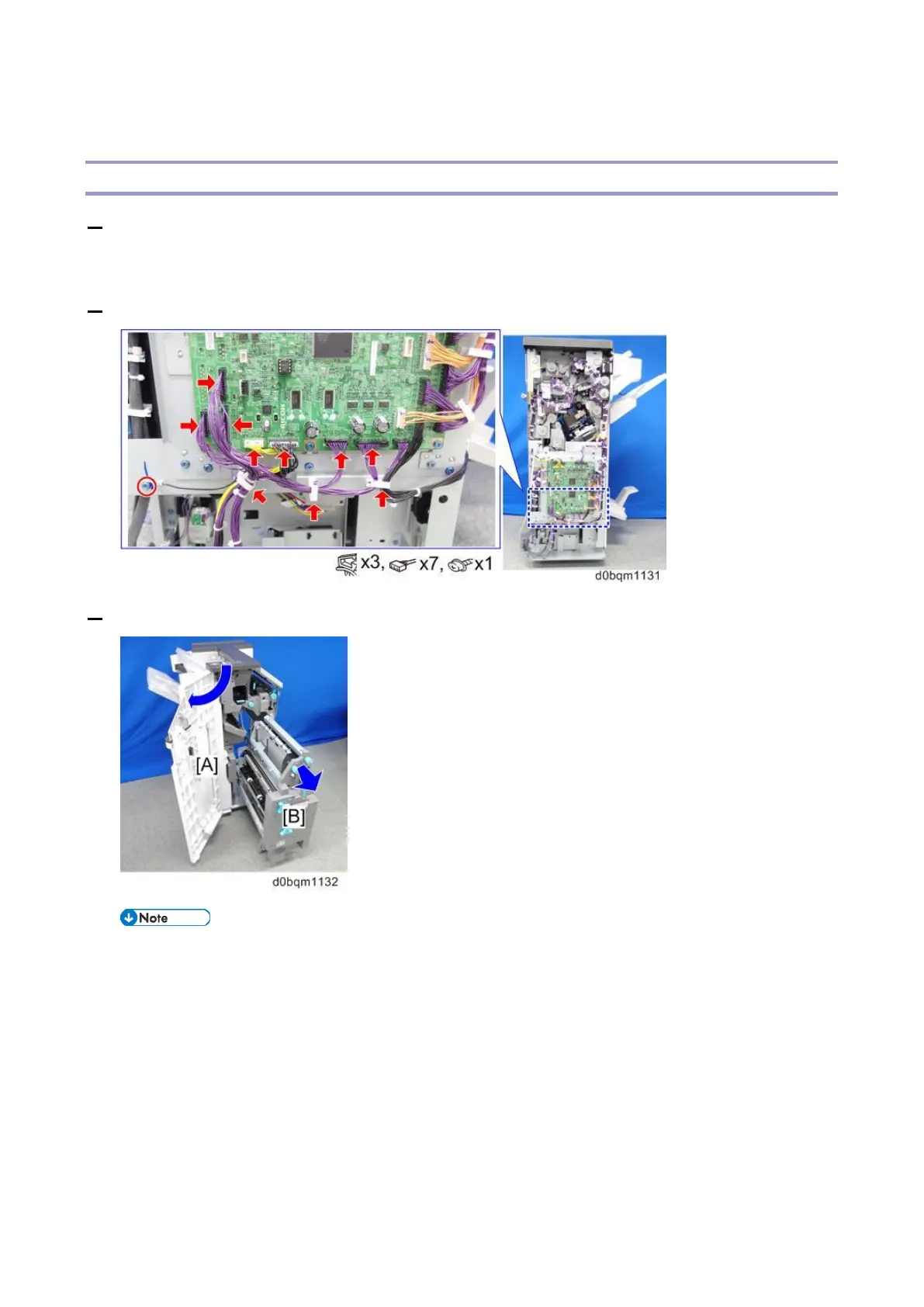
2. Remove the harnesses and ground wire from the saddle stich unit.
3. Open the front door [A] and pull out the saddle stitch unit [B].
• After pulling out the saddle stitch unit, be sure to keep the harnesses within the interior of
the finisher.
If the harnesses protrude, the connectors may become caught between metal plates
when removing the saddle stitch unit.
[A]: Harnesses stowed in finisher (correct)
[B]: Harnesses protruding (incorrect)



 To Next Page