2.Replacement and Adjustment
73
Main Unit (Sensors)
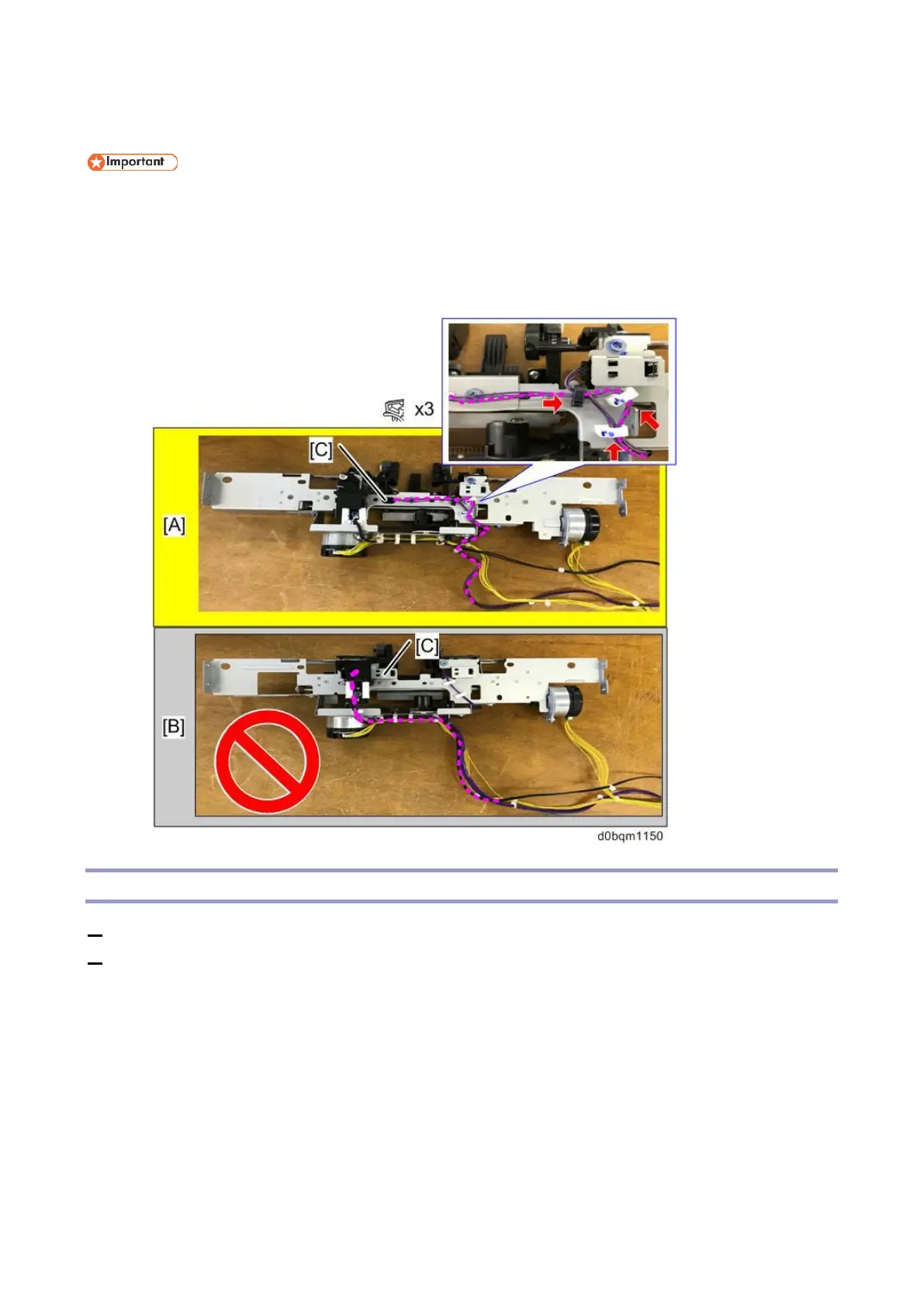
• When you release the harness around the shift tray paper sensor [C] for replacing parts such
as the sensors on the trailing edge alignment unit, be sure to route the harness as shown in
the following figure [A]. (The sensor layout and harness routing has changed from the previous
machine [B], so be careful not to route the harness as shown in the following figure [B].)
Shift Tray Paper Height Sensor
1. Remove the trailing edge alignment unit (Trailing Edge Alignment Unit).
2. Turn over the trailing-edge alignment unit, and then remove the shift paper height sensor together
with the bracket [A].



 To Next Page