2.Replacement and Adjustment
64
Corner Stapling Unit, Trailing Edge Alignment Unit
Corner Stapling Unit
1. Remove the following covers.
• Front left side cover (Front Left Side Cover)
• End fence (End Fence)
• Rear lower cover (Rear Upper Cover, Rear Lower Cover)
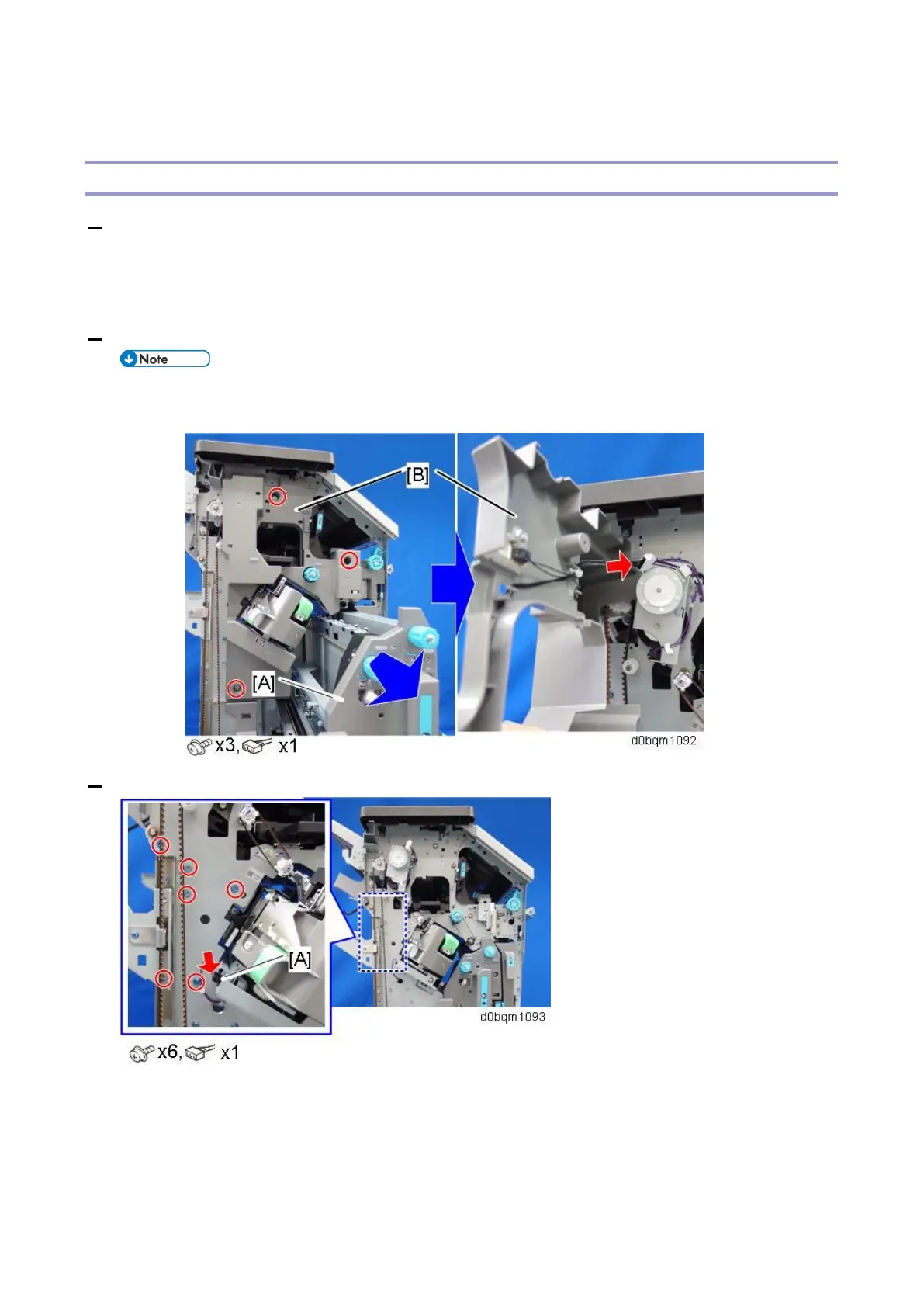
2. Pull out the saddle stitch unit [A], and remove the inner upper cover [B].
• Disconnect the harness from the back side of the inner upper cover when you remove the
inner upper cover.
3. Disconnect the staple move HP sensor [A], and then remove the screws from the front side cover.



 To Next Page