2.Replacement and Adjustment
62
When Replacing the Controller Board
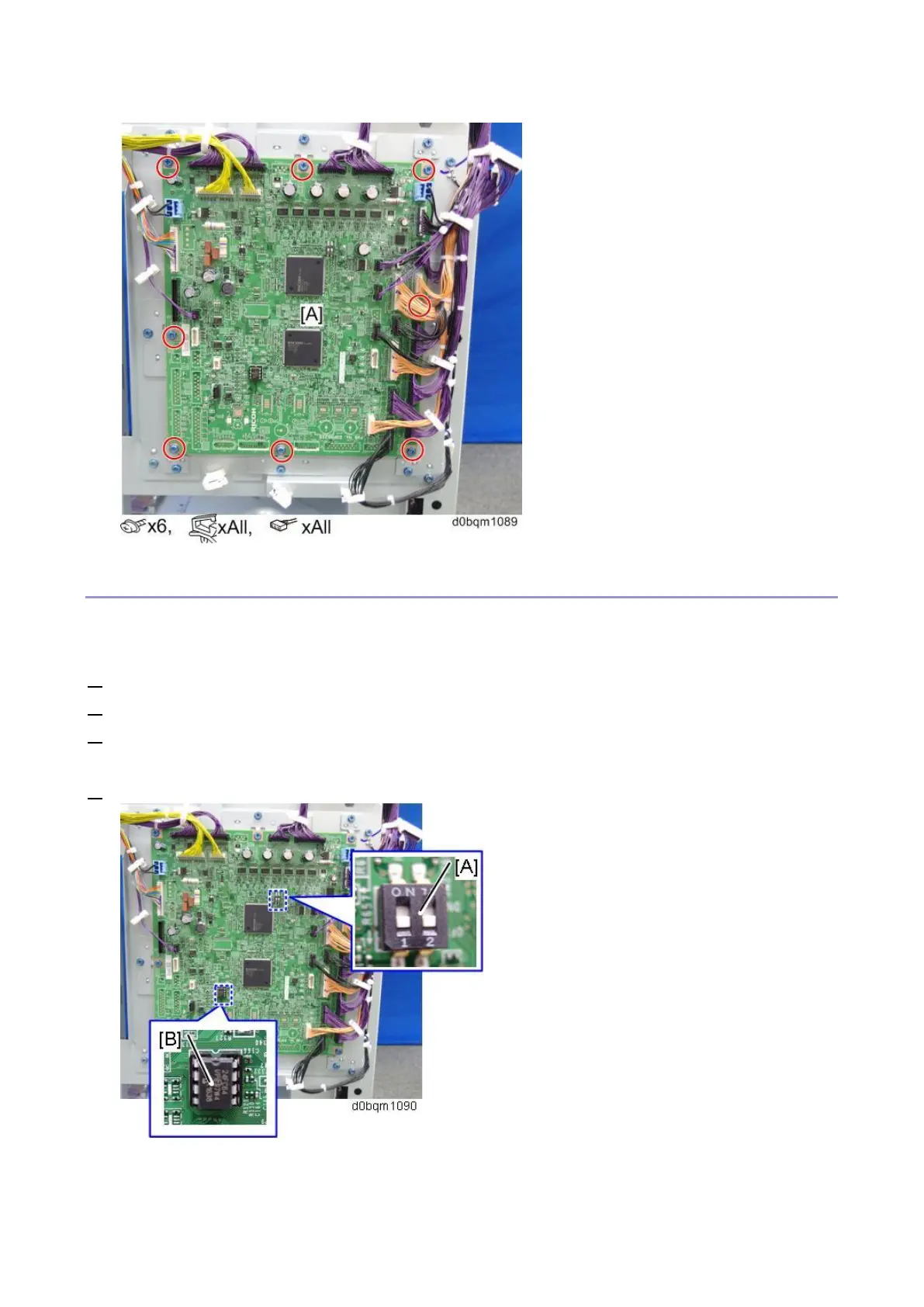
This board has a dip switch. When you reinstall the controller board, follow the procedure below to
make dip switch settings.
1. Check the settings of the dip switch [A] on the old main board.
2. Replace the controller board.
3. Change the settings of dip switch [A] on the new controller board to match the settings on the old
controller board.
4. Remove the EEPROM [B] from the old controller board and install it on the new controller board.



 To Next Page