Operating Progeny Analyzers 26
1006232_RevD
3. Choose an item from the RAD-supplied samples to display a confirmation screen.
4. Select the OK/ARM LASER soft key to display the Performance Verification scan screen
5. Select the Scan soft key to start the sample-analysis cycle.
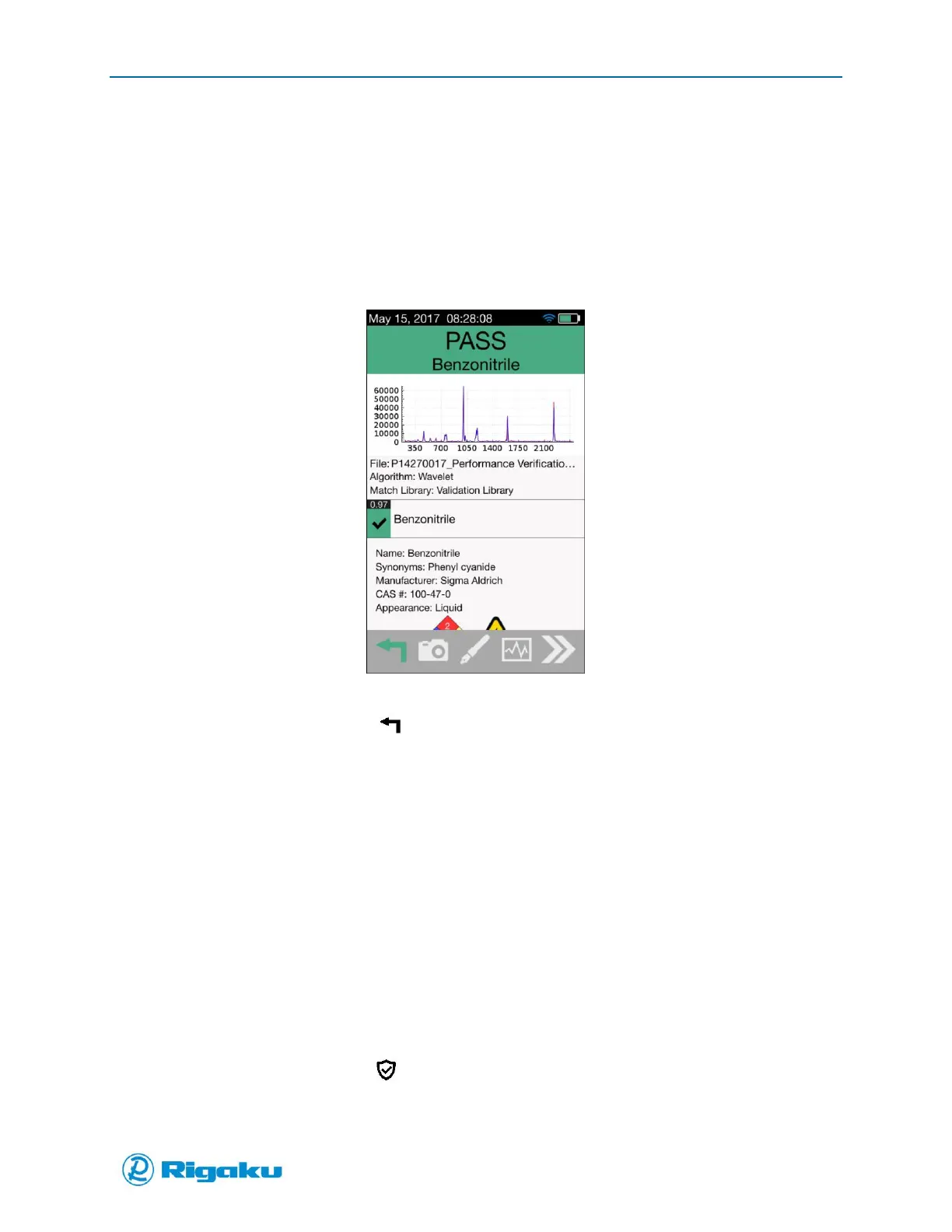
The sample-analysis cycle runs through four phases, (scanning, background, search, results) then
shows the Performance Verification on-screen results for the RAD-supplied sample profile
(Figure 12b).
Figure 12b Performance Verification Result Screen
If the result is Pass, select (Cancel/Back) to return to the Main screen.
Or:
If the result is Fail, calibrate your instrument (see “Instrument Calibration”).
Instrument Calibration
It is not necessary to do an Instrument Calibration unless you run Performance Verification and get a
failing result, or the instrument was recently serviced and/or spectral performance has changed or if
there is a RED checkmark in the shield indicating a Fail for Verification or Calibration. The Instrument
Calibration is usually done as part of the PQ/OQ procedures. The Instrument Calibration is run using a
calibration sample (Benzonitrile) provided by RAD to ensure that your instrument accurately collects and
processes spectral data and resets its Certification Status.
To re-calibrate your instrument for current operating conditions and reset the Certification Status:
1. If your Progeny Analyzer is off, power on (see “Powering On”) and log in (see “Using Instrument
with Login”) to a user account.
2. From the Main screen, select (Calibration) from the left corner of the action bar (Figure 10).
The Select Method screen shows the calibration options (Figure 11).



 To Next Page