Advanced Options 57
1006232_RevD
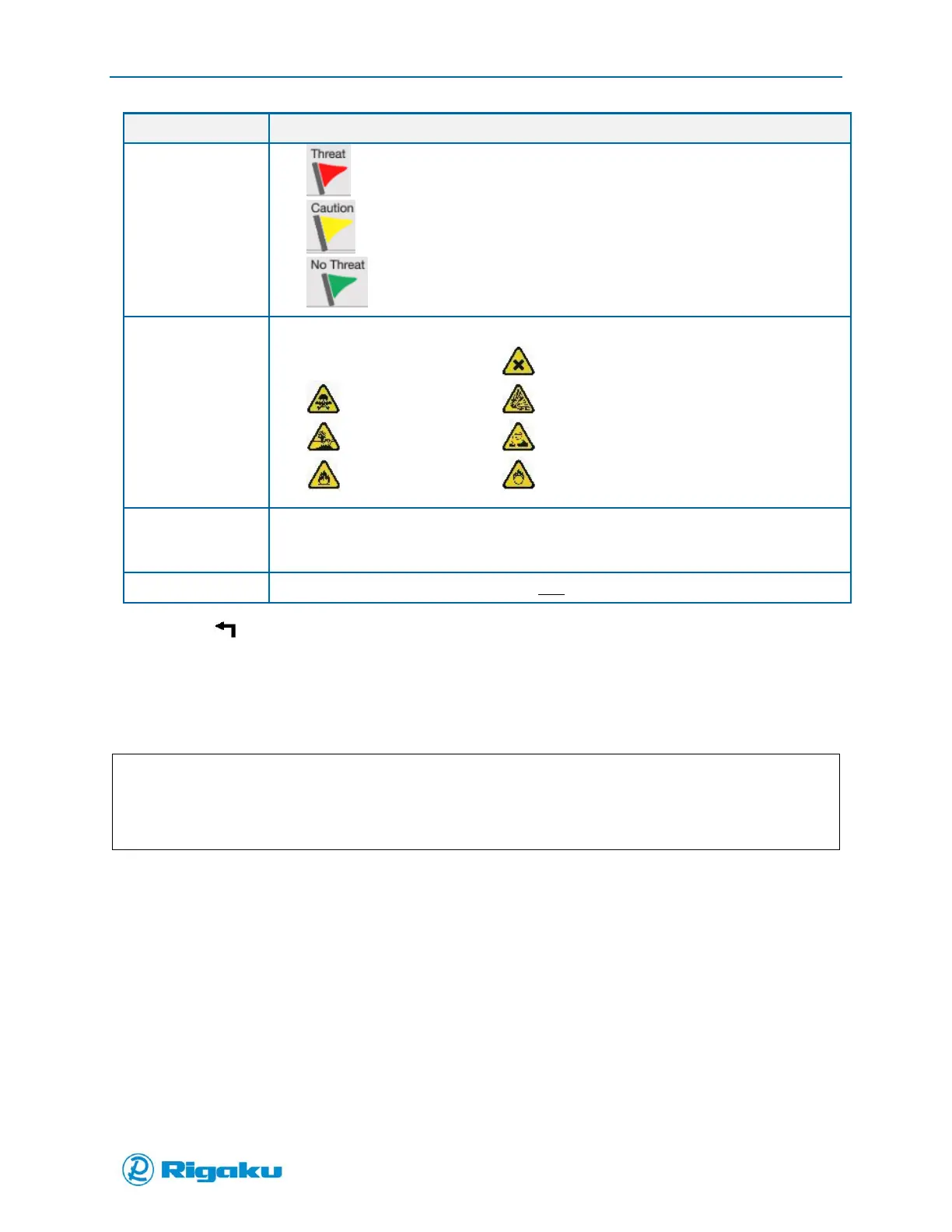
– Threat
– Caution
– No Threat
Select up to 3 from the following list of warning symbols:
– None – Irritant
– Toxic – Explosive
– Polluting – Corrosive
– Flammable – Oxidizing
The information label specified in National Fire Protection Agency (NFPA) 704 – Standard
System for the Identification of the Hazards of Materials for Emergency Response for the
spectral library match.
For RAD-supplied Master Library profiles only.
7. Select (Cancel/Back) to return to the previous screen.
Adding Spectral Profiles to the Master Library
If the Master Library does not have the spectral profiles you need, you can add them with the Analyze
feature.
Note:
If the spectral files added to the Master Library are not of good quality the results for any profiled
compared to them could be compromised.
When adding spectral profiles of new substances to the Master Library you may need to run a series of
tests to optimize the instrument setup for that particular sample.
The central scan properties that you may need to adjust to receive sufficiently detailed spectral results
are:
Power—specifies the intensity of the laser stimulus of the sample.
Exposure—specifies the duration of the spectral collection period.
Averages—specifies the number of times the stimulus/collection sequence is performed during
the Scanning phase of the sample-analysis cycle.
Focal Position—specifies where the sample sits in comparison to the laser focus.
Adjustments to other scan properties may change the quality of the spectral result. For more
information about scan properties, see Appendix B.
For questions regarding how to get detailed spectral results, contact RAD or your local RAD
representative.



 To Next Page