93
Store Operations
2 0
8 0
F a s t
A u t o
m
C a r d
1 0 0
M S
F r a c t i o n t h a t c a n n o t b e s h o w n
o n s e c o n d s d i s p l a y
M e a s u r e m e n t s c r e e n
2 0
8 0
F a s t
A u t o
C a r d
1 0 0
M S
M e a s u r e m e n t s c r e e n
I n d i c a t e s 1 0 0 h o u r s h a v e e l a p s e d
F o r 2 0 0 h o u r s , " 2 " i s s h o w n
T i m e r m o d e m e a s u r e -
m e n t i s c o m p l e t e d
P u s h a n y K e y
15. The timer mode measurement has completed normally, the indication
below is shown.
Elapsed time display
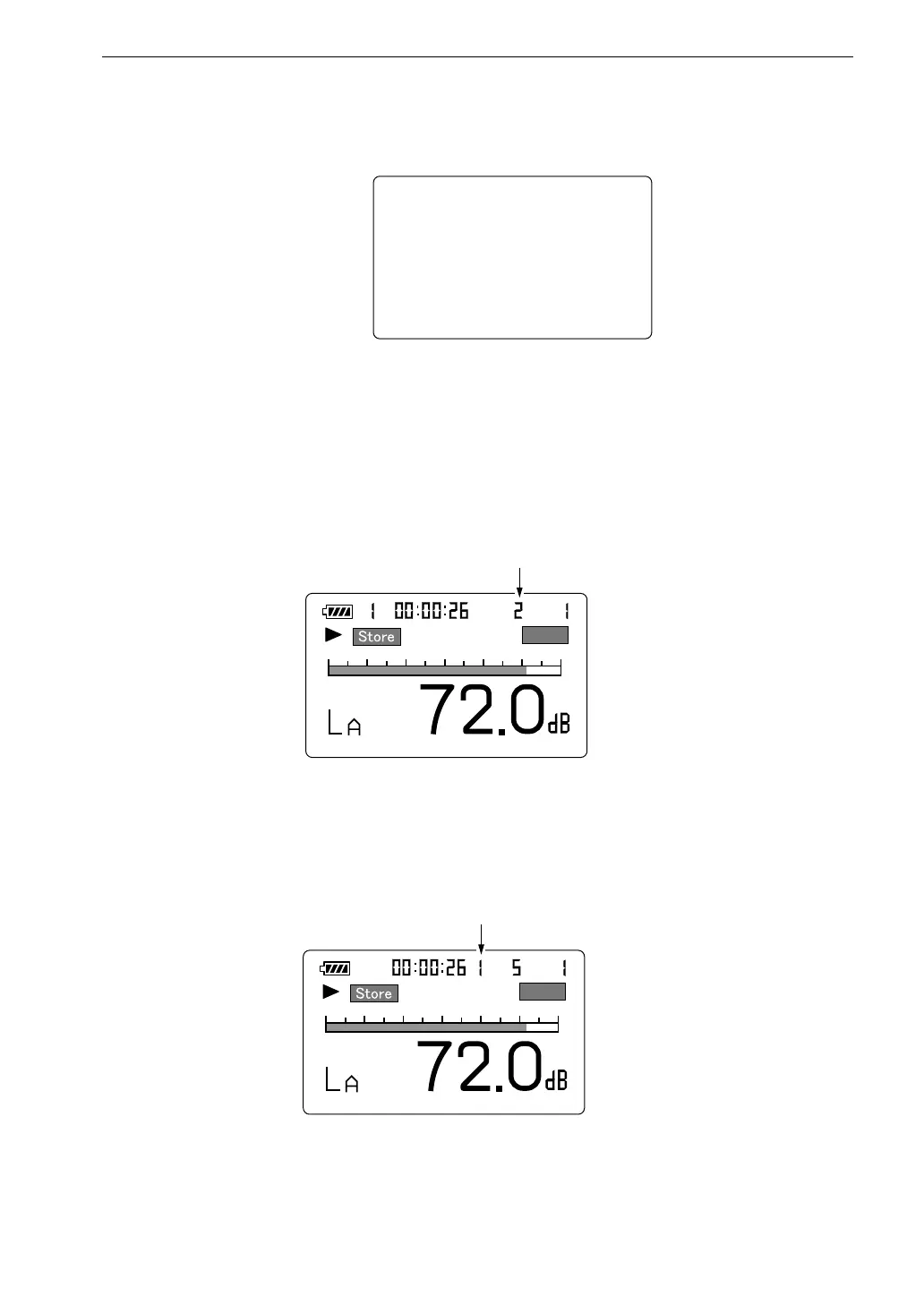
During Auto 1 store, the store address is converted into elapsed time for display.
In the example below, the sampling interval is 100 ms, which yields 10 data
per second. The indication means that data number 262 is being stored.
When 100 hours have elapsed, the top digit of the address display becomes
"1" as shown below.
16. When 200 hours have elapsed, "Data memory full" is shown.



 To Next Page