61
Scanning >> Scanning Operations
4
4
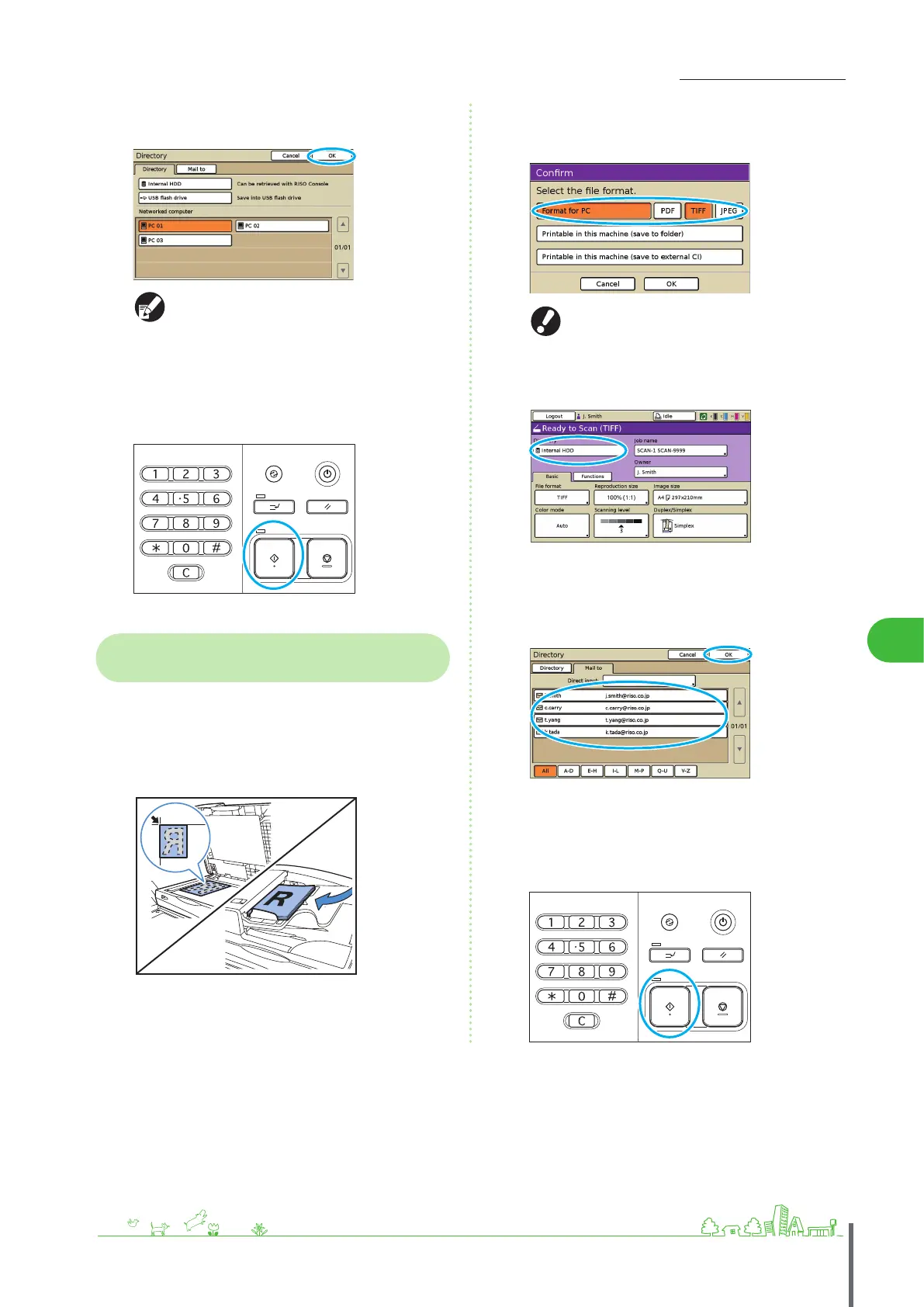
Select the destination on the [Directory] screen, and
then press [OK].
Networked computers must be registered in
advance. For details, ask your administrator.
5
Complete other scanning settings as needed.
6
Press the [START] key.
Attaching Scanned Images to Email
Messages
Scanned images can be attached to messages and
emailed.
1
Load the original.
Load the original on the platen glass or in the ADF.
2
On the conrmation screen, select [Format for PC]
and press [OK].
Also at this time, select [PDF], [TIFF], or [JPEG] as the format.
This screen may not be displayed, depending on
the administrator settings.
3
Press [Directory].
4
On the [Mail to] screen, select the recipient and
press [OK].
If the recipient is not listed, you can enter the address
directly.
5
Complete other scanning settings as needed.
6
Press the [START] key.
ComColor Series Basic Guide 02 ComColor Series Basic Guide 02










 To Next Page