30
HP - High Performance Engine for maximum light output and optimal colour characteristics.
HCF - High Colour Fidelity Engine for the best light quality and colour reproduction.
The type of used LED engine is displayed if the xture is disconnected from power as well.
The green icon at the top right corner of the screen indicates the level of the display battery charging. If the
whole icon is green, the battery is fully charged while the red icon indicates exhausted battery. The battery
charges during xture operation, its charging lasts cca 6 hours.
We recommend that the xture should be in operation at least 7 hours per week to keep the battery fully charged.
If you switch the xture on and this screen will not appear till 1 minute, switch the xture o and on again. If the
screen lights, the battery is exhausted. In case the screen still does not light, the battery is faulty.
This is also indicated by an error message "Faulty battery" and if such an error message appears the battery
should be replaced immediately. The lifetime of the battery is highly dependent on ambient temperature (and
consequently on base temperature). If the maximum ambient temperatures (as recorded and displayed in menu:
Information -> Fixture Temperatures -> Ambient Temperature -> Maximum NonRes.) are kept within the spec-
ied limits, the battery should last for at least two years. Shell the ambient temperatures exceed the specied
maximum temperature, the lifetime of the batteries could be considerably shortened even up to just one year
or less and also result in physical damage (battery leakage) or unreliable xture functions.
Damage caused by batteries failed due to exceeded maximum ambient temperature cannot be claimed under
warranty terms.
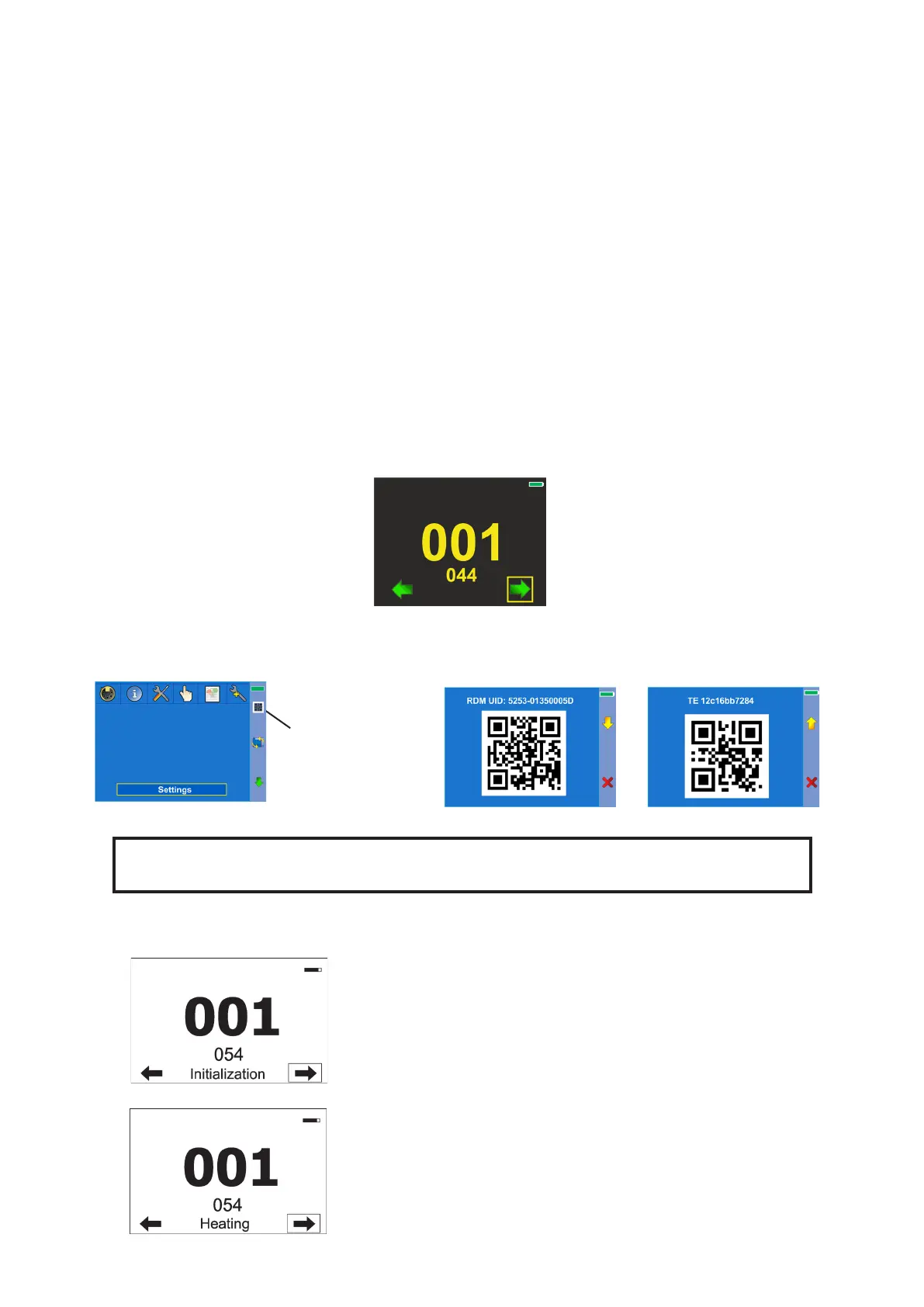
Press the [ENTER/Display On] button to display the initial screen with current DMX address:
Press the [ENTER/Display On] button to enter the " main" screen.
An item may be selected from a screen by pressing the [NEXT] or [PREV] buttons to scroll through list items.
Before rst xture operation, set current date and time in the menu "Date &Time
Settings" (menu path: Personality--> Date &Time Settings).
As the xture can be operated at wide range of ambient temperatures, suitable environment has to be maintained
in inside of the xture. The following messages under DMX address inform you about xture status.
The xture is waiting for nishing all reset procedures.
Fixture does not respond to DMX.
The xture is waiting for reaching operating temperature of the xture
inside (inside temperature is below 0°C).
Fixture does not respond to DMX.
Icon for QR codes
Use [NEXT] , [PREV]
buttons for moving
between QR codes
QR code for RDM UID of
the xture.
QR code for serial number
of LED engine in the fuxture.
(pictures for ilustration only)













 To Next Page