31
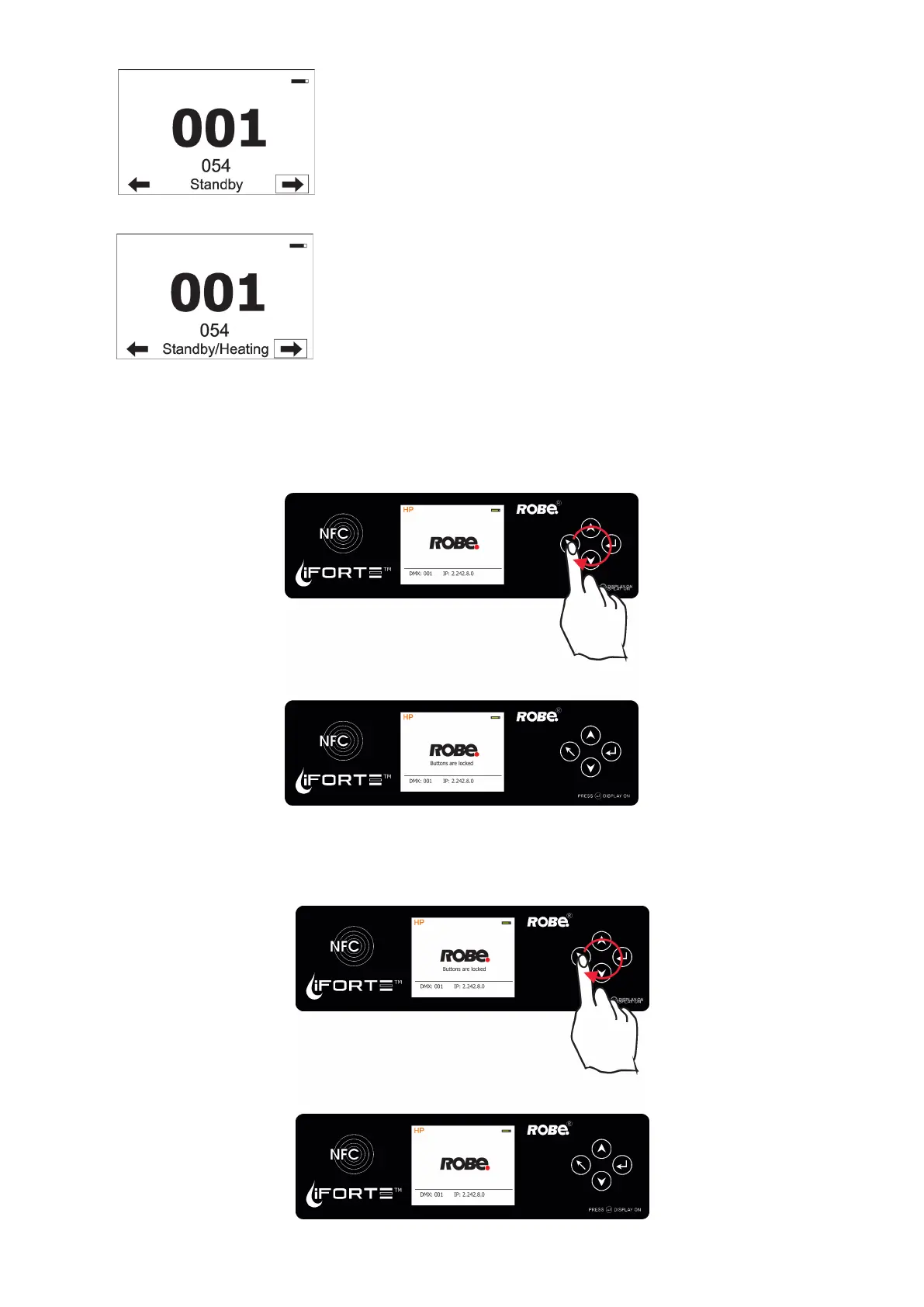
The xture is in standby mode.
Fixture eects does not respond to DMX, but display is active. Fixture
sends its statuses and recorded physical values ( temperature, humidity,
pressure) to the REAP.
Locking/unlocking the screen.
To lock the screen, display the screen with ROBE logo, touch the [ESCAPE] button and slide your nger clockwise
in a circular track of 360° across buttons [ESCAPE] --> [NEXT] --> [ENTER/Display On] -->[PREV]--> [ESCAPE].
The sign "Buttons are locked" will appear on the screen. If this sign will not appear, repeat nger sliding again
with a dierent speed.
To unlock the screen, touch the [ESCAPE] button and slide your nger clockwise in a circular track of 360°
across buttons [ESCAPE] --> [NEXT] --> [ENTER/Display On] -->[PREV]--> [ESCAPE].
The sign "Buttons are locked" will disappear from the screen. If this sign still remains on the screen, repeat
nger sliding again with a dierent speed.
The xture is in standby mode and inside of the xture is heated (ambient
temperature is below 0°C).
Fixture does not respond to DMX, but display is active. Fixture sends its
statuses and recorded physical values ( temperature, humidity, pressure)
to the REAP.













 To Next Page