67
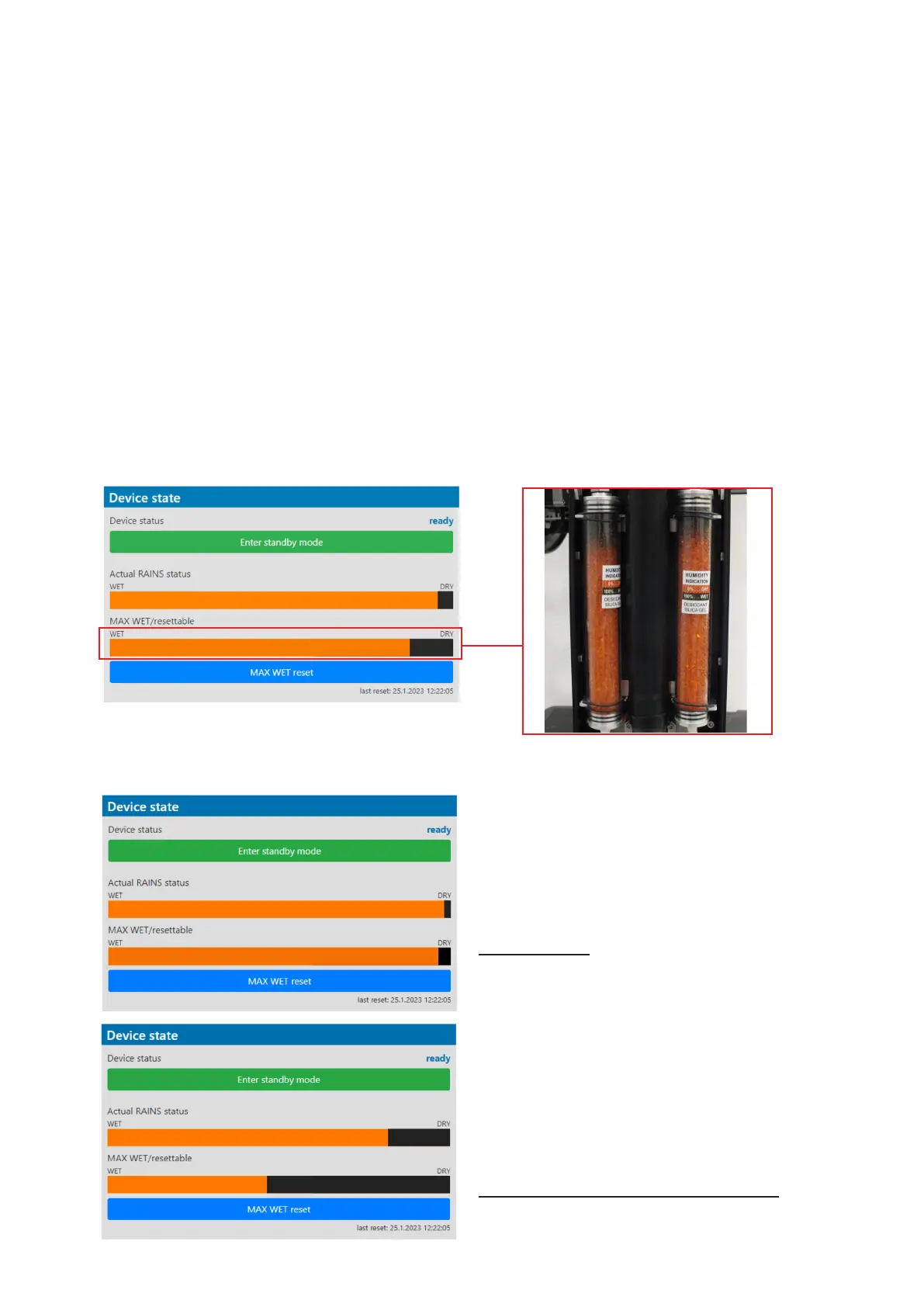
The table "Device state" gives you information about xture and environment in the xture.
Device status: ready - all xture resets successfully passed and the xture is ready for operation.
initialization - xture is waiting for xture reset
heating - xture is waiting for reaching operating temperature of the xture inside (temperature
in the xture is below 0°C).
standby - the xture is in standby mode
standby/heating - the xture is in standby mode and inside of the xture is heated
The bar chart Actual RAINS status informs you about current humidity in the xture. The bar chart changes
depending on humidity, temperature and pressure in the xture. The bar chart depends on current conditions
in the xture and can be dierent at start of xture operation, after 10 minutes of its operating, after closing
xture dimmer etc.
RAINS (Robe Automatic Ingress Neutralization System) manages humidity, temperature and pressure control
using an active monitoring system to automatically remove any moisture detected within the xture and provides
permanent monitoring to ensure peak performance of the xture.
The bar chart MAX WET/resettable informs you about maximum humidity achieved in the xture since the
chart was last reset. The bar chart also informs you about saturation of silica gel desiccants in the xture arm
with water and is deciding indicator for their checking and replacement.
The blue button MAX WET reset resets the bar chart MAX WET/resettable. Date and time of last reset is dis-
played below this button.
Examples of the table "Device state":
Dry desiccants
Desiccants partially saturated with water
Silica gel desiccants
in the xture arm













 To Next Page