69
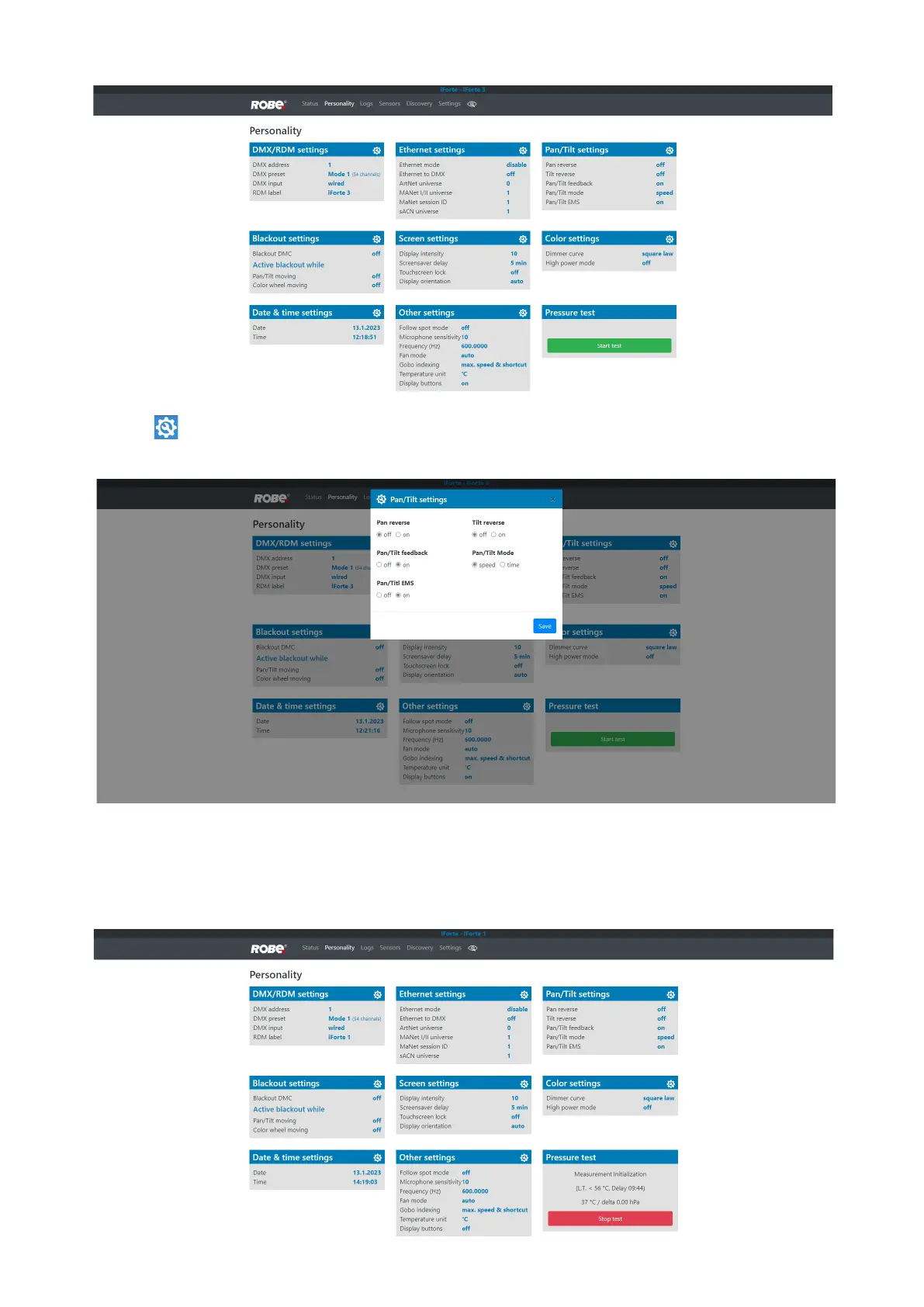
The Personality screen allows you to set xture behaviour and run a pressure test.
The icon allows you to change values in a corresponding table.
Example for Pan/Tilt settings:
The table "Pressure test " with green button Start test allows you to run a procedure which checks IP65 in-
tegrity of the xture
. The xture has to be connected to mains and the head temperature (at pressure sensor)
cannot be higher than 55°C. The pressure test lasts about 5 minutes and can be run at earliest 10 minutes after
closing light output (shutter closed) of the xture. The pressure test can be repeated at earliest 2 minutes after
last pressure test.













 To Next Page