72
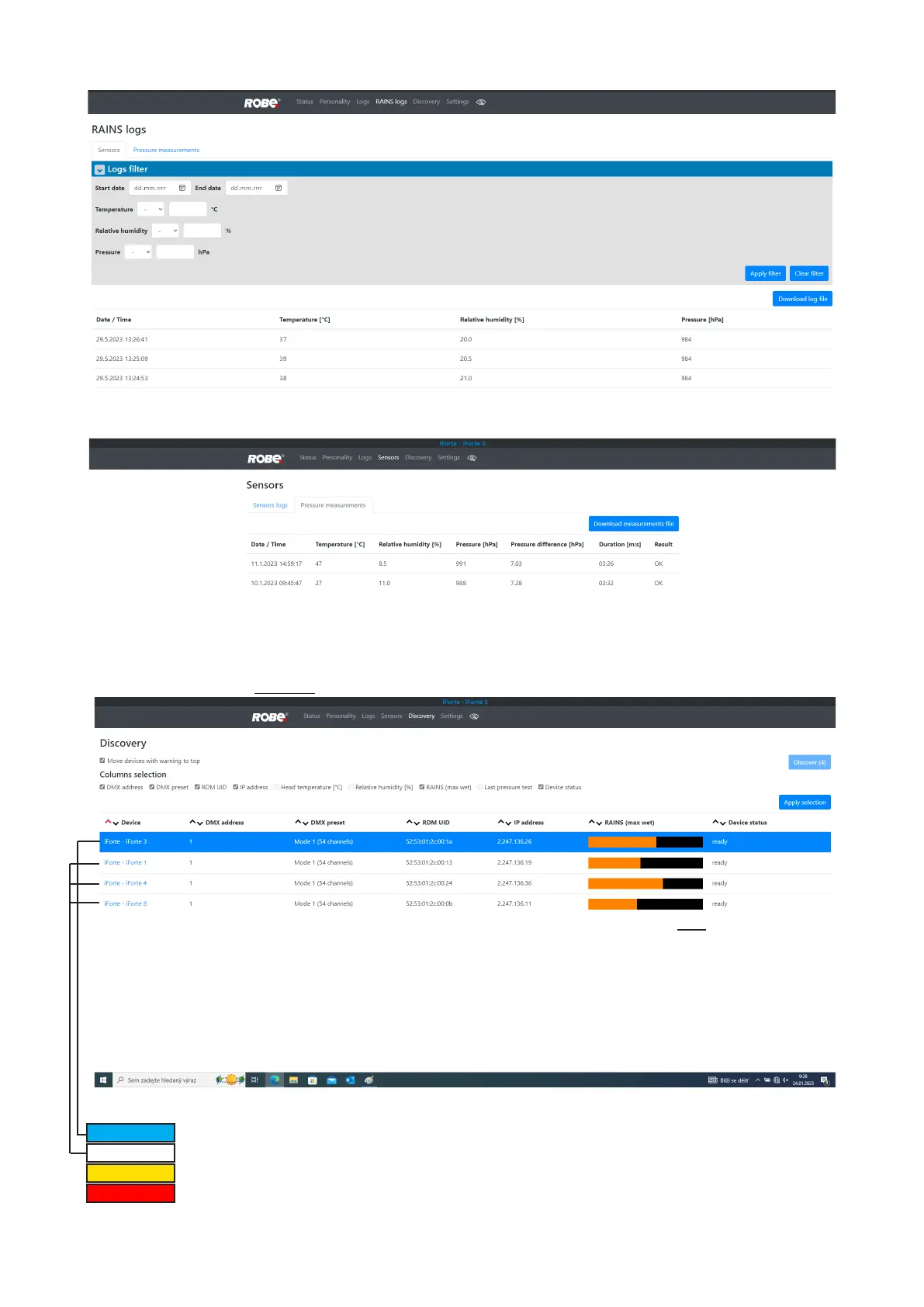
You can select range of temperature, humidity and pressure in desired time interval.
Tab Pressure measurements shows history of pressure tests.
If you have two and more iFortes, the Discovery screen allows you to show all connected iFortes in network.
Click on the blue button Discover and xtures connected in the network will be displayed.
The background colour in the device row denotes state of the xture:
indicates "server xture"(xture of which IP address you have written to your WEB browser).
indicates xture ready for operation.
indicates xture which does not communicate with computer or "server xture".
indicates xture with error messages.













 To Next Page