73
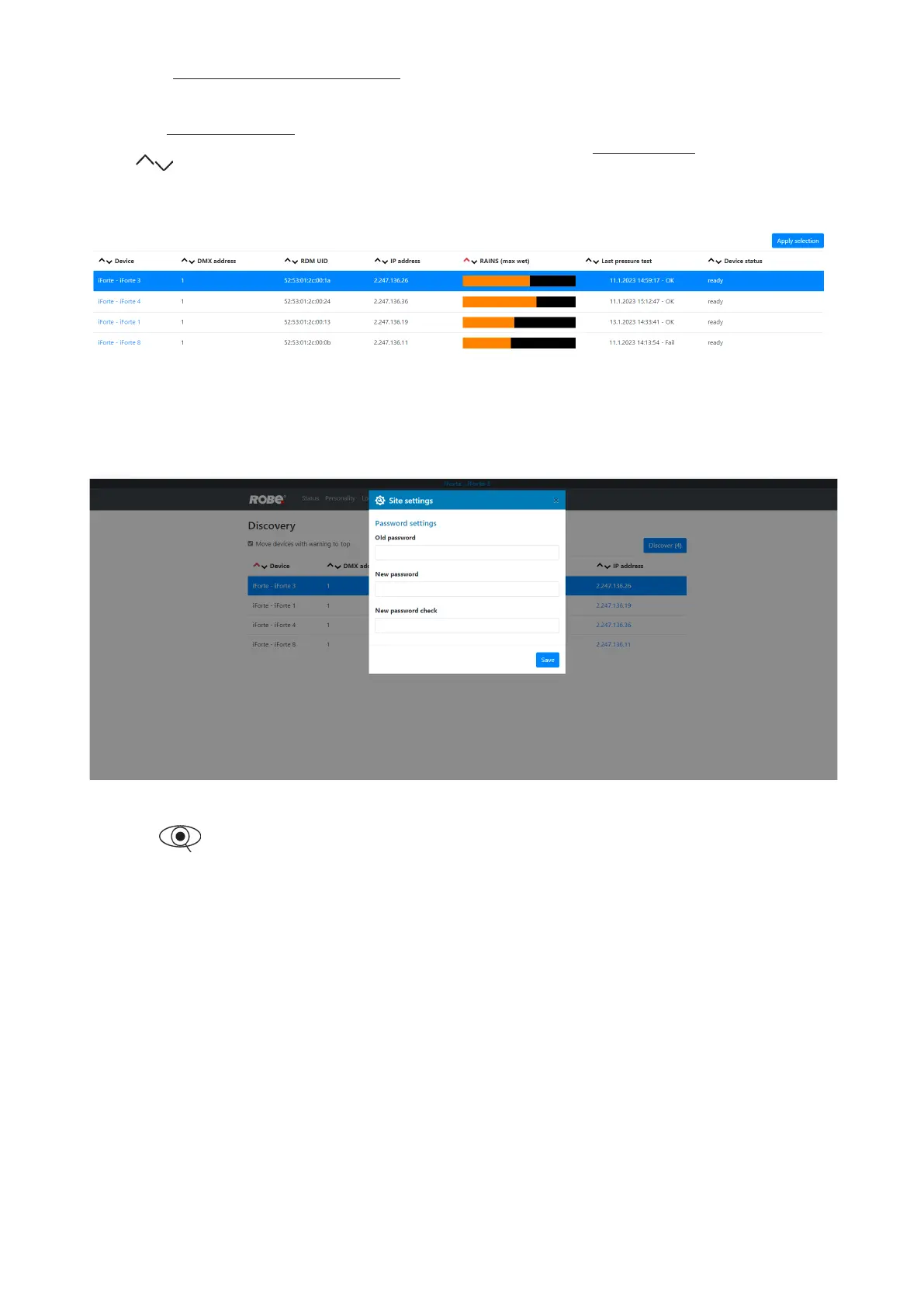
If the option Move devices with warning to top is checked, xtures with some error will be displayed on the top
of xture list.
The option Columns selection allows you to check desired items which will be displayed in columns. Max. 6
items can be selected. After checking desired items, click on the blue button Apply selection to activate selection.
Icons allows you to order values in the column in descending or ascending order.
Note: The values of the xture in the rst blue row ("server xture") will not be included into ordering.
Example.
Item ready in the column Device status does not assess state of desiccants or result of pressure test!
The screen Settings allows you to change password to REAP.
The icon serves for identication of the xture in a group of xtures. After clicking on the icon, the
xture´s head will start to move.













 To Next Page