28
Using auto-accompaniment (arranger)
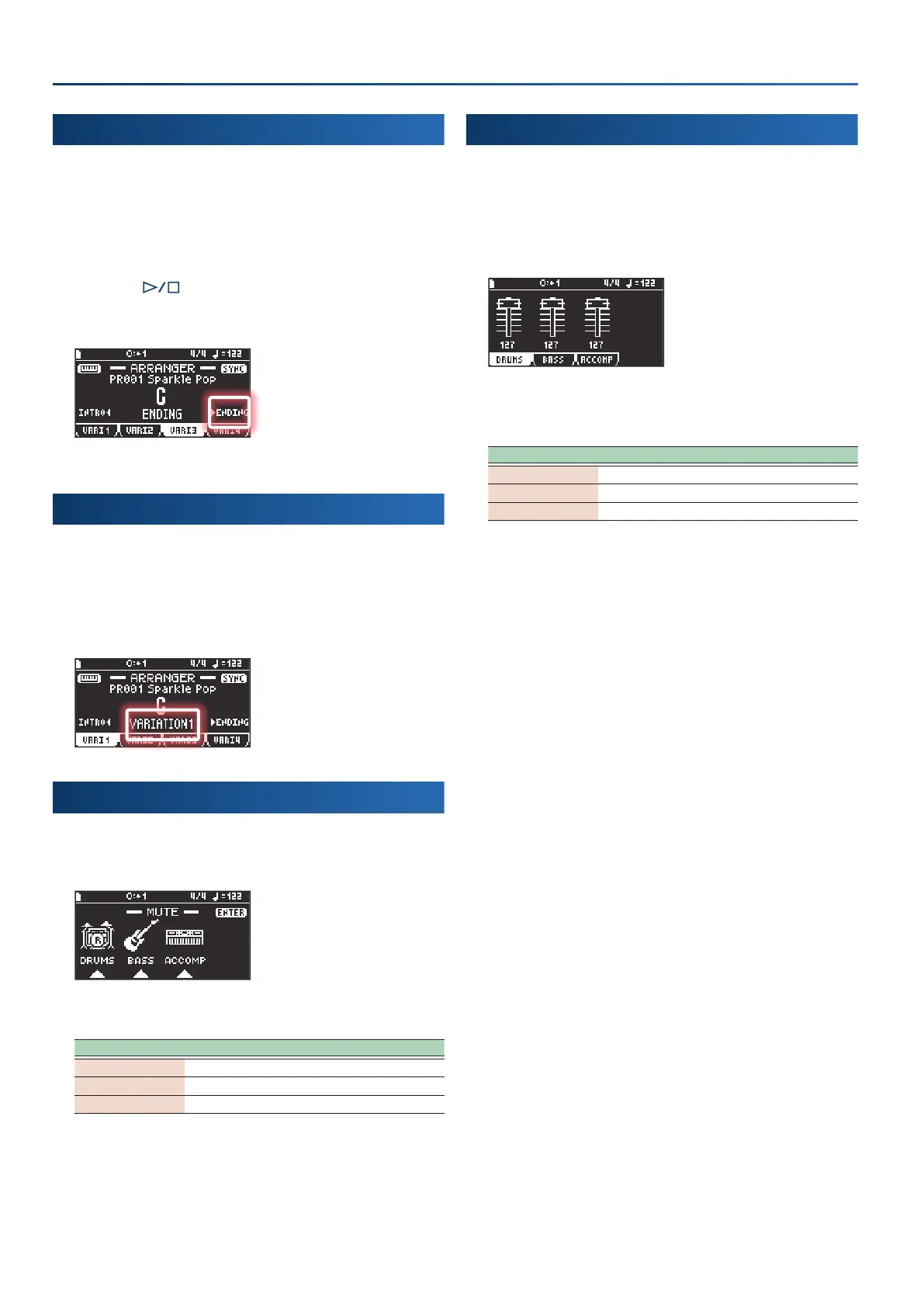
Adding an ending (ENDING)
You can also add an ending that plays for several measures at the
end of the song.
The auto-accompaniment stops once the ending is nished.
1.
Press the [arranger] button.
The ARRANGER screen appears.
2.
Press the [ ] button.
3.
Press the cursor [Ê] button.
The auto-accompaniment plays an ending and then stops.
Switching between variations (VARIATION)
Here’s how to select the auto-accompaniment pattern.
1.
Press the [arranger] button.
The ARRANGER screen appears.
2.
Press the variation [f1]
(VARI 1)
–[f4]
(VARI 4)
buttons.
Setting parts to mute (MUTE)
1.
Press the [mute] button.
The MUTE screen appears.
2.
Use the [f1]–[f3] buttons to select the part
(s)
to mute.
Controller Part
[f1]
(DRUMS)
Drum part
[f2]
(BASS)
Bass part
[f3]
(ACCOMP)
Accompaniment part
Changing a part’s volume
1.
Press the [mute] button.
The MUTE screen appears.
2.
Press the [enter] button.
This shows the volume sliders for each part.
3.
Use the [f1]–[f3] buttons to select the part for which
you wish to change the volume.
Controller Part
[f1]
(DRUMS)
Drum part
[f2]
(BASS)
Bass part
[f3]
(ACCOMP)
Accompaniment part
4.
Use the dial to adjust the volume.


 To Next Page
 Loading...