43
Other Features
Specifying the Preset Memory Switching Eect
Here’s how to apply MIX/WIPE or PinP/DSK fade when switching
preset memories.
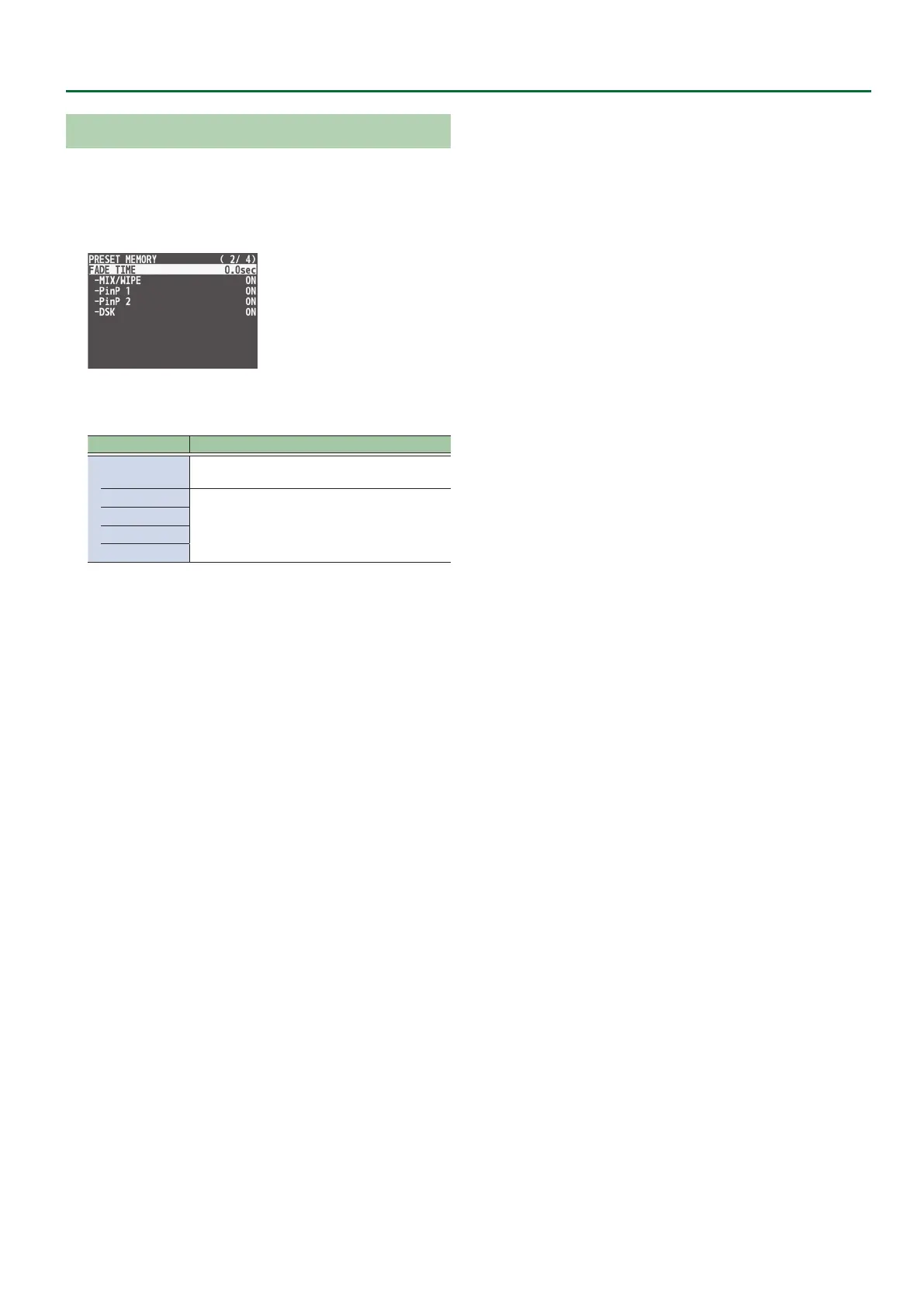
1. Press the [MENU] button0“PRESET MEMORY”0
select “FADE TIME.”
2. Use the [VALUE] knob to select the item that you
want to set, and then press the [VALUE] knob.
Menu item Explanation
FADE TIME
Species the time of the transition when loading
a preset memory.
MIX/WIPE
Turns the switching eect on/o.
PinP 1
PinP 2
DSK
3. Use the [VALUE] knob to change the setting, and
then press the [VALUE] knob.
4. Press the [MENU] button to quit the menu.



 To Next Page