49
Other Features
Copying Macro Settings
Here’s how to copy the settings from one macro to another.
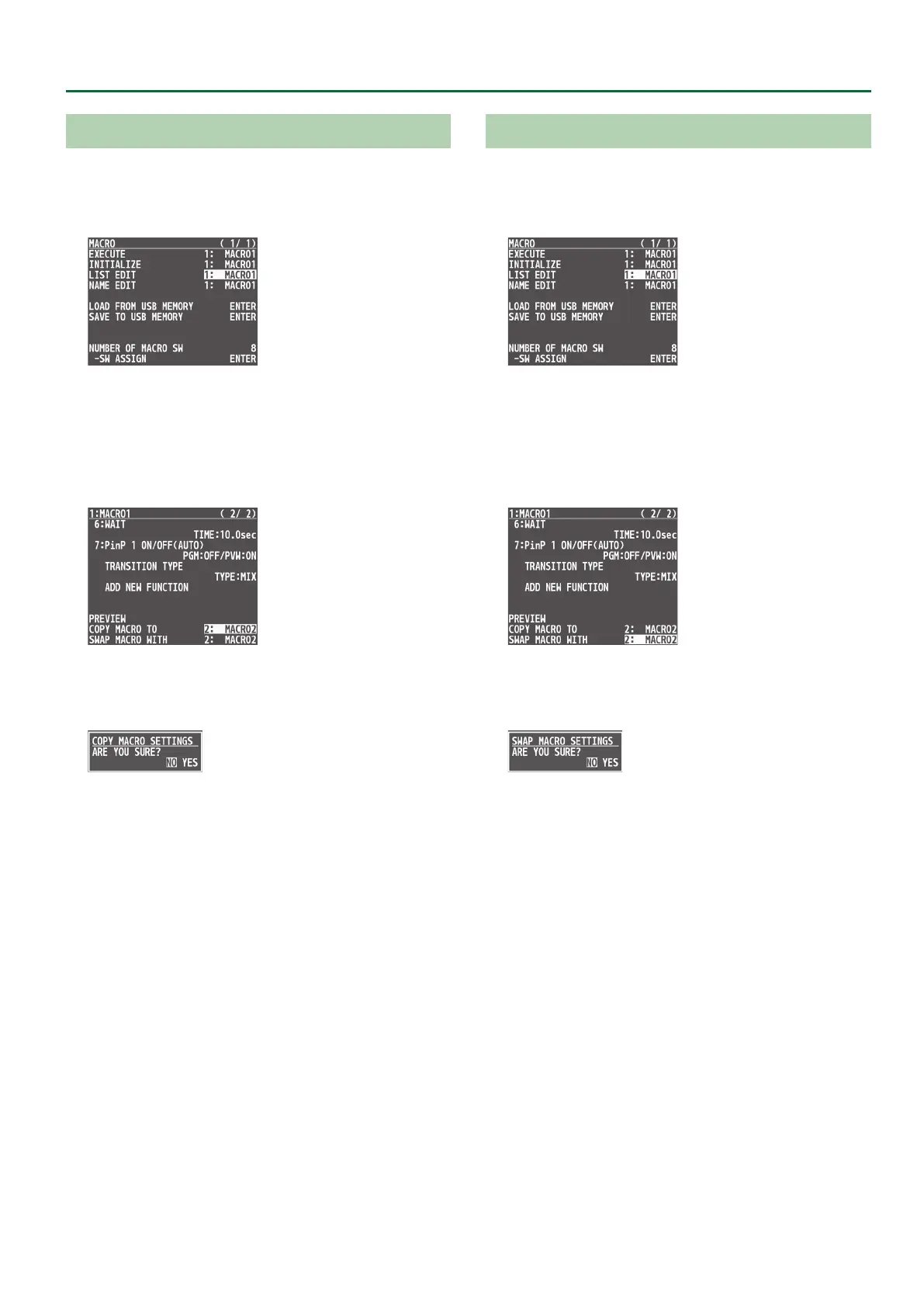
1. Press the [MENU] button0“MACRO”0select
“LIST EDIT,” and press the [VALUE] knob.
2. Use the [VALUE] knob to select the copy source
macro (1–100), and press the [VALUE] knob.
The list of operations recorded in the macro is shown.
3. Use the [VALUE] knob to select “COPY MACRO TO,”
and press the [VALUE] knob.
4. Use the [VALUE] knob to select the copy destination
macro, and then press the [VALUE] knob.
A conrmation message appears.
* If you decide to cancel, press the [EXIT] button.
5. Use the [VALUE] knob to select “YES,” and press the
[VALUE] knob.
The macro settings are copied. When the operation is nished, the
message “COMPLETE” appears.
6. Press the [MENU] button to close the menu.
Swapping the Macro Settings
Here’s how to swap settings between macros.
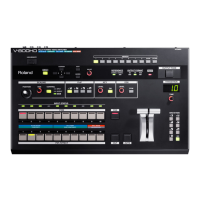
1. Press the [MENU] button0“MACRO”0select
“LIST EDIT,” and press the [VALUE] knob.
2. Use the [VALUE] knob to select the swap source
macro (1–100), and press the [VALUE] knob.
The list of operations recorded in the macro is shown.
3. Use the [VALUE] knob to select “SWAP MACRO
WITH,” and press the [VALUE] knob.
4. Use the [VALUE] knob to select the swap
destination macro, and press the [VALUE] knob.
A conrmation message appears.
* If you decide to cancel, press the [EXIT] button.
5. Use the [VALUE] knob to select “YES,” and press the
[VALUE] knob.
This swaps the settings of the macros. When the operation is
nished, the message “COMPLETE” appears.
6. Press the [MENU] button to close the menu.



 To Next Page