23
Video Eect Operations
Compositing Using Split (SPLIT)
This composites two video streams in a split screen.
Specifying a Split Composition Pattern
Four patterns are available for split composition.
To change the pattern, the [SYSTEM SETUP] button g <SPLIT> g
<PATTERN>.
Value Explanation
V. CENTER
This vertically crops the center section
of the video.
A B
A B
H. CENTER
This horizontally crops the center section
of the video.
A
B
A
B
V. STRETCH This stretches the video vertically.
A B
H. STRETCH This stretches the video horizontally
A
B
Compositing Using Split
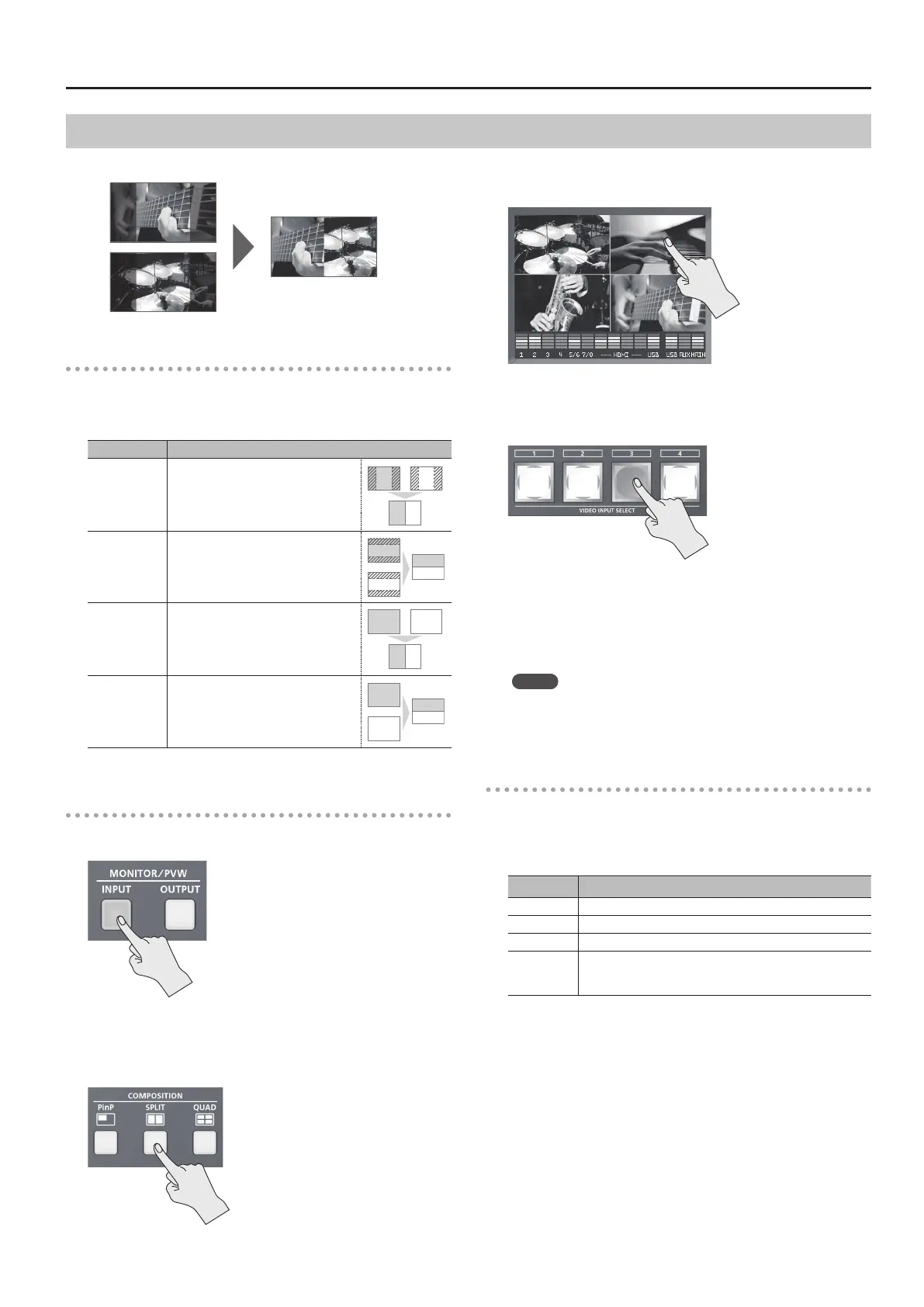
1. Press the [INPUT] button, making the button light up.
The incoming video on channels 1 through 4 is displayed on the built-
in monitor as a four-way split screen.
2. Press the [SPLIT] button to turn on video compositing
(making the button light up).
The VIDEO SELECT [1] through [4] buttons all ash in yellow.
3. Tap the channel screen you want to display on side A.
A red border is displayed around the selected channel screen.
4. Press one of the VIDEO INPUT SELECT [1] through [4]
buttons to select the channel you want to display on side B.
The selected button lights up in yellow. The video you selected in
steps 3 and 4 is composited and output.
5. To turn o video compositing, press the [SPLIT] button a
second time.
The [SPLIT] button goes dark and the side-B screen disappears.
MEMO
5 While compositing of the video is in progress, the video switches
with cuts regardless of the selected transition eect.
Making Detailed Settings for Split Composition
You can make more-detailed settings, such as the cropping location
for the video.
Use the [SYSTEM SETUP] button g <SPLIT> to make the settings for
the following items.
Setting item Explanation
PATTERN This species the split composition pattern.
A-CENTER This adjusts the center position of the video displayed on side A.
B-CENTER This adjusts the center position of the video displayed on side B.
PREVIOUS
SELECT
When set to “ON,” the previously selected channels for side A
and side B are selected automatically when the [SPLIT] button
is pressed.
* When “PATTERN” is set to “V. STRETCH” or “H. STRETCH,” the
“A-CENTER,” and “B-CENTER” settings have no eect.



 To Next Page