28
Audio Operations
Applying Eects to Audio
You can apply eects to audio that is input and output to adjust its sound quality.
Applying Eects to Input Audio
This applies eects to input audio and adjusts the sound quality.
The eects you can use are shown in the table below.
Input audio
Eects
Equalizer Gate Compressor High-pass Filter
Channel 1–4
P P P P
Channel 5/6, 7/8
P
— — —
HDMI 1–4
P
— — —
USB
P
— — —
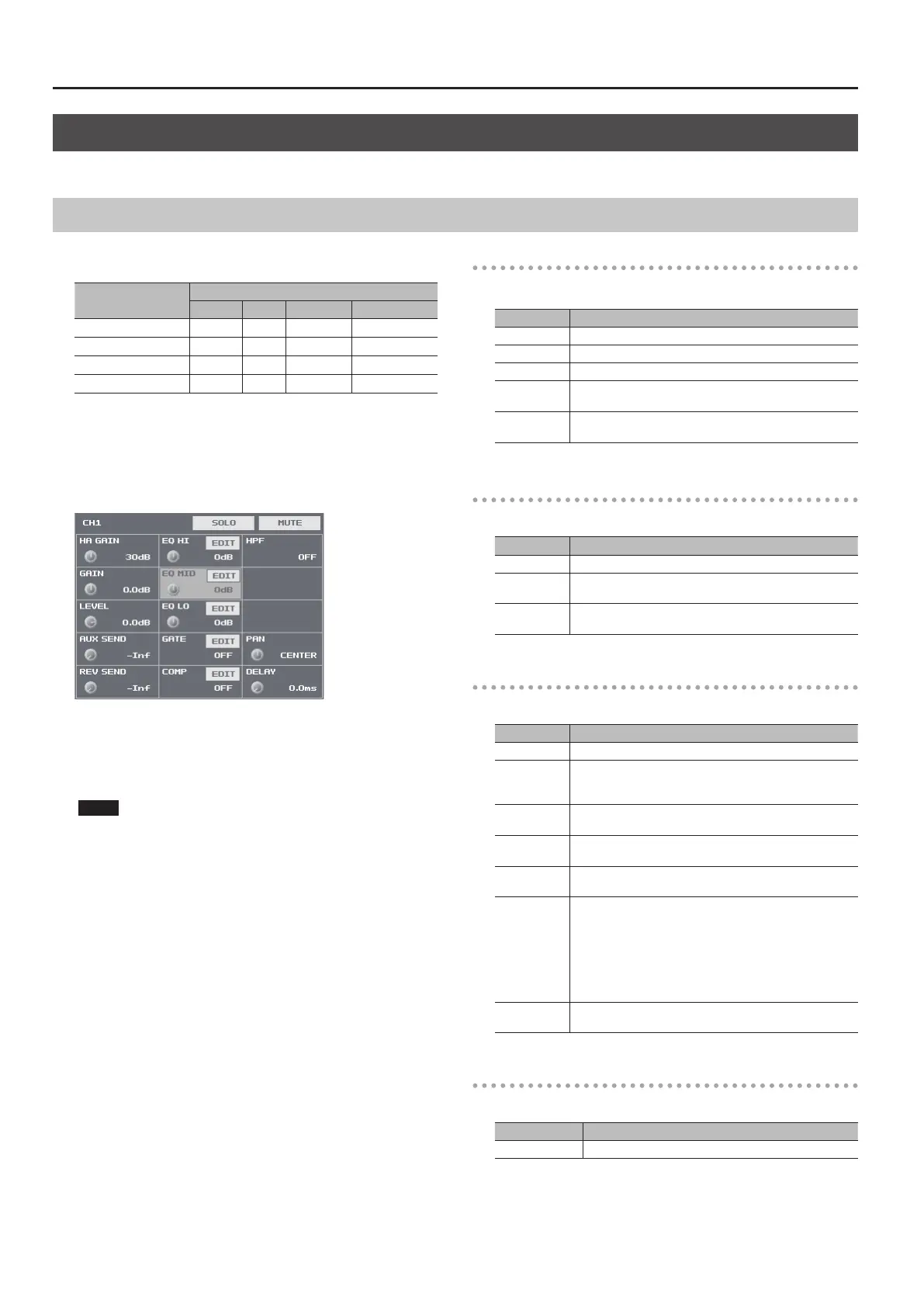
1. Press the [SETUP] button for the input audio to which you
want to apply an eect, making the setup screen appear.
2. Select the setting item for the eect you want to use, then
use the [VALUE] knob to adjust the value.
5 Selecting <EDIT> displays a popup dialog box for detailed settings.
5 For more information about eects, refer to the following section.
3. Press the [SETUP] button to quit the setup screen.
NOTE
5 When the popup dialog box for detailed settings is displayed,
on-screen setting values do not change when the [GAIN] knobs,
faders or other controls are operated.
Equalizer (EQ)
This adjusts the sound quality for each frequency band.
Setting item Explanation
EQ HI This boosts or attenuates the high band.
EQ MID This boosts or attenuates the middle band.
EQ LO This boosts or attenuates the low band.
FREQ
(HI, MID, LO)
This adjusts the center frequency for changing sound quality.
Q (MID)
This adjusts the width of the frequency band when boosting
or attenuating the middle band.
Gate (GATE)
This removes audio that is below a specied level.
Setting item Explanation
GATE This sets gate on or o.
THRESHOLD
This sets the level used as the threshold for removing audio.
Audio below the level set here is removed.
RELEASE
This adjusts the length of time until the audio is fully
attenuated after audio falls below the threshold.
Compressor (COMP)
This compresses the audio.
Setting item Explanation
COMP This sets the compressor on or o.
THRESHOLD
This sets the level used as the threshold at which the
compressor is applied. Compression is applied to audio that
exceeds the threshold.
RATIO
This species the degree of compression applied to the audio.
The state in which no compression is applied is dened as “1.”
ATTACK
This sets the time until compression starts when audio
exceeding the threshold is input.
RELEASE
This adjusts the length of time until compression ends after
audio falls below the threshold.
AUTO GAIN
This switches the auto makeup gain feature on and o.
When this is set to “ON,” the nal output volume level after
applying the compressor is automatically adjusted according
to the “THRESHOLD”and “RATIO” settings.
The total of the “MAKEUP GAIN” setting value described below
and the value calculated by auto makeup gain becomes the
nal output volume level (up to +34 dB).
MAKEUP GAIN
This adjusts the nal output volume level after applying the
compressor.
High-pass Filter (HPF)
This cuts o unneeded low-band audio. The cuto frequency is 75 Hz.
Setting item Explanation
HPF This sets the high-pass lter on or o.



 To Next Page