31
Audio Operations
Eliminating Echo in Web Conferencing Systems (Echo Cancel)
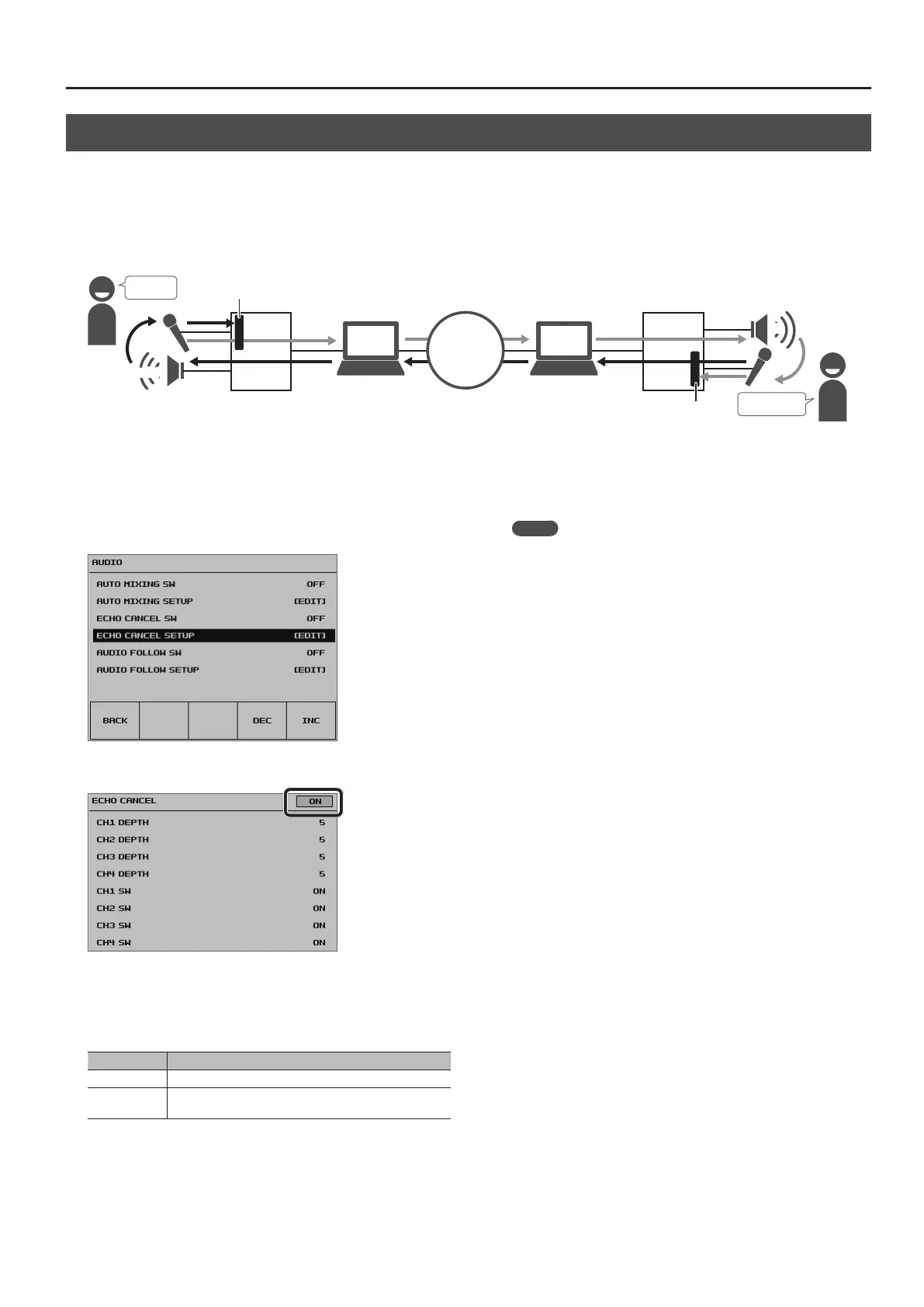
In web conferencing calls using conferencing system speakers and microphones, echo occurs when the microphone picks up and returns the voice of
the other party coming from the speaker.
Using the Echo Cancel feature makes it possible to eliminate the echo component from audio picked up by the microphone connected to the VR-4HD
and send only your own voice to the other party.
The Echo Cancel feature is provided on channels 1 through 4, and is executed independently for each channel. The appropriate processing is performed
for each channel even when microphones of dierent types are used at the same time or when individual microphones are placed at dierent locations.
Hello!
VR-4HD
Hello!
Network
Hi!
Hi
VR-4HD
Echo Cancel
Echo Cancel
1. Press the [SYSTEM SETUP] button to display the setup screen.
2. Select <AUDIO> to display the AUDIO menu.
3. Select <ECHO CANCEL SETUP> to display the ECHO CANCEL
screen.
4. Set the Echo Cancel switch to “ON.”
The Echo Cancel feature is turned on.
5. Select a switch from <CH1 SW> to <CH4 SW>, then use the
[VALUE] knob to set the channel where you want to use
Echo Cancel to “ON.”
Value Explanation
ON Echo Cancel is used.
OFF
Echo Cancel is not used. On channels where Echo Cancel is
not required, set this to “OFF.”
6. Select a value from <CH1 DEPTH> to <CH4 DEPTH>, then
use the [VALUE] knob to set the intensity of the Echo Cancel
eect (from 1 to 10) for the respective channel.
Set this to the value that yields the most reduction of echo.
7. Press the [SYSTEM SETUP] button several times to quit the
setup screen.
MEMO
5 The Echo Cancel feature accommodates rooms of approximately
20 square meters.
5 If you hear your own voice come back to you, you might need to
have the other party make the setting for Echo Cancel.
5 Assigning the Echo Cancel feature to a USER button lets you use
the button to switch the feature on and o.
For information on how to use the USER buttons, refer to
“Assigning Functions to USER Buttons” (p. 37).
5 You can also switch the Echo Cancel feature on and o by using
the [SYSTEM SETUP] button g <AUDIO> g making the setting for
<ECHO CANCEL SW>.



 To Next Page