40
Other Features
Turning O the Power Automatically
(Auto O )
Auto O is a feature that automatically turns o the power after no
operation for a specic period of time. This helps prevent wasting
electrical power.
By factory default, the Auto O function is set on. When the states
described below persist for 240 minutes, the Auto O function acts to
automatically turn o the power.
5 No operation performed on the VR-4HD
5 No audio or video input
To turn the Auto O function o or on, follow the steps below to
change the setting.
MEMO
5 When the power has been turned o by the Auto O function, to
restart, rst press the [POWER] button to return it, then turn on
the power.
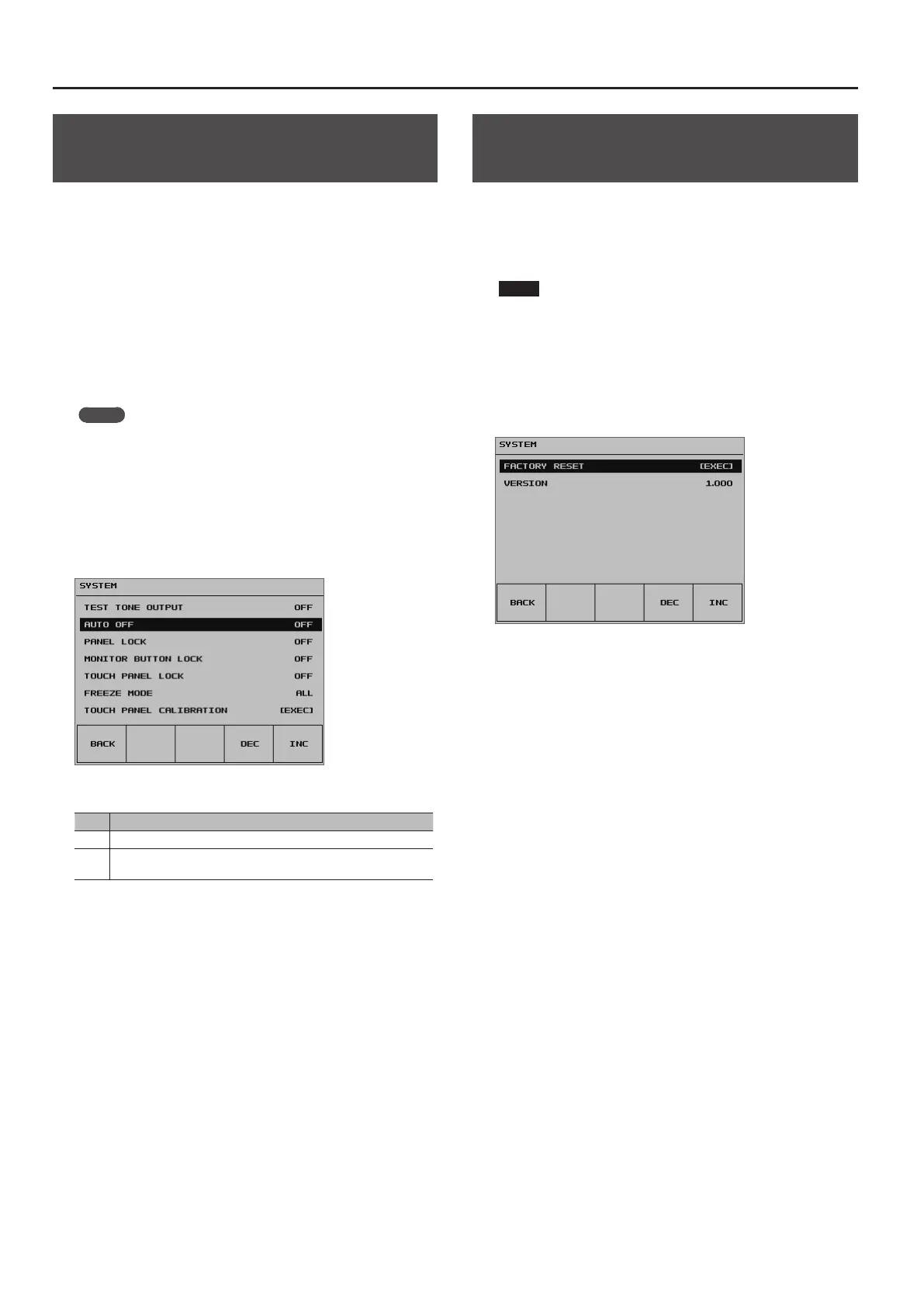
1. Press the [SYSTEM SETUP] button to display the setup screen.
2. Select <SYSTEM> to display the SYSTEM menu.
3. Select <AUTO OFF>.
4. Use the [VALUE] knob to set the Auto O function on or o.
Value Explanation
ON The Auto O function is turned on. Power is turned o automatically.
OFF
The Auto O function is turned o. Power is not turned o
automatically.
6. Press the [SYSTEM SETUP] button several times to quit the
setup screen.
Returning Settings to the Factory-
default State (Factory Reset)
You can return the values of settings on the VR-4HD to their factory
defaults.
If operation that diers from what is described in the owner’s manual
occurs even when the steps described are followed correctly, try
performing a factory reset.
NOTE
5 Performing a factory reset causes all settings made and values
saved in memory (p. 38) to be lost.
1. Press the [SYSTEM SETUP] button to display the setup screen.
2. Select <SYSTEM> to display the SYSTEM menu.
3. Select <FACTORY RESET>.
4. Check the message and select <OK>.
(If you want to quit, select <CANCEL>.)
A factory reset is executed.
5. Press the [SYSTEM SETUP] button several times to quit the
setup screen.



 To Next Page