42
Other Features
Calibrating the Tap Points on the Touch
Panel
The detected location on the screen when tapped might become
misaligned with the location actually tapped. If this happens,
calibrating the tap points can improve tapping accuracy (touch panel
calibration).
1. Press the [SYSTEM SETUP] button to display the setup screen.
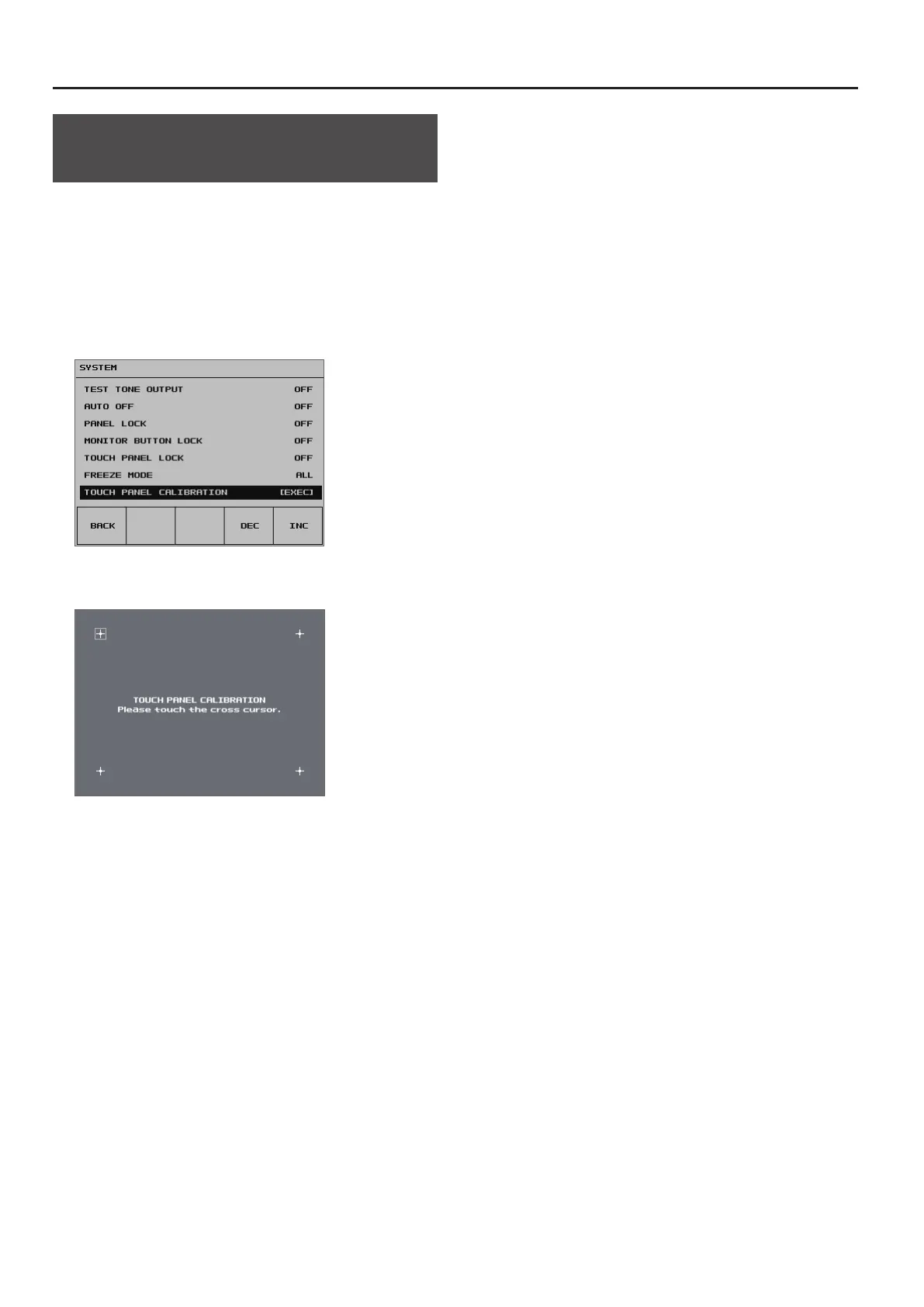
2. Select <SYSTEM> to display the SYSTEM menu.
3. Select <TOUCH PANEL CALIBRATION>.
4. Working in sequence from the top left, tap the crosshair
cursor inside the red border.
When you have tapped the four crosshair cursors and all four have
turned red, calibration is complete.
5. To apply the results of calibration, press the [VALUE] knob.
(To quit without applying, press the [SYSTEM SETUP] button.)
6. Press the [SYSTEM SETUP] button several times to quit the
setup screen.


 To Next Page