6
Panel Descriptions
Audio Section
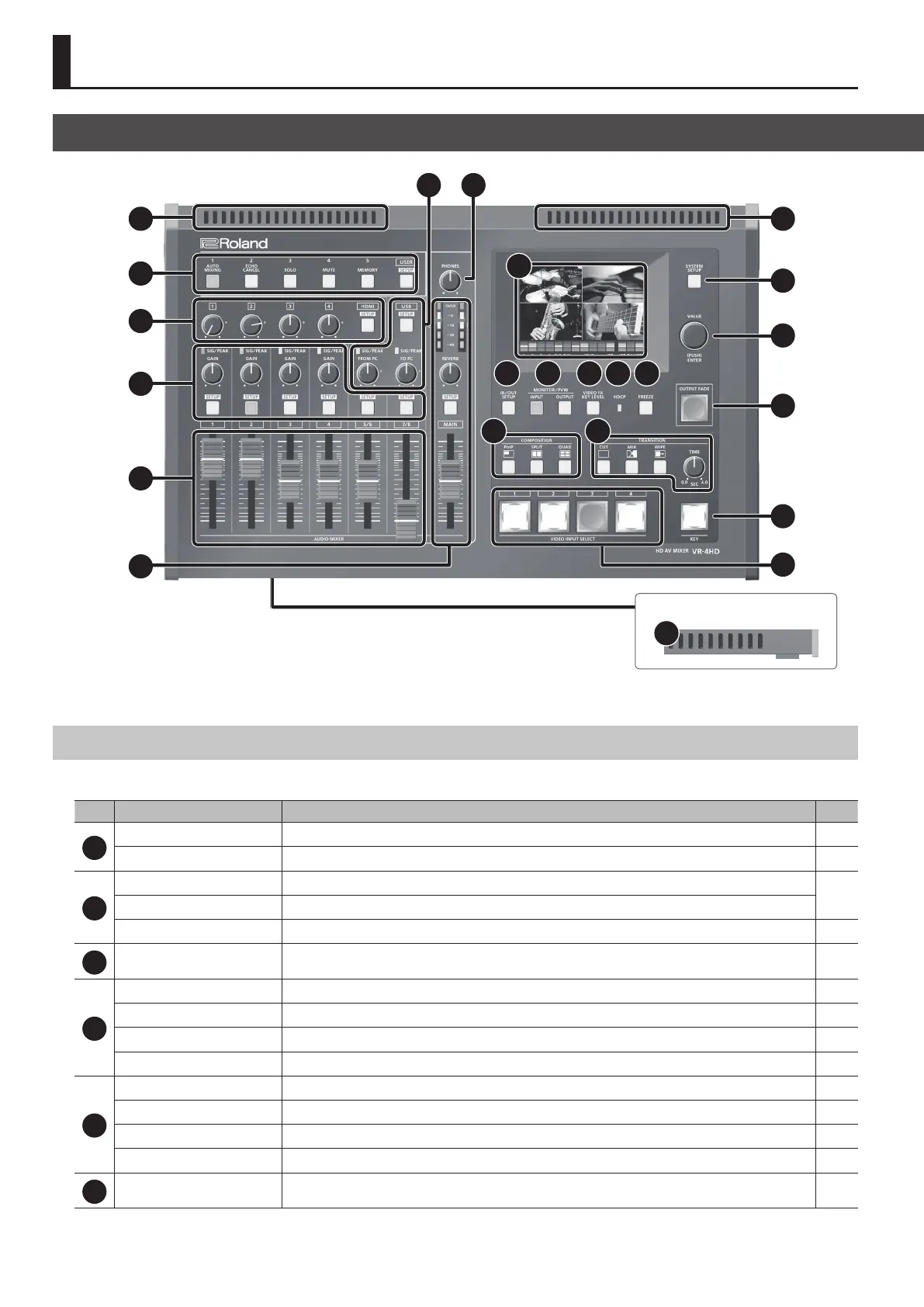
This section is for mixing audio and adjusting the input sensitivity of the audio channels.
No. Name Explanation Page
1
HDMI [1]–[4] knobs
This adjusts the volume level of HDMI audio (embedded audio). p. 27
HDMI [SETUP] button
This displays the setup screen for HDMI audio on the built-in monitor. p. 11
2
SIG/PEAK indicators
These display the input level of the audio channels.
p. 26
[GAIN] knobs
These adjust the gain (input sensitivity) of the audio channels.
[SETUP] button
These display the setup screens for the audio channels on the built-in monitor. p. 11
3
Channel faders
These adjust the volume levels of the audio channels. p. 27
4
Level meter
This displays the volume level of the main output audio. p. 29
[REVERB] knob
This adjusts the return level from reverb of the audio. p. 27
[MAIN] fader
This adjusts the volume level of the main output audio. p. 29
MAIN [SETUP] button
This displays the setup screen for main audio output on the built-in monitor. p. 11
5
USB [SETUP] button
This displays the setup screen for USB audio (input/output) on the built-in monitor. p. 11
SIG/PEAK indicator
This displays the input/output level of USB audio. p. 27
[FROM PC] knob
This adjusts the volume level of audio input via USB. p. 27
[TO PC] knob
This adjusts the volume level of audio output via USB. p. 27
6
[PHONES] knob
This adjusts the volume of headphones connected to the PHONES jack. —
10
7
11
1
2
Front Panel
11
3
4
5 6
8
12 13 14 15 16
17 18
11
9
10
19
20
21
Top Panel/Front Panel



 To Next Page