pag. 29
Push buttons and displays
ST2 User’s Manual
TV Mode
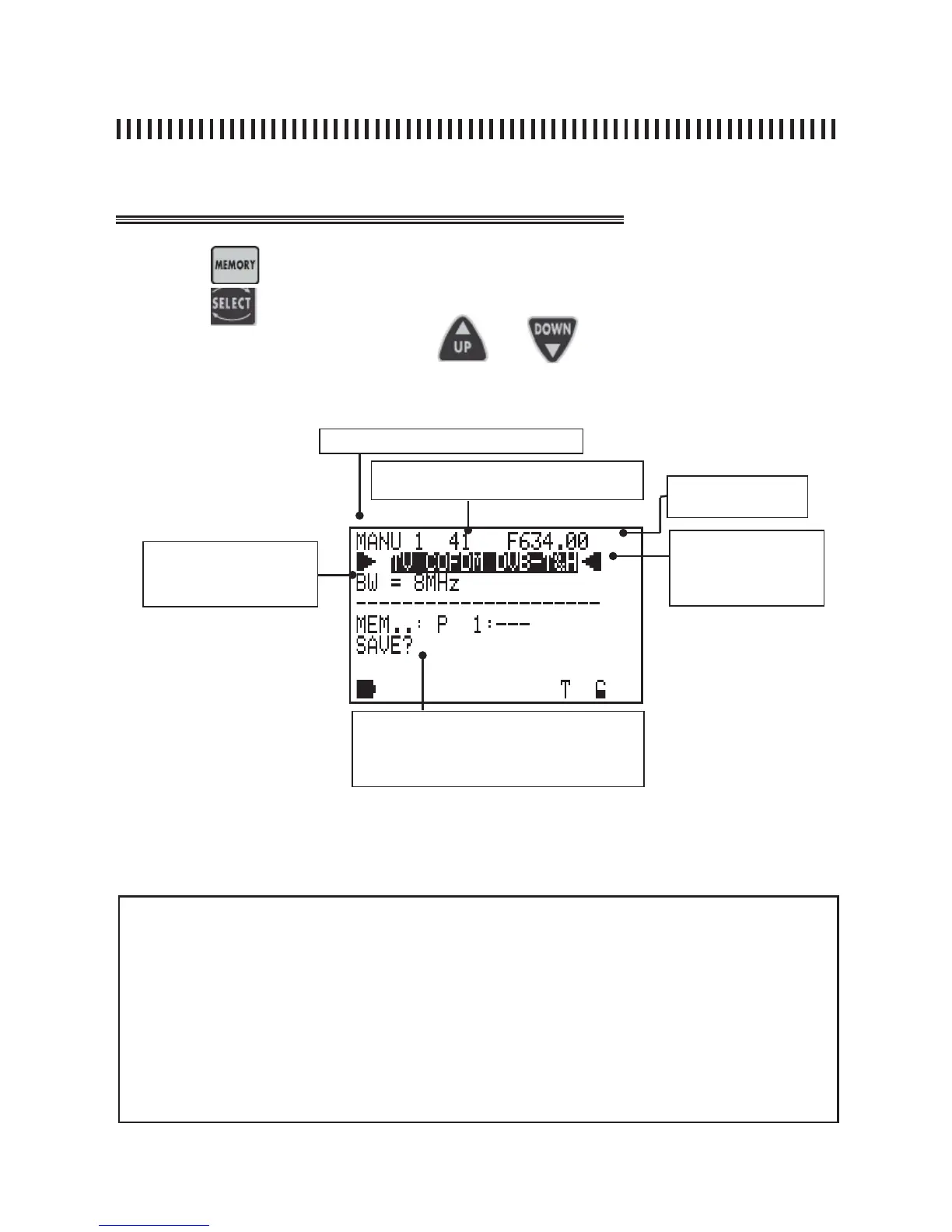
Fig. 7.1 MEMORY : creating or modifying a Memory Plan.
Press the
key to start a memory task
Use the
and
key to highlight the memory fi elds that need to be changed
and set the new values using the
keys and applying one of
the three procedures described in “MEASUREMENT START UP”.
NOTES
• If a manual tuning is performed in any MEAS menu (See par. 3.0 and 4.0) all these
new values are shown when accessing the Memory menu.
• If a manual tuning is made in spectrum mode (See Section 5.0) all these new values
are shown when accessing the Memory menu.
continuation: MEMORY: MEMORIZATION FUNCTION
Memory plan (See Par. 1.0)
Channel Frequency
Channel (See Par. 1.0)
command that confi rms the memory change:
: SAVE? (adds a new programme) or OVE-
RWRITE? (replaces an existing programme)
Modulation: Analogue or
Digital COFDM (DVB-T/
H), FM Radio and Emu-
lated QAM
C
HANNEL BAND WIDTH: 8 MHZ
IF UHF, 7 MHZ IFVHF



 To Next Page