Brief description
Measurement start up
Push buttons and displays
pag. 36
ST2 User’s Manual
Satellite Mode
13.0 DUAL LNB: DUAL FEED DISH ALIGNMENT
This special function will allow the alignment of a satellite dish which has two
LNBs by making simultaneous measurements from both LNBs (without moving
the RF feed between LNBs and without changing frequency values), further
more it will allow the SKEW adjustment (polarization plan) with a 0,2 dB accu-
racy.
• Press the SAT FINDER [4] key for 2 seconds,
• Choose the memory plans relevant to the satellite to which the dish is to
be align,
• Connect a DiSEqC Switch (i.e. model DiSEqC-SWI-2-01, Ref. Appendix A2)
to the RF meter input,
• Connect the DiSEqC switch to the LNBs coax cables,
• Start the dish alignment.
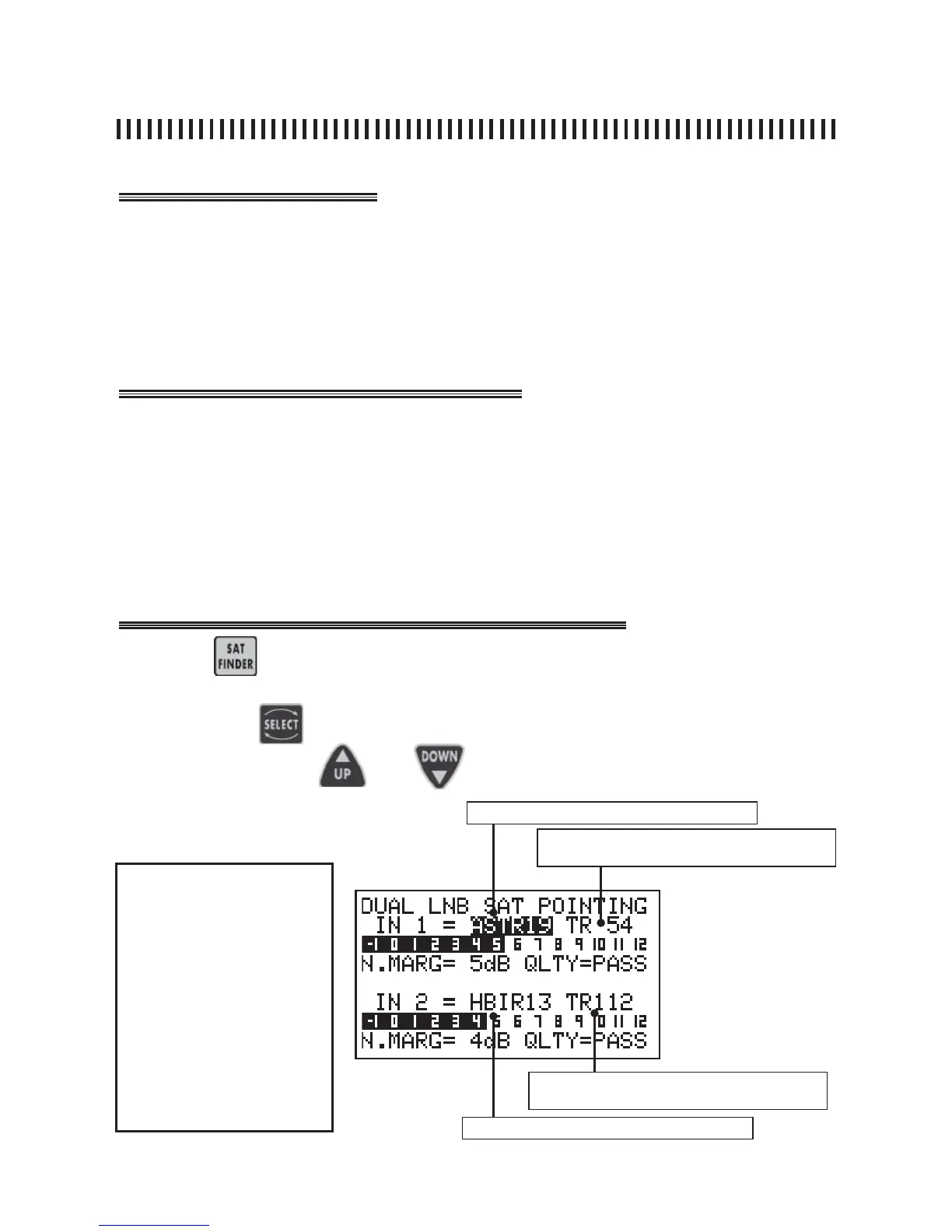
Press the key for 2 seconds to start the DUAL LNB feature.
Select the Memory Plans (ref- Sec. 11.0) relevant to the satellites to aim the
dish. Press the to highlight the Memory Plan and Transponder fi elds to
modify and press the and keys to apply the wanted values.
LNB IN 1 Memory Plan Ref. Sec. 11.0
LNB IN 2 Memory Plan Ref. Sec. 11.0
LNB 1 Memory Plan transponder number or
programme (Ref. Sec. 2.0)
LNB 2 Memory Plan transponder number or
programme (Ref. Sec. 11.0)
NOTES
• the graphic bars represent
the Noise Margin measure-
ments for both satellites.
• As a reference and to help
optimize the dish alignment,
both bars have a maximum
value memory indication.
This is a vertical line which
represents the maximum
Noise Margin value obtained
for each LNB during the dish
alignment process.



 To Next Page