Brief description
Measurement start up
Push buttons and displays
pag. 48
ST2 User’s Manual
Satellite Mode
20.0 DATA LOGGER
The Data Logger function allows automatic measurements to be carried out
on all transponders contained in a given Memory Plan after the dish has been
aligned. These measurements may be made at the dish or at any installation
outlet.
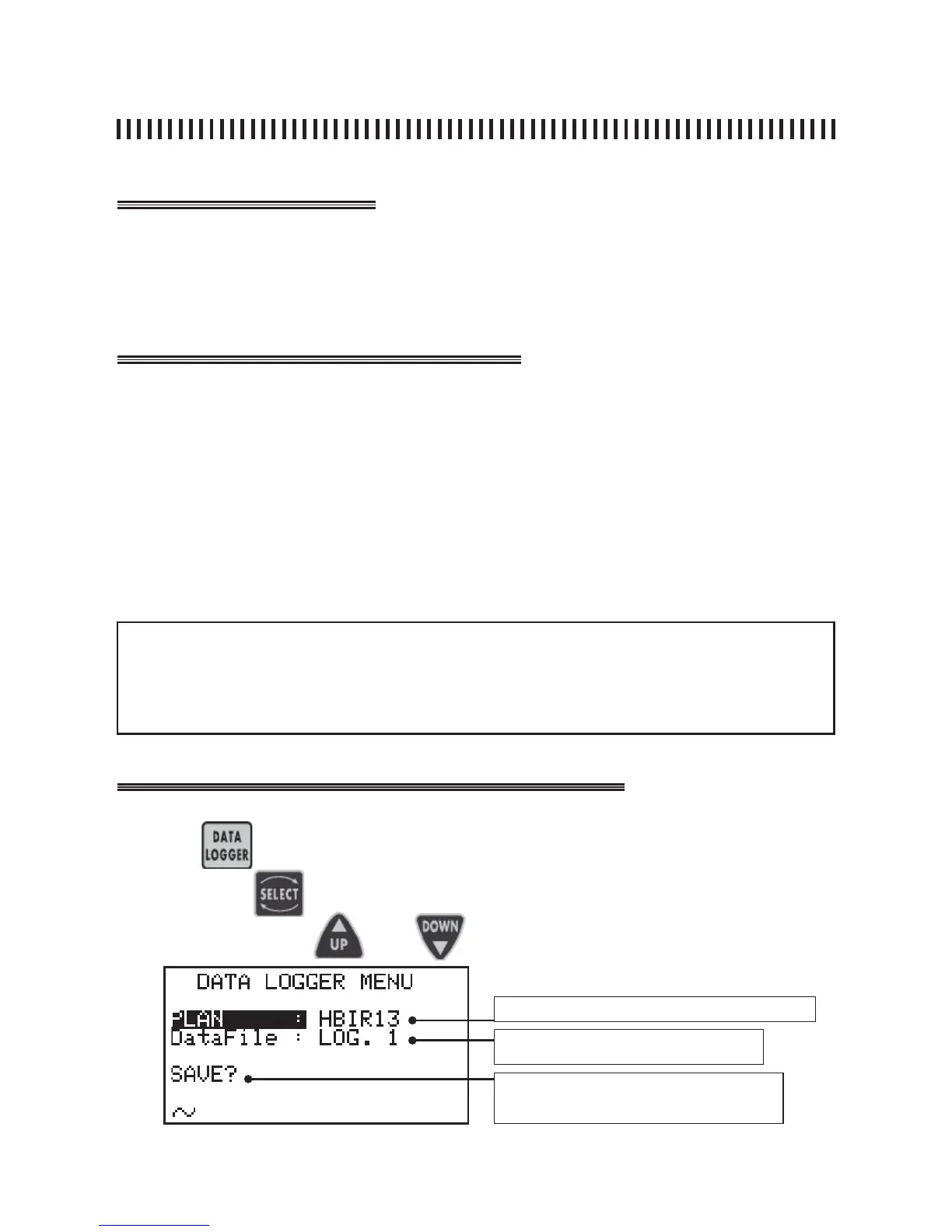
• Press the DATA LOGGER [13] key,
• Use keys SELECT [10] , UP [7] and DOWN [9] to choose:
a) the Memory Plan to be used for the automatic measurements,
b) the LOGGER fi le where the measurements will be memorized (from 1 to 99),
• Start the Logger function highlighting with the SELECT [10] key the command
START? and pressing the UP [7] or DOWN [9] key to confi rm,
• A status bar will indicate that the task is in progress. When the measurements
are completed the display will show the message “DONE!”.
fi g. 20.1 DATA LOGGER function menu.
NOTES:
• All the automatic measurements are carried out on the selected Memory Plan,
• The maximum number of logger fi les is 99,
• The logger fi les may be exported to EXCEL® spread sheets using the SMART programme,
• The meter shows the OVERWRITE command if the chosen logger fi le already exists.
Press the
key to start the automatic measurements.
Use key
to highlight the fi elds to be changed and set the wanted
values using keys and keys.
Memory Plan to use for automatic measurements
Logger fi le that will store all measuremen-
ts: from LOG 01 to LOG. 99
Memory command: SAVE? or
OVERWRITE?



 To Next Page