Brief description
Measurement start up
Push buttons and displays
pag. 34
ST2 User’s Manual
Satellite Mode
11.0 SAT MEMORY PLAN MENU
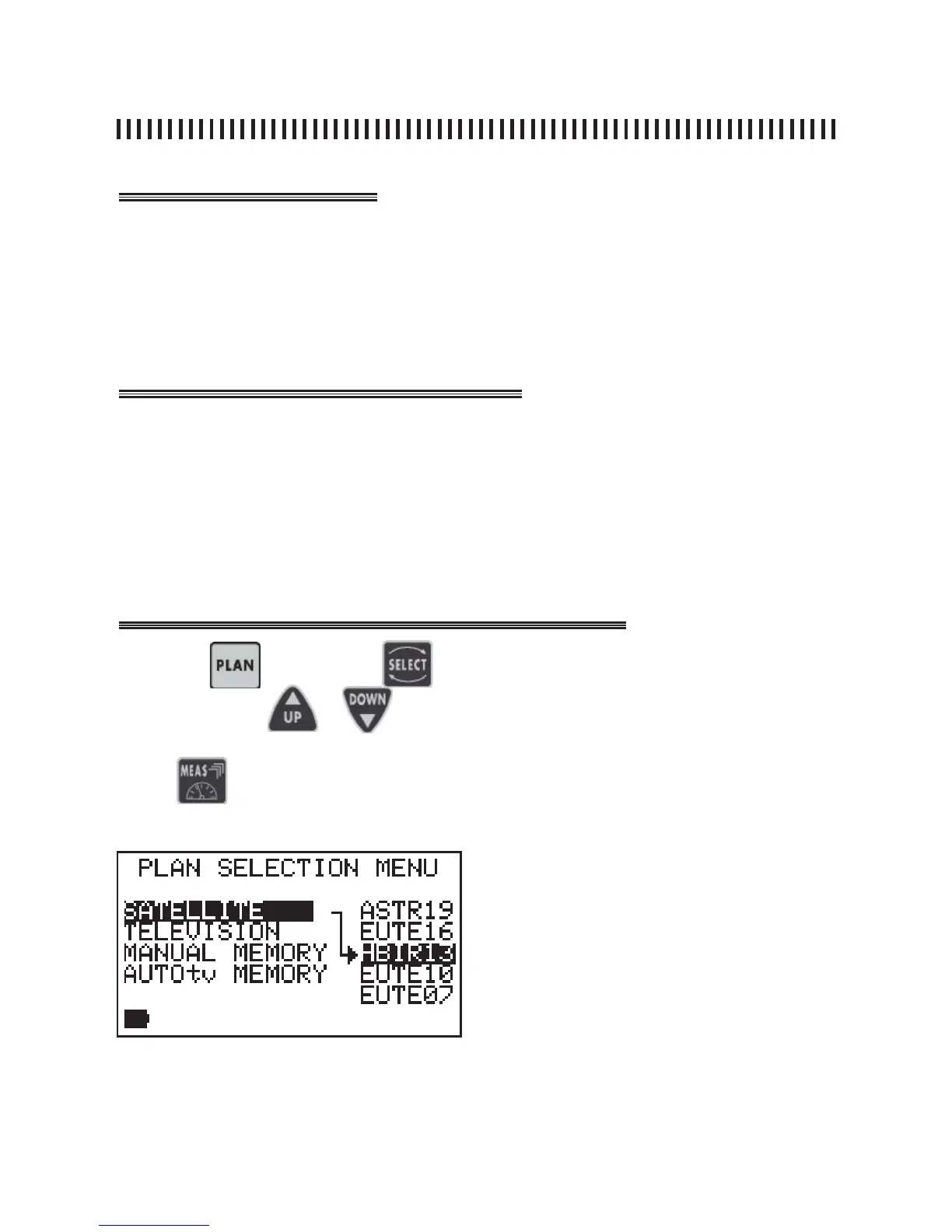
The Memory Plan menu provides a list of all the available transponder fi les whi-
ch can be selected to be used for measurement or dish alignment tasks. Upon
meter power on, the last selected Memory Plan will be active. Using the Select
key [10], highlight a “Satellite” plan list (these lists are factory prememorized) or
a “Manual Memory” list if we have memorized our own transponders.
• To select a Memory Plan (transponder list) press the PLAN [3] key,
• Select the wanted Memory Plan under the previously selected highlighted list
using keys SELECT [10], UP [7] and DOWN [9],
• The active memory plan wil have a dark background,
• Press any key to exit the menu, for example the MEAS [6] key in order
to start the measurements on the transponders contained in the selected
Memory Plan.
Press the
key and use
or
The active list will always be the one highlighted with the black background.
to select the specifi c memory plan.
Press to start measuring.
to choose one of the available transponder
lists and press
NOTES
There are 4 types of Memory plans:
SATELLITE: Satellite Factory Prememori-
zed plans (see SAT section of this manual)
TELEVISION: Standard TV canalizations
MANUAL MEMORY: custom made Memory
Plans.
AUTOSCAN: memory plans automatically
generated by the Auto-memory (autoscan)
feature in the TV band (Rif. Par. 10.0).



 To Next Page