Brief description
Measurement start up
Push buttons and displays
pag. 27
ST2 User’s Manual
TV Mode
6.0 HELP: AUTOMATIC TUNING FUNCTION
• Press the MEAS [6] key to set the channel number, for which we want to obtain
all the tuning parameters,
OR
• Press the SPECT [5] key and place the frequency marker on the centre fre-
quency of the digital multiplex shown on the display (See section 5.0),
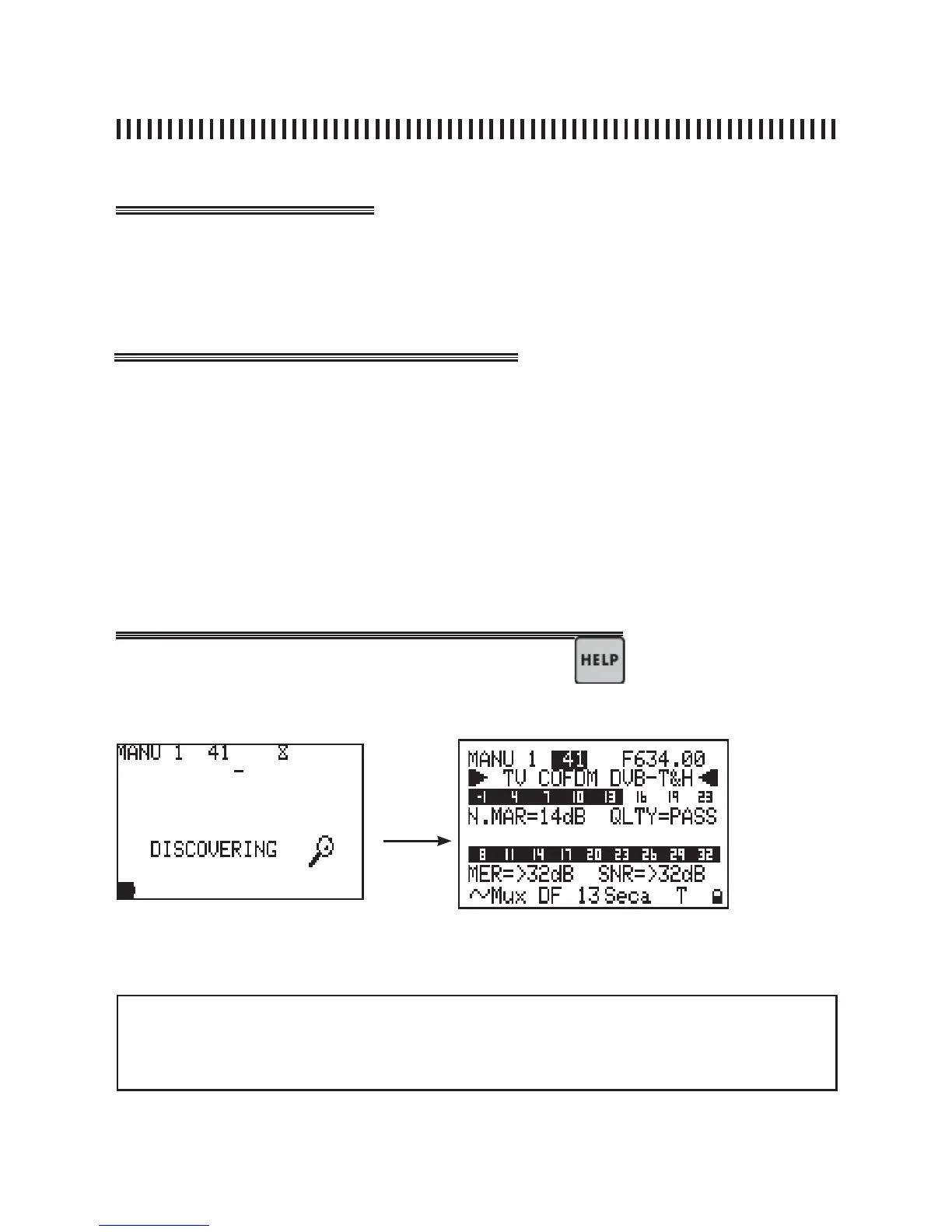
• Press the HELP [12] key to start the auto-tuning function.
Fig. 6.1 Start the automatic search for the tuning parameters of a digital Multiplex.
after
locking the
signal
The HELP [12] key starts an automatic search of all the tuning parameters of a se-
lected digital multiplex. This function is particularly useful if it is necessary to lock a
COFDM multiplex, found in SPECTRUM or MEAS mode, which has not been pre-
memorized in any Memory Plan and of which we know only its frequency.
If you need help to lock a digital signal,Press the key.
The meter will start the automatic tuning search for the missing parameters.
NOTE
• When the MUX is locked the meter will go to the measurement menu. If this channel
is not memorized it can be stored in a MANU memory plan.



 To Next Page