Brief description
Measurement start up
Push buttons and displays
pag. 35
ST2 User’s Manual
Satellite Mode
12.0 DISH ALIGNMENT: SAT FINDER
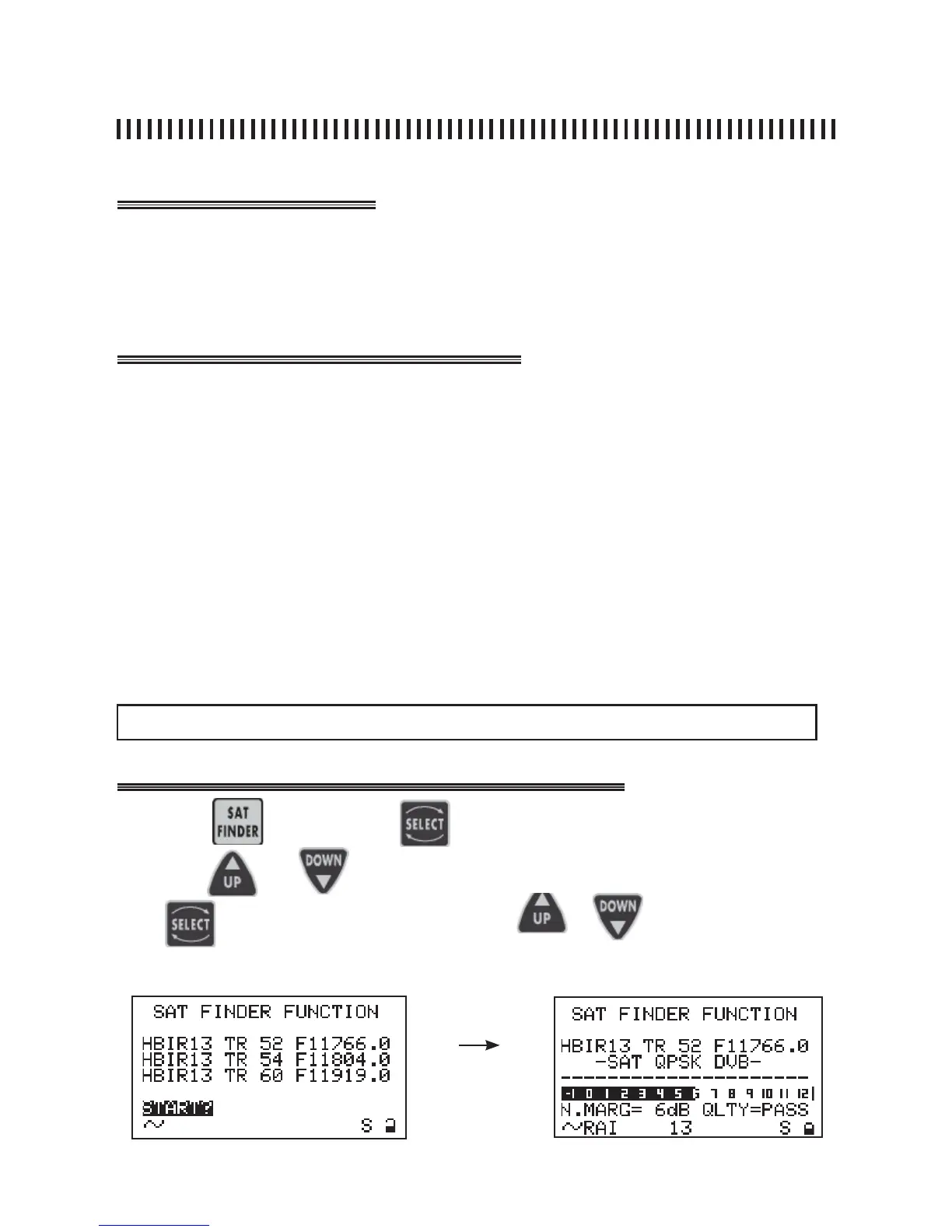
This function allows a Dish Alignment based on the identifi cation of three transponders contained in the
active Memory Plan (Ref. Sec. 11.0). These three transponders may be selected manually. When the
satellite is recognized by the meter, it will automatically display the fi ne alignment display that will also
allow cross-pol adjustments. The meter will also show on the bottom part of the display the Network
Identifi cation and the Satellite orbital position.
• Press the PLAN [3] key only if the transponder list needs to be changed (Ref. Sec. 11.0),
• Press the SAT FINDER [4] key to access the menu function,
• Use the SELECT [10] key to chose the 3 listed transponders and with the UP
[7] and DOWN [9] keys select the wanted transponder (see note below),
• Use SELECT [10] to highlight the START? command, press UP [7] or DOWN
[9] to begin the Sat Finder function,
• A rotating bar will indicate that the function is active. Start the dish alignment
task until the buzzer will be enabled by the meter. This is the indication that the
satellite has been identifi ed,
• The display will change and will show the Noise Margin measurement with a
graphic bar and a numeric value. See fi gure below.
• Proceede with the fi ne alignment until the bar length has been maximised. Go
to Section 15.0 “MISURE: MEAS” .
Press the key
and press
to chose the fi eld to be changed.
Use keys
and
to change the listed transponder.
Use to highlight “START?” and press or
after the satellite
is found
NOTE: the 3 transponders used for the satellite identifi cation may also be the same.
to start the sat search.



 To Next Page