pag. 46
Push buttons and displays
ST2 User’s Manual
Satellite Mode
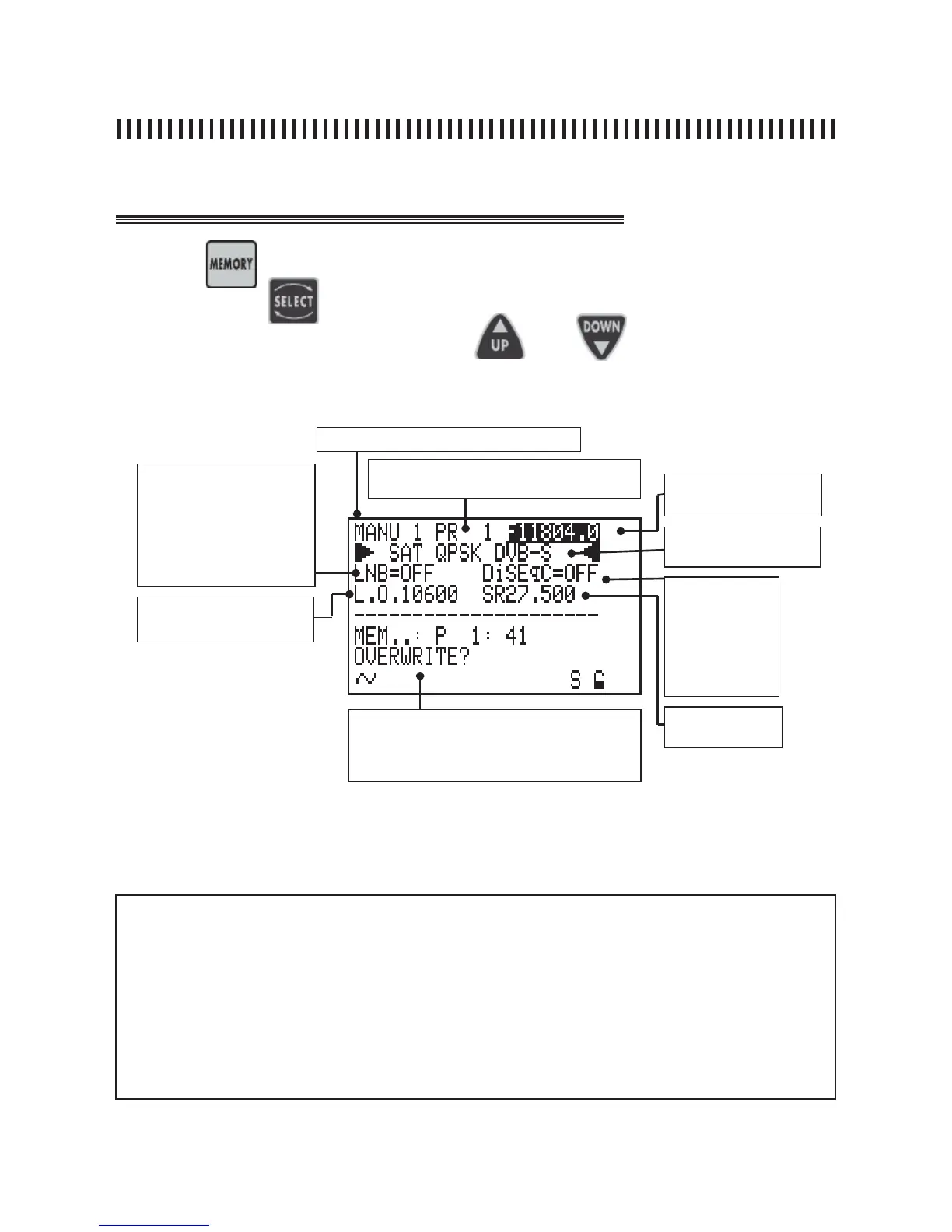
fi g. 18.1 MEMORY : creating or modifying a Memory Plan.
Press the
key to start the memory task.
Use the key
and
to highlight the memory fi elds that need to be changed
and set the new values using the keys
and applying one of
three procedures described in “MEASUREMENT START UP”.
NOTES
• If a manual tuning is performed in any MEAS menu (Ref. par. 15.0) all these new va-
lues will be shown when accessing the Memory menu.
• If a manual tuning is made in spectrum mode (Ref. Sec. 16.0) all these new values will
show when accessing the Memory menu.
• In the pre-memorized factory transponder lists the only parameter that can be chan-
ged is the DiSEqC RF feed. All other tuning parameters can not be changed on these
memory plans.
continue: MEMORY: MEMORIZATION FUNCTION
Memory Plan (Ref. section 11.0)
Transponder frequency:
MW o IF
Active Memory Plan transponder or pro-
gramme number (Ref. Sec. 11.0)
Modulation: analogue or
Digital QPSK
LNB
LINE FEED
• Vertical low: VL 12
• Vertical high: VH 12
• Horizont low: HL 12
• Horizontal high: HH 12
• OFF
D
ISEqC:
• Position A
• Position B
• Position C
• Position D
• OFF
Local Oscillator: from 0 to
20.000 MHz
Symbol Rate: from
2 to 45 MS/s
command that confi rms the memory change:
: SAVE? (adds a new programme) or OVE-
RWRITE? (replaces an existing programme)



 To Next Page