pag. 59
ST2 User’s Manual
1.0 HOW TO CONNECT YOUR MEASURING INSTRUMENT TO A PC
This procedure allows the SMART program to recognise the instrument connected to
the PC.
1.1.1 CONNECTION BETWEEN INSTRUMENT & PC
a) Connect the measurement instruments to the mains and then power on.
b) Connect the USB cable fi rst to the measurement instrument and after to the PC
c) Start the SMART program.
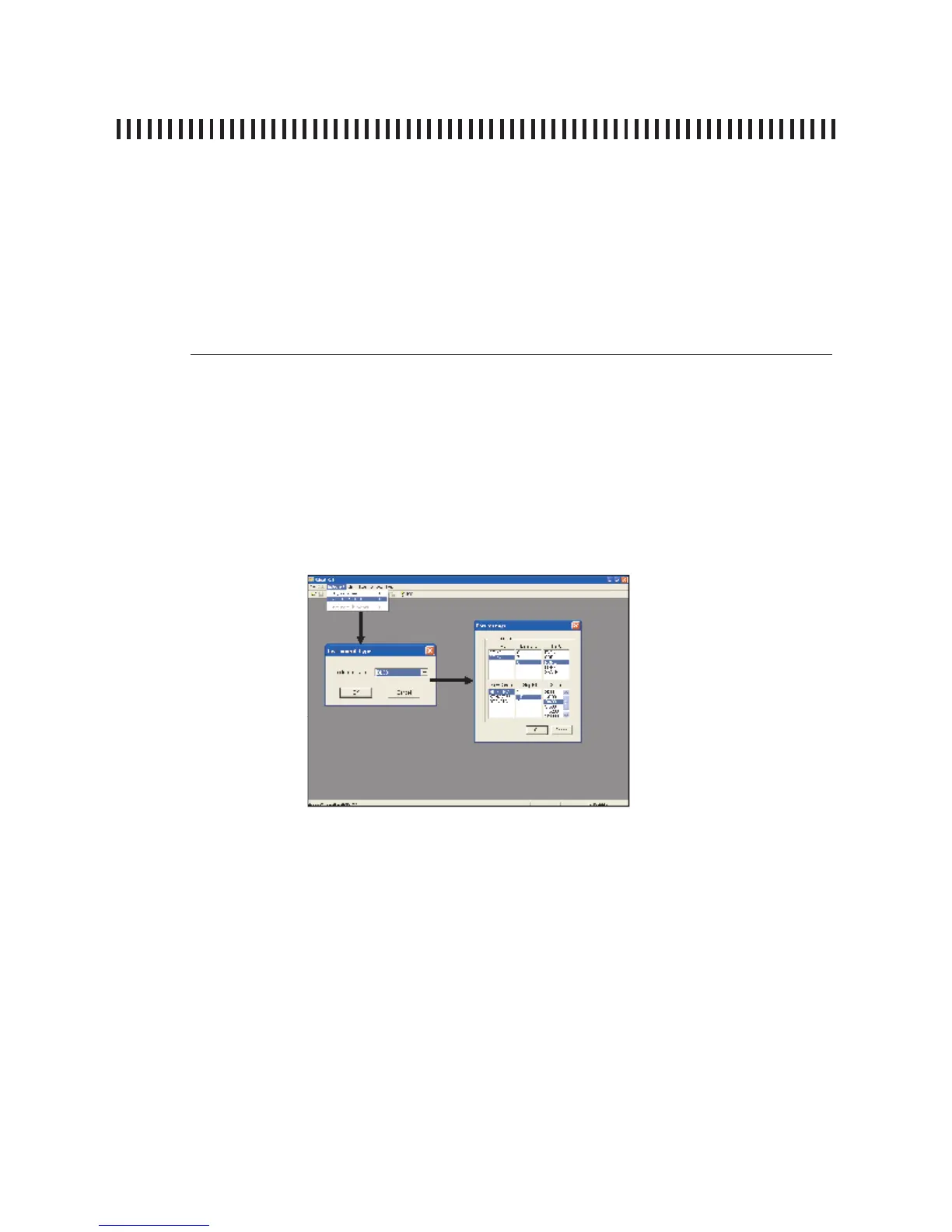
d) From the instrument bar, click on the words “Instrument” and “Connect
Instrument”, (Figure 1) (see paragraph 1.3 “Warning”)
e) In the “Instrument Type” window, select your instrument’s model and con
fi rm your selection using the key “OK”.
f) The “Port Setting” window will open (serial port confi guration) where you can
select the port number (COM) to which your instrument is connected. The
other settings can be changed, but it is best not to use the preselected ones.
Confi rm by pressing the “OK” key to activate instrument connection.
1.2 NOTES
a) If the procedure is carried out correctly, the bar below will show the instru
ment data (instrument model, serial number and fi rmware version).
1.3 WARNINGS
a) If the up-grade procedure does not work, check connections and repeat the
operation.
b) If this operation continues to fail, contact Ro.Ve.R Laboratories SpA
(info@roverinstruments.it).
Figure 1
continues: SMART PROGRAMME



 To Next Page