RDC6563F Standalone Fiber Cutting Control System User Manual V2.0
100
SHENZHEN RUIDA TECHNOLOGY CO., LTD
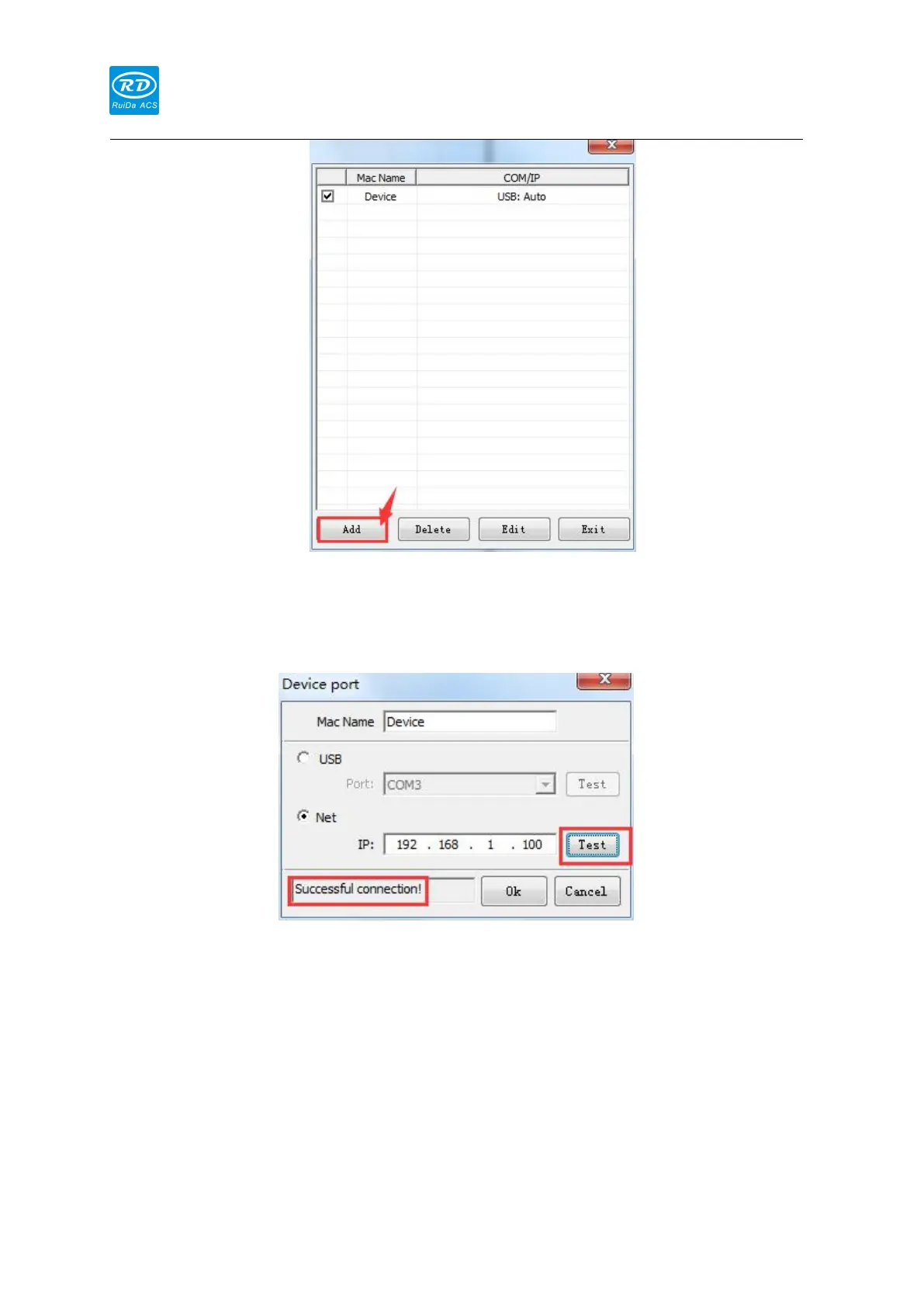
3) After setting the IP address correctly, click the [Test] button, the connection will be
displayed successfully. If the connection fails, check if the network cable is connected
correctly. If the network cable is properly connected and the connection still fails, you
can modify the different IP addresses and connect again.
4) After the setting is successful, click the [Enter] button to complete the device
connection.
When using a network connection, the network IP address and gateway can be modified on
the panel. The IP address is 192.168.1.XXX, and XXX indicates any number between 2 and 254.
Under normal circumstances, the gateway can be set without setting.
Entering setting interface through [Menu] → [Controller Configuration] → [Network Settings]



 To Next Page