RDC6563F Standalone Fiber Cutting Control System User Manual V2.0 98
SHENZHEN RUIDA TECHNOLOGY CO., LTD
8.2 USB Device connection
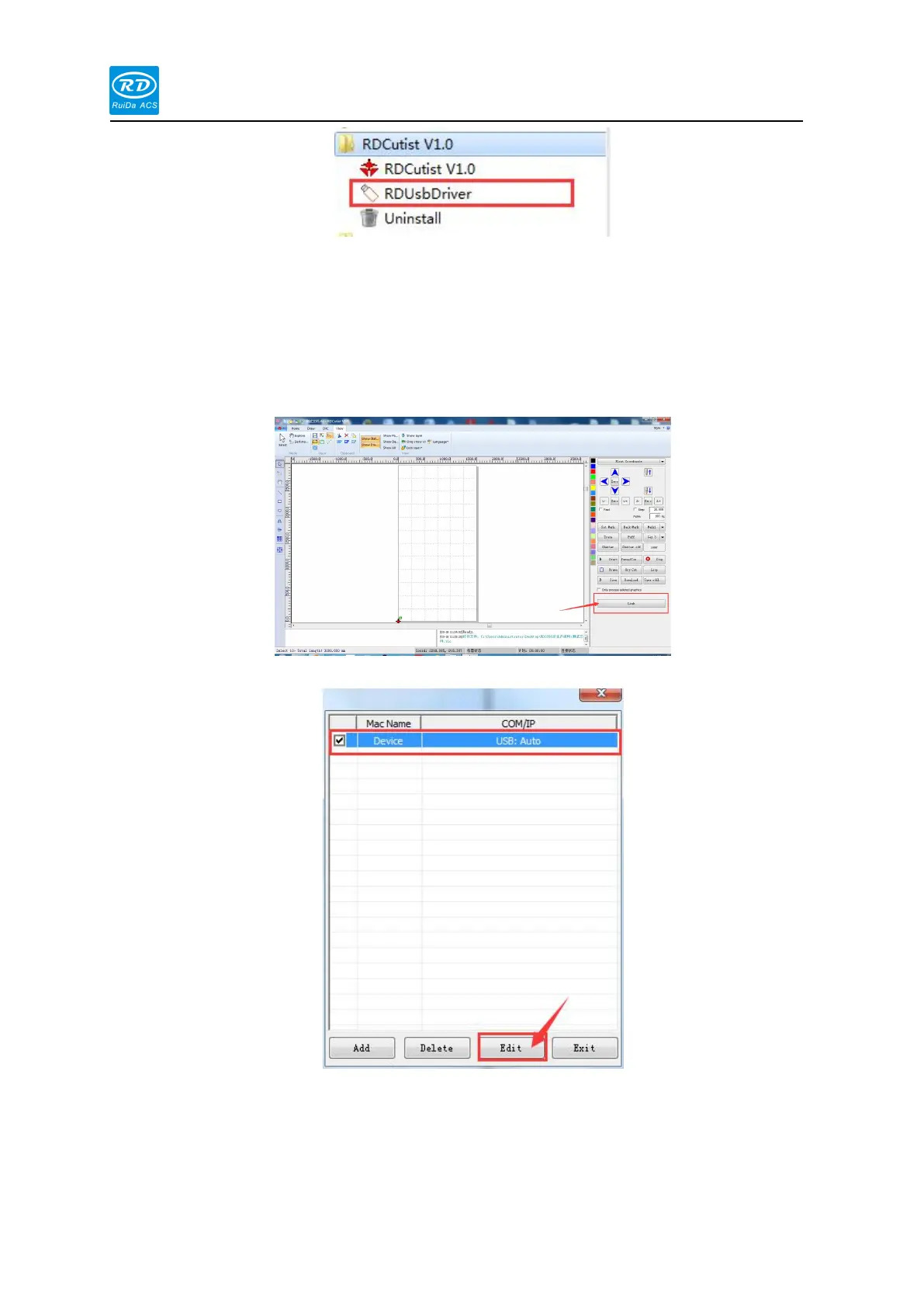
The procedures to connect the mainboard via USB are as follows:
1) Open RDCutist software, Click the [Link] button in the lower right corner of the software.
2) Select the default machine name and click the [Edit] button.
3) Set the corresponding machine name, the machine name defaults to Device, and then
click the [Connect] button, the connection will be displayed successfully. If the display
connection fails. Please check if the USB cable is correct or if the USB driver is
installed.



 To Next Page