
 Need help?
Do you have a question about the s::can con::cube D-330 and is the answer not in the manual?
Confirms product development, testing, and manufacturing for EMC and European standards.
Warns about potential contamination with dangerous chemicals or germs in wastewater applications.
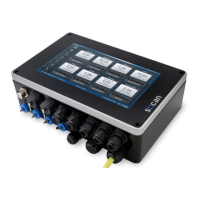
Details the con::cube's role as an industrial computer for s::can probes and sensors.
Explains the con::cube's operation via software, display, and data collection.
Lists available con::cube device variants and details information found on the type label.
Provides guidelines for storing, transporting, and disposing of the con::cube device.
Lists parts included in the delivery and optional parts for the con::cube.
States the manufacturer reserves rights for technical developments and modifications.
Details environmental requirements and IP 65 protection for the con::cube installation.
Explains the tools and methods required for mounting the con::cube device.
Outlines access to the cable terminal compartment and wiring with spring terminals.
Describes how to connect an s::can spectrometer probe to the external connector.
Explains connecting ISE probes, i::scan, and other s::can sensors via sys plug connectors.
Details wiring cleaning devices to the con::cube terminal compartment for automatic cleaning.
Guides authorized persons on connecting the main power supply to the con::cube.
Explains the startup process of the moni::tool software on the con::cube.
Describes how to configure the con::cube for low power consumption using sleep mode.
Covers operating the con::cube directly via its touch screen or external USB devices.
Explains remote access to the con::cube via internet, VPN, or local network.
Details operating the con::cube through a web browser by entering its IP address.
Explains remote operation using VNC-Viewer, requiring keyboard, mouse, and monitor.
Provides an overview of all available interfaces for operating the con::cube.
Discusses setting up network connectivity and security for the con::cube.
Details various connection methods like LAN, WLAN, 3G, and VPN for the con::cube.
Details connecting the con::cube to a local area network using an RJ45 cable.
Explains enabling and connecting to a wireless LAN via the con::cube's internal WLAN modem.
Guides on configuring the internal 3G modem for data transfer and remote control.
Describes how to connect the con::cube to a VPN server by configuring a VPN profile.
Explains the use of an SQL database for storing measurement results and configuration data.
Lists various methods for transferring measurement results and data to external devices.
Defines the common data types used by s::can interfaces and their representation.
Details the Modbus interface for integrating the con::cube into other networks via RTU or TCP/IP.
Explains using the Profibus DP output module for data transfer to PLC systems.
Describes the SDI12 module for integrating the con::cube into SDI12 networks.
Provides a checklist for performing functional checks on the monitoring system.
Instructs on proper cleaning methods for the device housing.
Explains the function and replacement of the desiccant package for humidity control.
Details checks for IP 65 protection, gaskets, and cable glands before closing the housing.
Describes the need for and process of calibrating the touch screen.
Shows how to display important con::cube settings by clicking the s::can logo.
Advises contacting a sales partner for software updates or using live update if connected to the internet.
Outlines the process for returning the s::can monitoring system or parts for service or repair.
Refers to accessories for installation, like weather shields and power supply cords.
Describes the weather shield for protecting the con::cube during outdoor installation.
Details the available power supply cable for connecting the device.
Explains connecting an external antenna to the con::cube for 3G modem connectivity.
Details accessories for automatic cleaning, such as the cleaning valve.
Details the available cleaning valve for the automatic compressed air cleaning system.
Lists spare parts like desiccant packages and touch pens available for the con::cube.
States that desiccant packages are available as spare parts for humidity control.
Mentions additional touch pens can be ordered as spare parts for touch screen operation.
Describes optional features like 3G modems, analog/digital I/O, and Profibus/SDI12 modules.
Describes the internal 3G modem module for wireless remote control and data transfer.
Details the optional module providing two analog outputs for data transfer to PLC systems.
Explains the optional module with four configurable relay outputs for triggering functions.
Describes the optional module providing a Profibus DP interface for data transfer to PLC systems.
Details the optional SDI 12 module for data transfer to PLC systems.
Explains the optional module providing two analog inputs for third-party sensors.
Describes the optional module providing two digital inputs for third-party sensors.
Provides terminal connection details for optional I/O modules in mA output, mA input, and digital input.
Details the pin assignment for the optional Profibus DP connector (Sub-D9).
 General
| Brand | s::can |
|---|---|
| Model | con::cube D-330 |
| Category | Industrial PC |
| Language | English |

 To Next Page
