7 Data Management
7.1 Data Storage
Themoni::toolsoftwareusesanSQLdatabaseforstorageofallmeasurementresults,congurationdataandinformation.The
sizeofthedatabasedependsonthestoragecapacityoftheashdiskinthecon::cube(seetechnicalspecications).
Performing a database dump provides the possibility to save or archive all data stored in the database. Please refer to manual
moni::tool for further details.
7.2 Data Transfer
The con::cube with moni::tool provides several possibilities to transfer measurement results and other data and information to
external devices.
Transfer of measurement results:
via analog power outputs (optional D-315-OUT-MA)
via digital relay interfaces (optional D-315-OUT-RELAY)
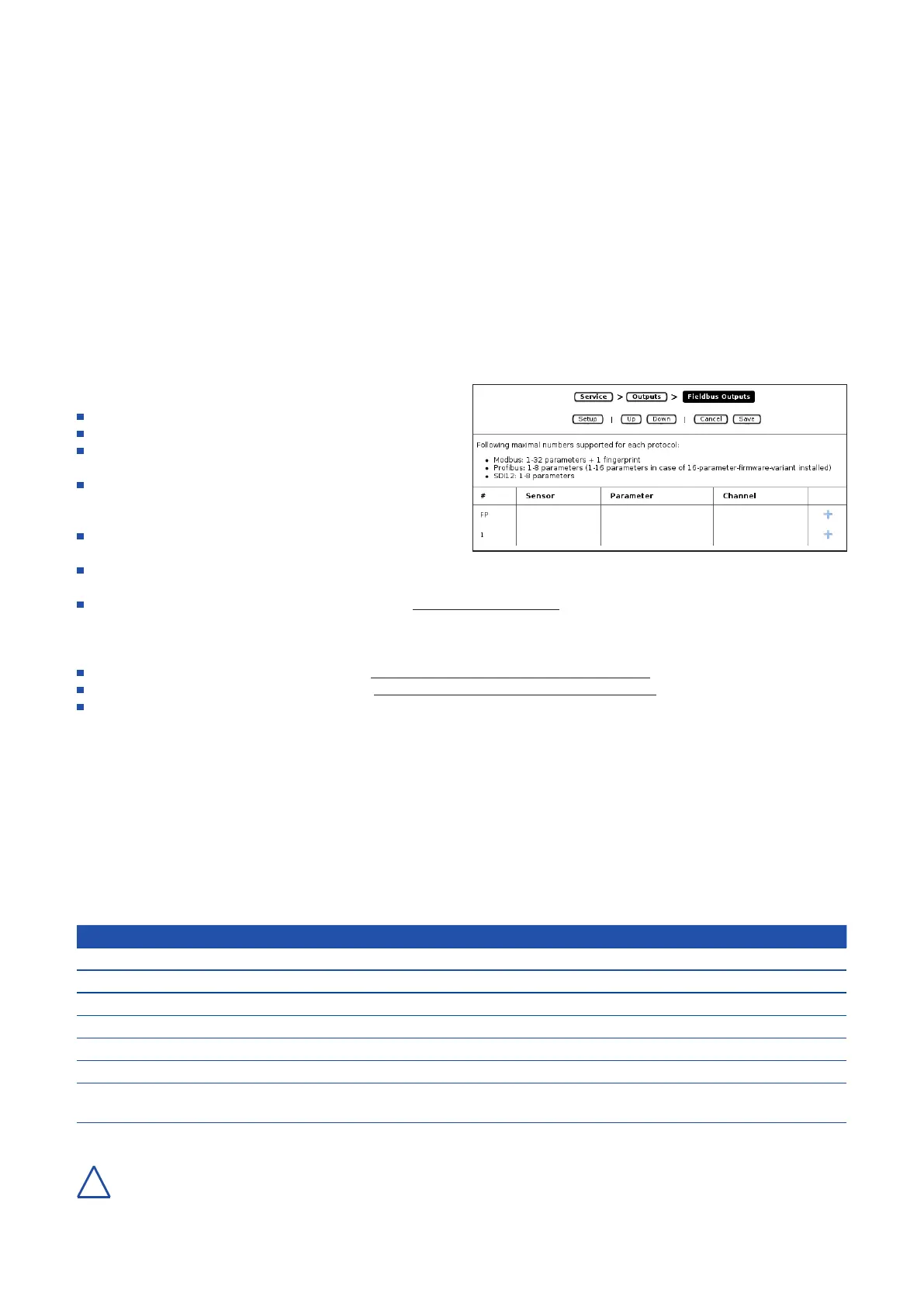
viaModbusTCP/IPinterface(EthernetRJ45,seegure
on the right and manual moni::tool)
viaModbusRTUinterface(COM-5,seegureontheright
and manual moni::tool). When using Modbus RTU, the
COM-5 port cannot be used as sensor interface.
via Probus DP interface (optional D-315-OUT-
PROFIBUS,seegureontherightandmoni::toolmanual)
via SDI12 interface (optional D-315-OUT-SDI12, see
gureontherightandmoni::toolmanual)
via TML stream (see manual moni::tool menu item Service / Outputs / TML)
Transferofmeasurementresultles:
automatical via FTP (see manual moni::tool Service / Outputs / File Output / FTP Transfer)
automatical via SSH (see manual moni::tool Service / Outputs / File Output / SSH Transfer)
manual to a USB-stick or a connected computer
Formoredetailedinformationaboutdatatransfer(e.g.conguration)pleaserefertothemoni::toolmanual.
7.3 Data Types
All s::can interfaces use a common representation of data types. Each accessible data item can be allocated to one of the
types shown in the table below. The type of a given item can always be found by checking the Modbus mapping. In addition
thenameofthedataitemareprexedbyoneortwoletterstoindicatethedatatype.Datatypeswhicharenonstandardneed
specialattentionandaremarkedspecially.DatafromModbusmappingaredirectlymappedtotheaccordingProbusaddress
space.
Type Description Size (Bytes) Prex Note
char[x] string x ab ASCII
bitmask bitmask of 16 bits 2 bm
int16 signed 16 bit integer 2 i NaN = INT 16_MAX
unit16 unsigned 16 bit integer 2 ui NaN = UNIT 16_MAX
oat IEEE-754oatingpints 4 f NaN = 0xFFFF FFFF
enum enum type 2 e
timestamp
TAI64N
timestamp format 6 ts see http://cr.yp.to/proto/
tai64.txt
For all data types the Big-Endian encoding is used.
con::cube D-330, 01-2020 Release
www.s-can.at
Copyright © s::can Messtechnik GmbH
23 / 42
!


 To Next Page