5.6 Starting up of Operation Software
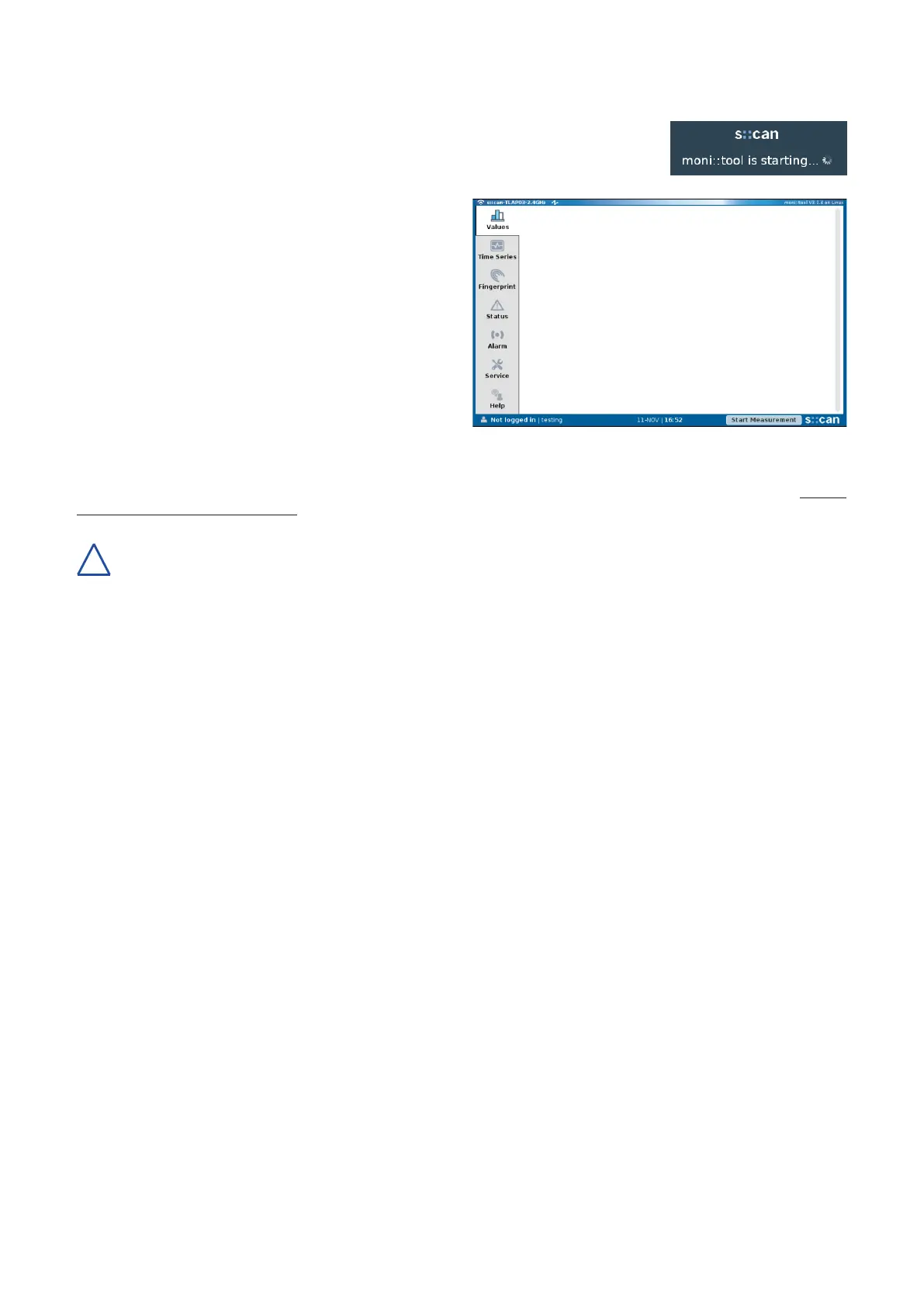
Once the con::cube is connected to the power supply (see section 5.5), it will show the s::can
logo for a few seconds while starting up. During the startup of moni::tool a message as shown
on the right hand side is visible. Please consider that the complete start up procedure will
require appox. 1 - 2 minutes.
When no probes and sensors have been installed yet (initial
startup), only the main window and the menu tabs are visible
on the display.
Please refer to the manual of the operation software moni::tool
for all further tasks to complete the initialisation of your s::can
monitoring system.
5.7 con::cube Sleep Mode
Foroperationwithlowpowerconsumptionaspecicsleepmodecanbeconguredonthecon::cubeviamoni::tool(Service
\ Terminal \ con::cube \ Power Save).
When using the sleep mode in combination with a 3G/4G modem, the most actual moni::tool version V3.1.4 has to be
used.Whenusinganolderversion,amodicationofajumperisneeded(informationnotehowtodothisisavailable
via s::can customer support).
con::cube D-330, 01-2020 Release Copyright © s::can Messtechnik GmbH
www.s-can.at16 / 42
!


 To Next Page