10 Troubleshooting
All information and notes regarding typical error pattern as well as error and status messages can be found in the manual of
the operating software moni::tool.
10.1 Device Settings
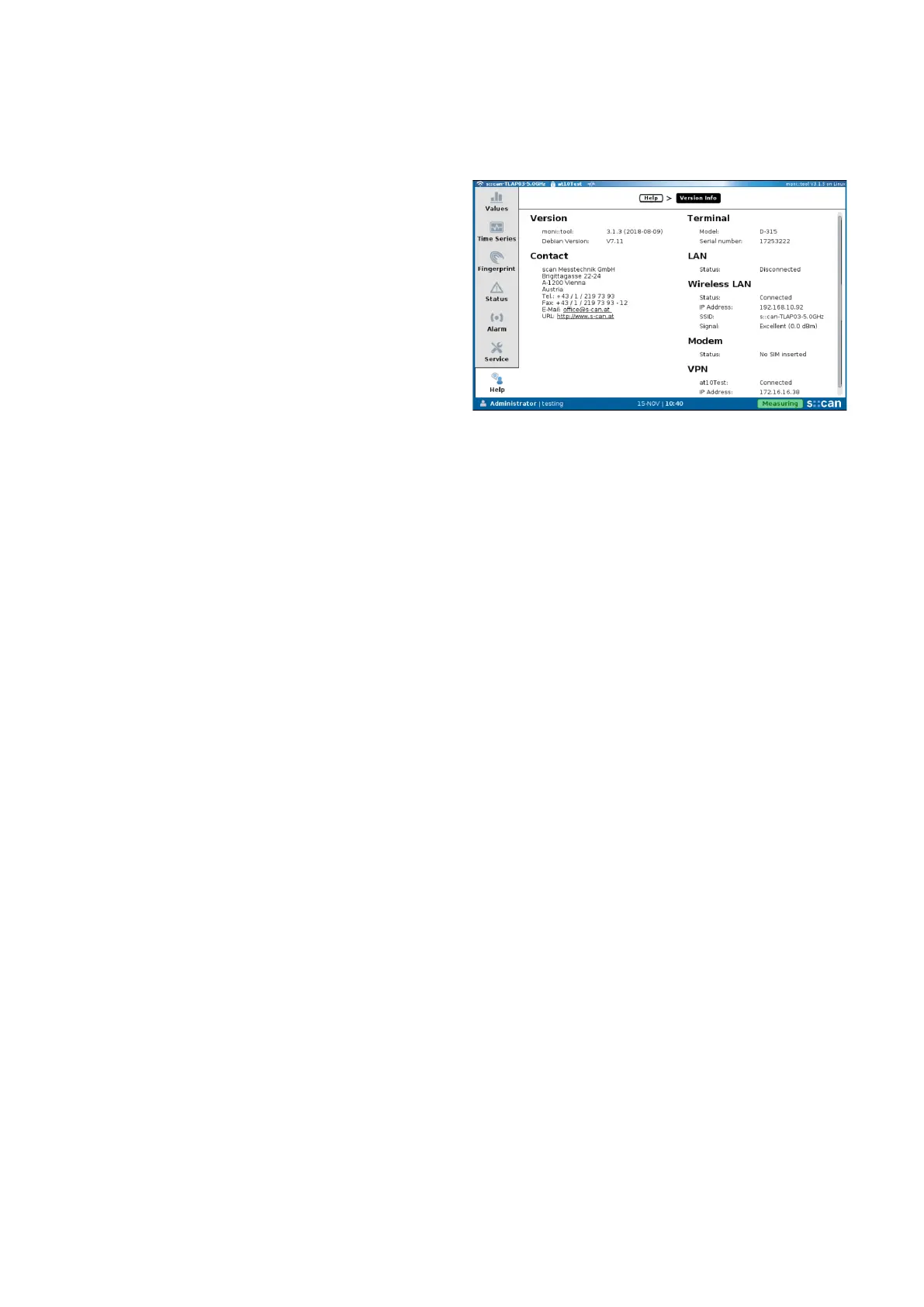
The most important con::cube settings will be displayed when
clicking on the s::can logo in the lower right hand side of the
screen(seegureontheright).
10.2 Software Update
Please contact your s::can sales partner in case a software
update is needed. In case the con::cube is connected to the
internet there is a possibility for live update.
10.3 Return Consignment (RMA - Return Material Authorization)
Return consignments of the s::can monitoring system, or parts of the system, shall be done in a packaging that protects the
device (original packaging or protective covering if possible). Before returning a consignment, you have to contact your s::can
sales partner or s::can customer support (support@s-can.at). A RMA number will be assigned for each device, independent if
the reason of the return consignment is service, repair or demo equipment.
RMA numbers can be requested from the s::can Costomer Portal available on the s::can webpage directly. Return consignments
without an RMA number will not be accepted. The customer always has to bear the costs for return consignment.
con::cube D-330, 01-2020 Release Copyright © s::can Messtechnik GmbH
www.s-can.at32 / 42


 To Next Page